
Tasks.
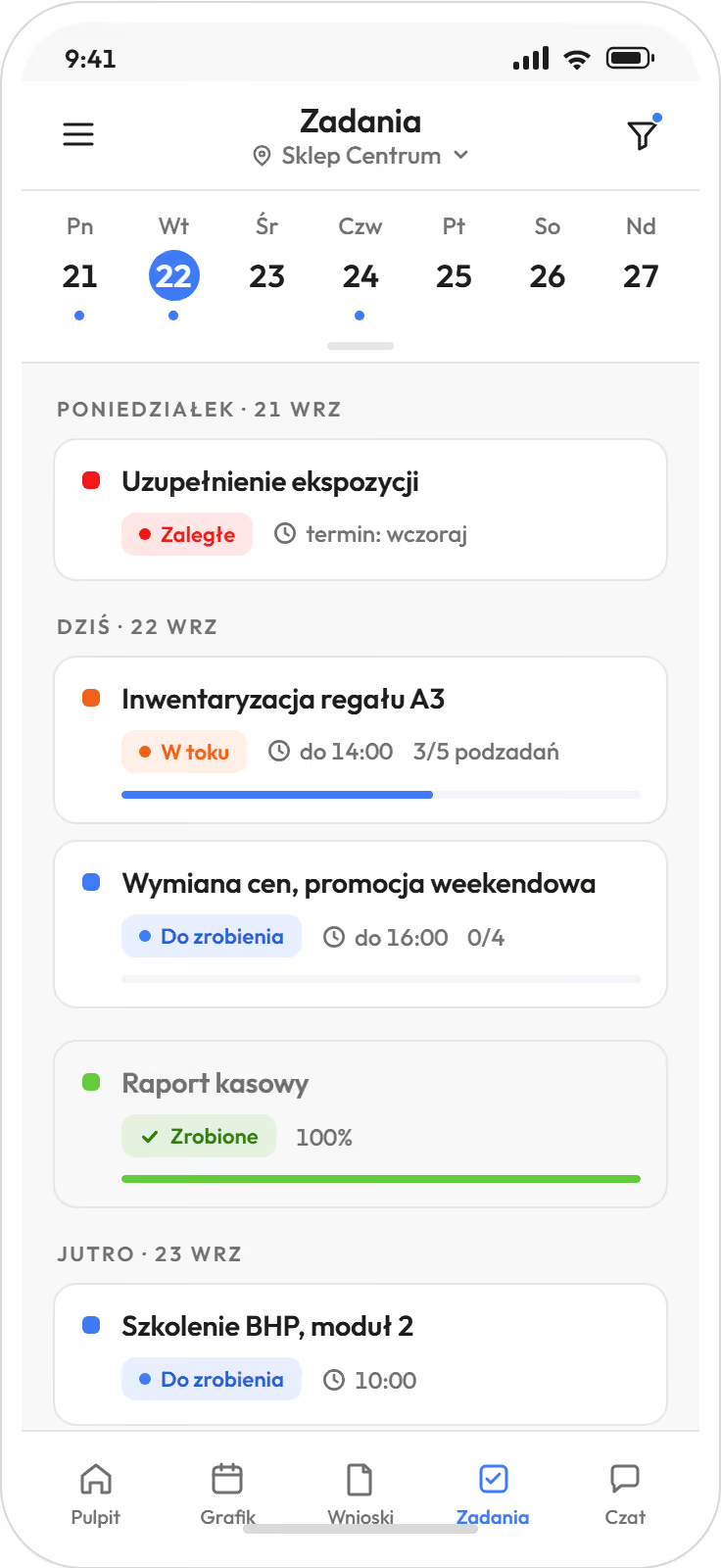
One-off and recurring, with a deadline, subtasks and a status. One task can go to several people. Typical ones: opening and closing, taking in a delivery, an equipment check. The task sits on the shift, so the person on shift sees it.
The Proplanum app for location managers and their teams, on iOS and Android.
Proplanum is scheduling and time tracking software for shift-based businesses. Employees have their schedule, requests, availability, swaps and clock-ins on the phone. From the same phone, the manager builds the schedule and approves requests. Anyone who does not use a phone at work clocks in at the kiosk on a tablet.

Only the company creates accounts.
Prices in US dollars (USD), excluding VAT.
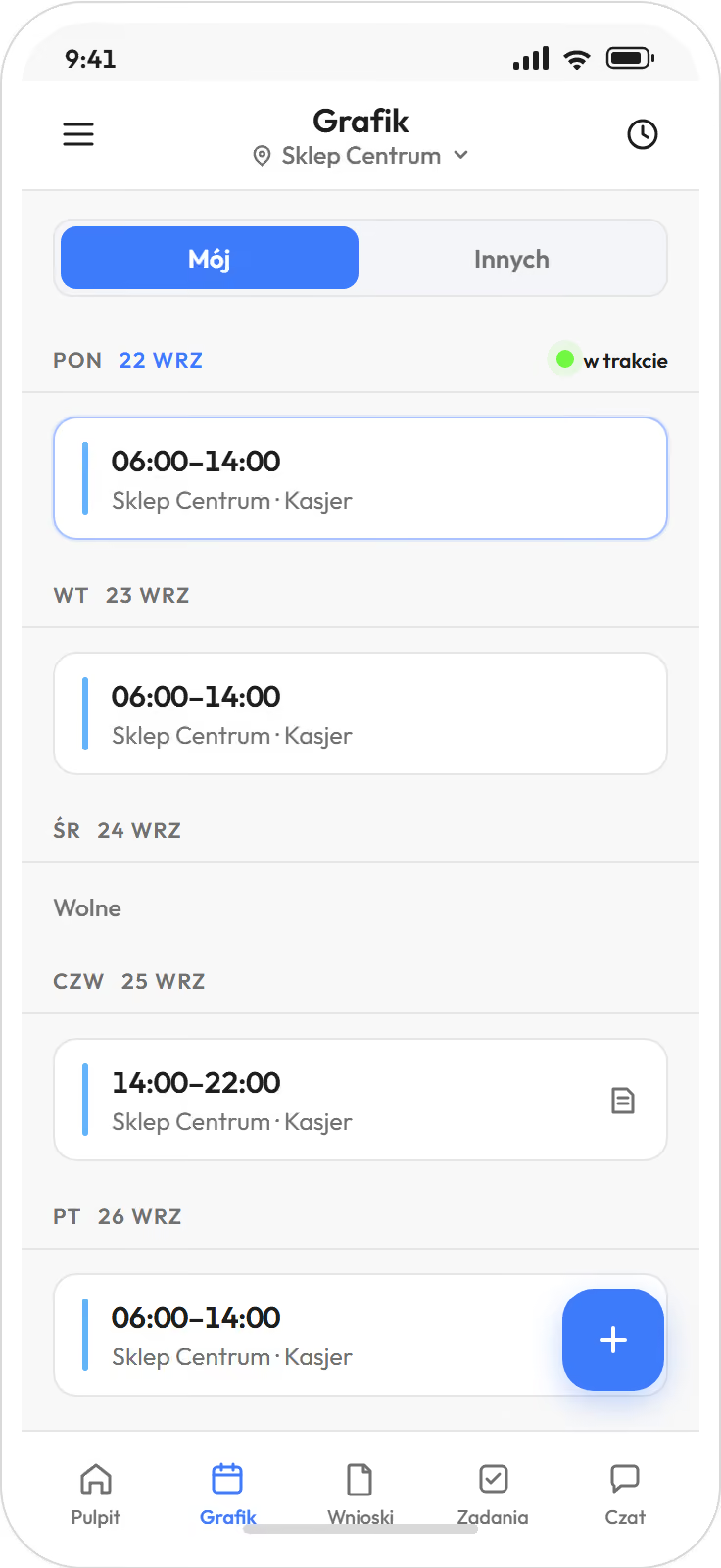
The app shows your team its own schedule and its own hours. The manager no longer has to send out shifts.
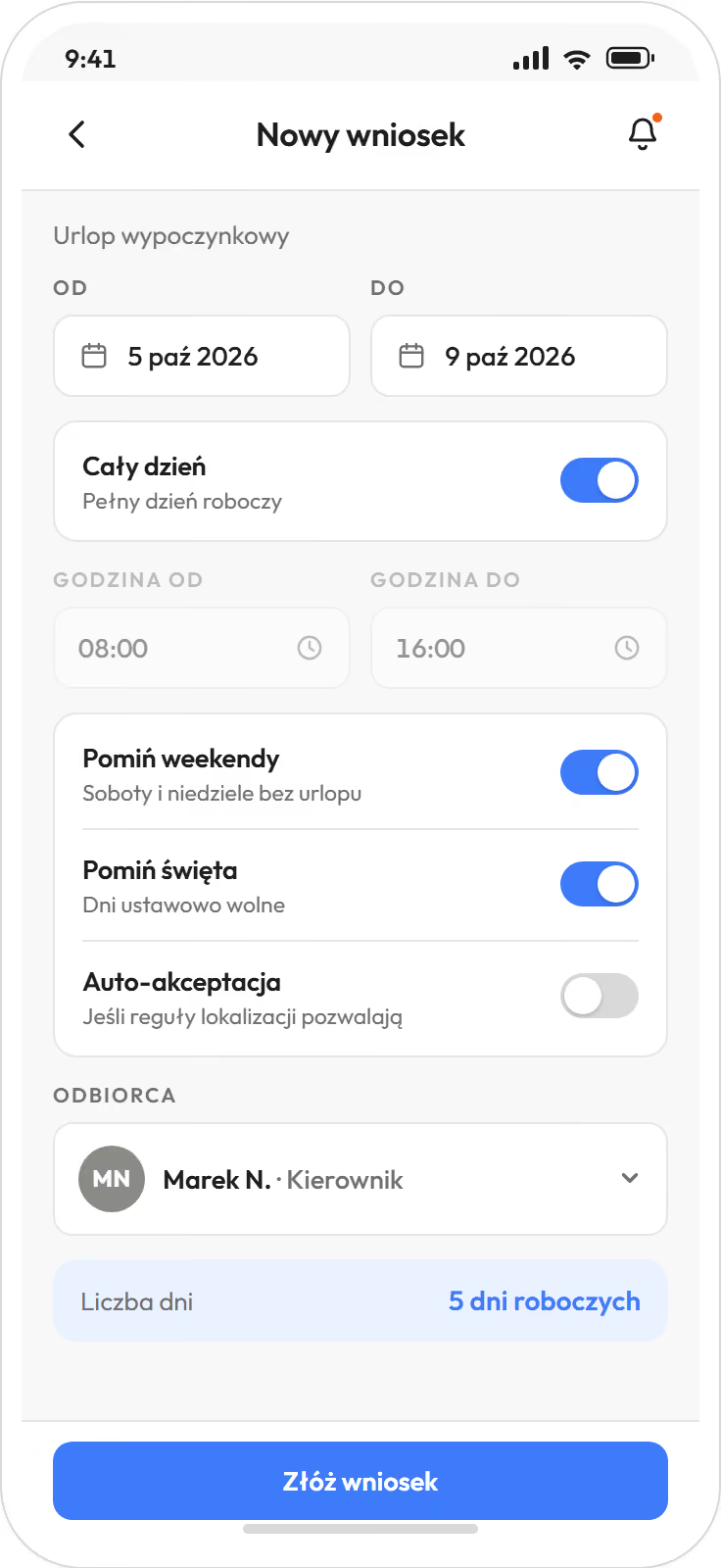
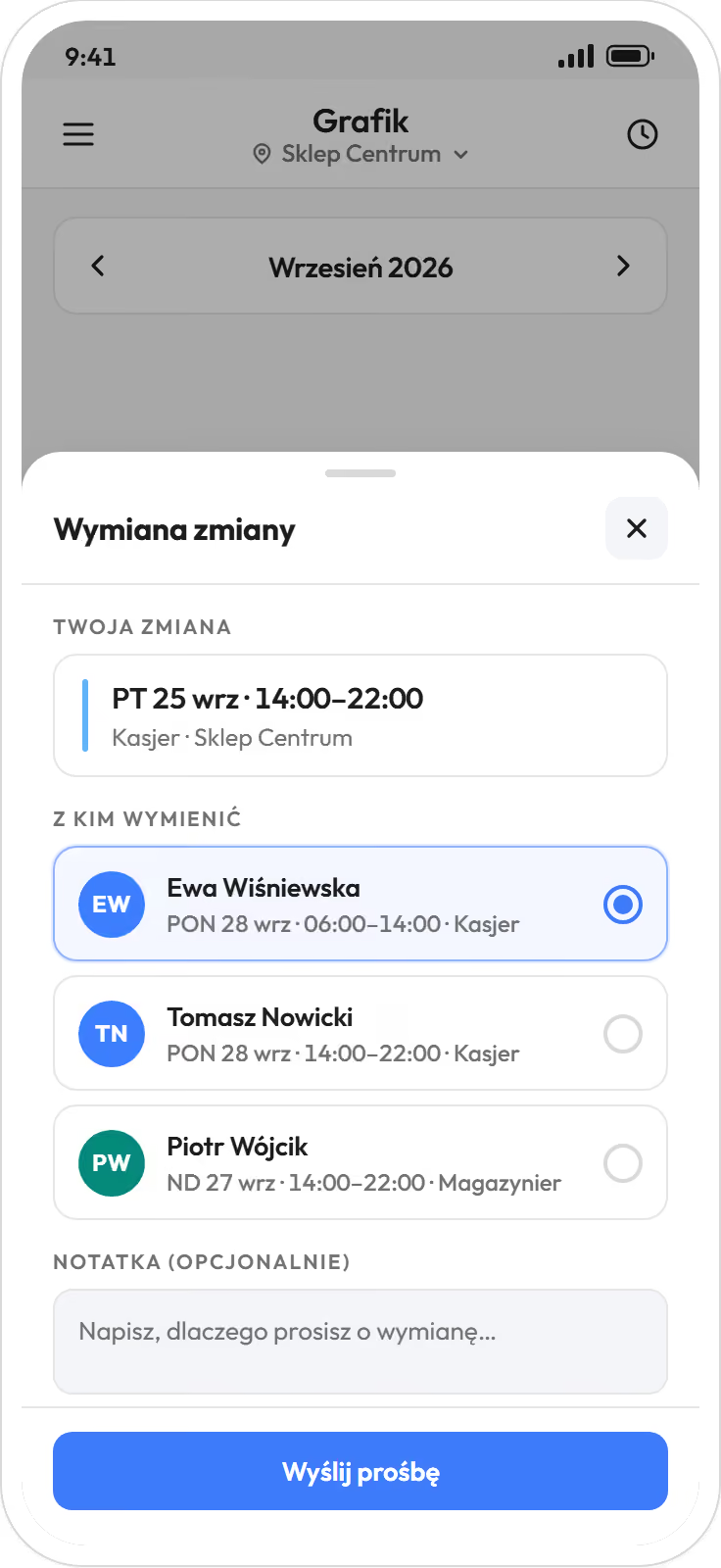
Everything that goes to the manager by message today, employees handle themselves in the app.
Employees do not see pay rates or costs. They see the team's schedule as you set it: in full, only for their own position, or not at all.
That page is for sending to your team. No selling, just screens and short descriptions.
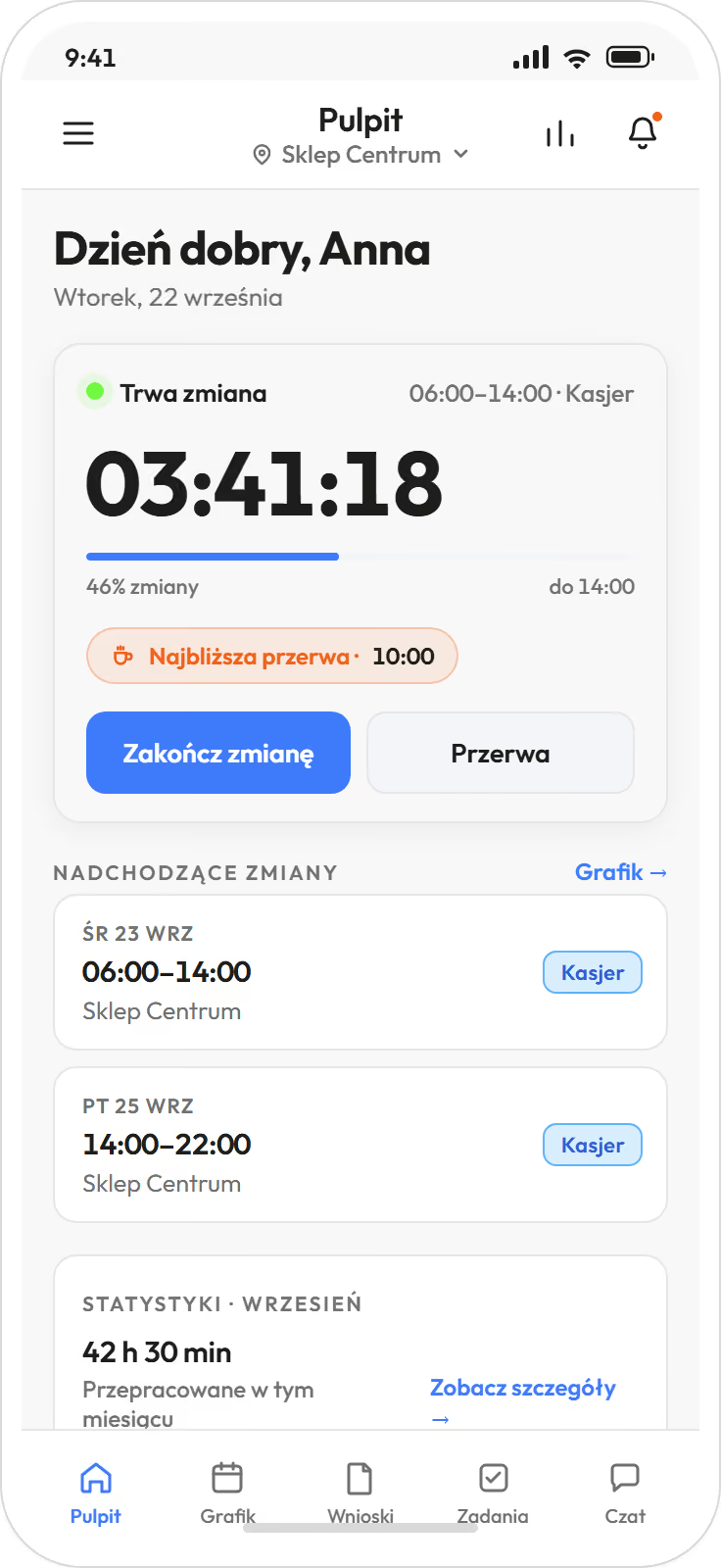
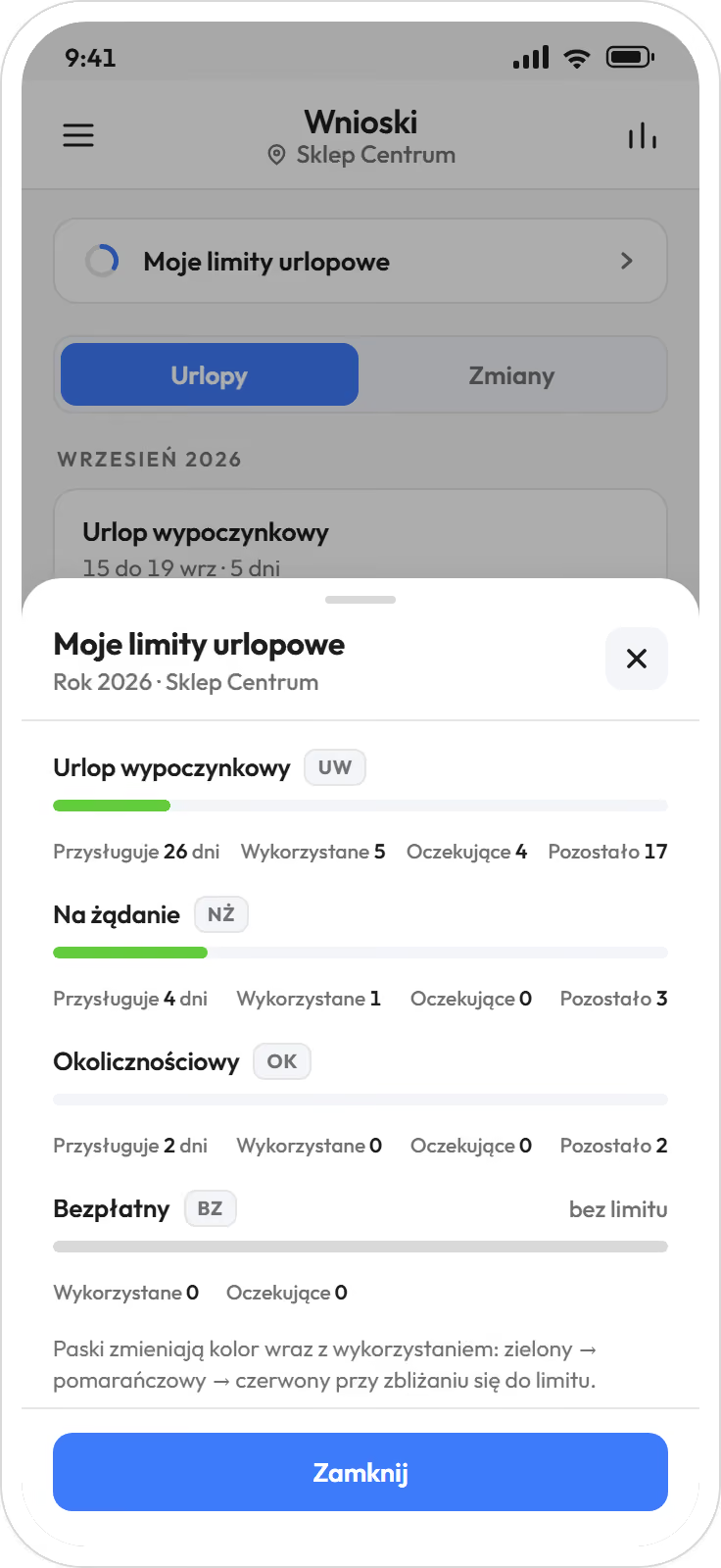
With one or two people per shift, everything fits on the phone, with no need for the panel.
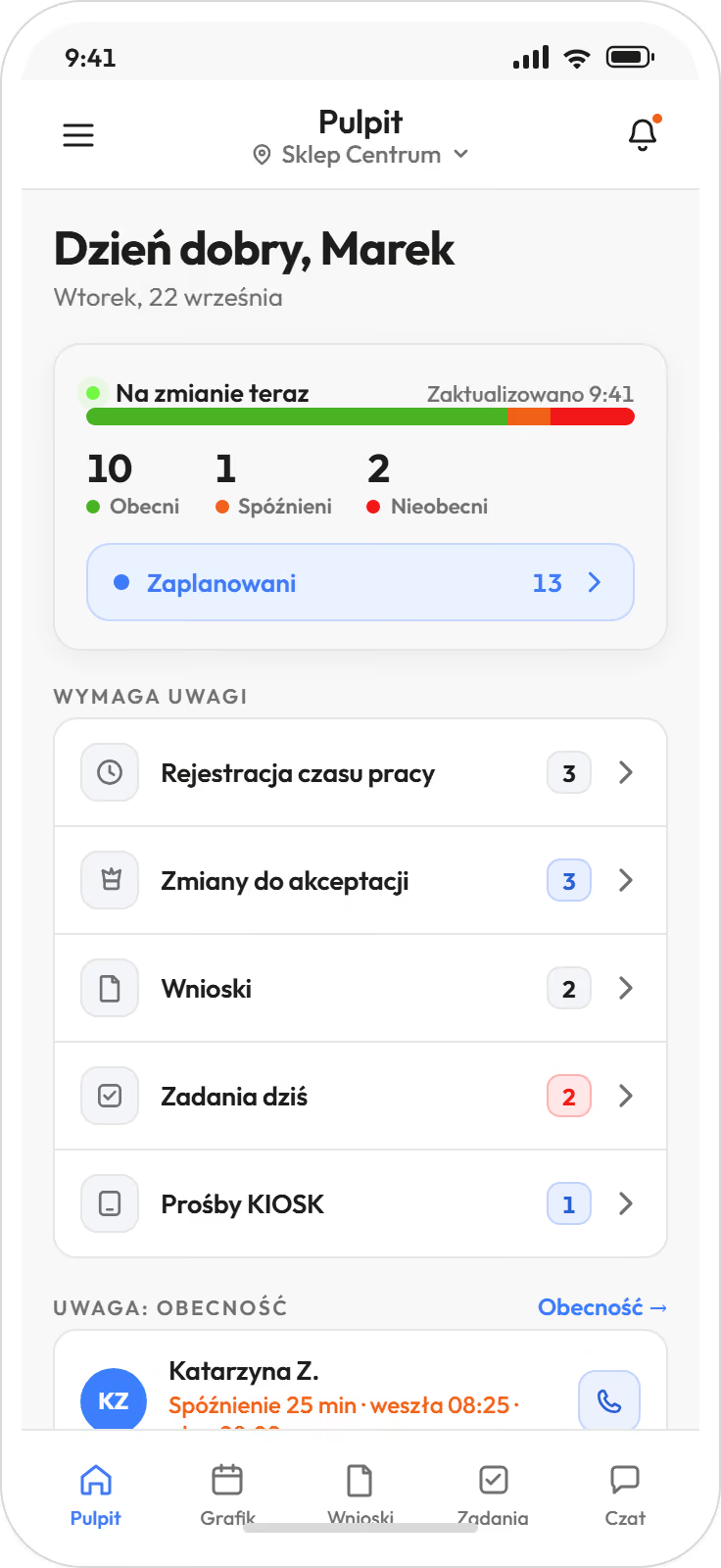
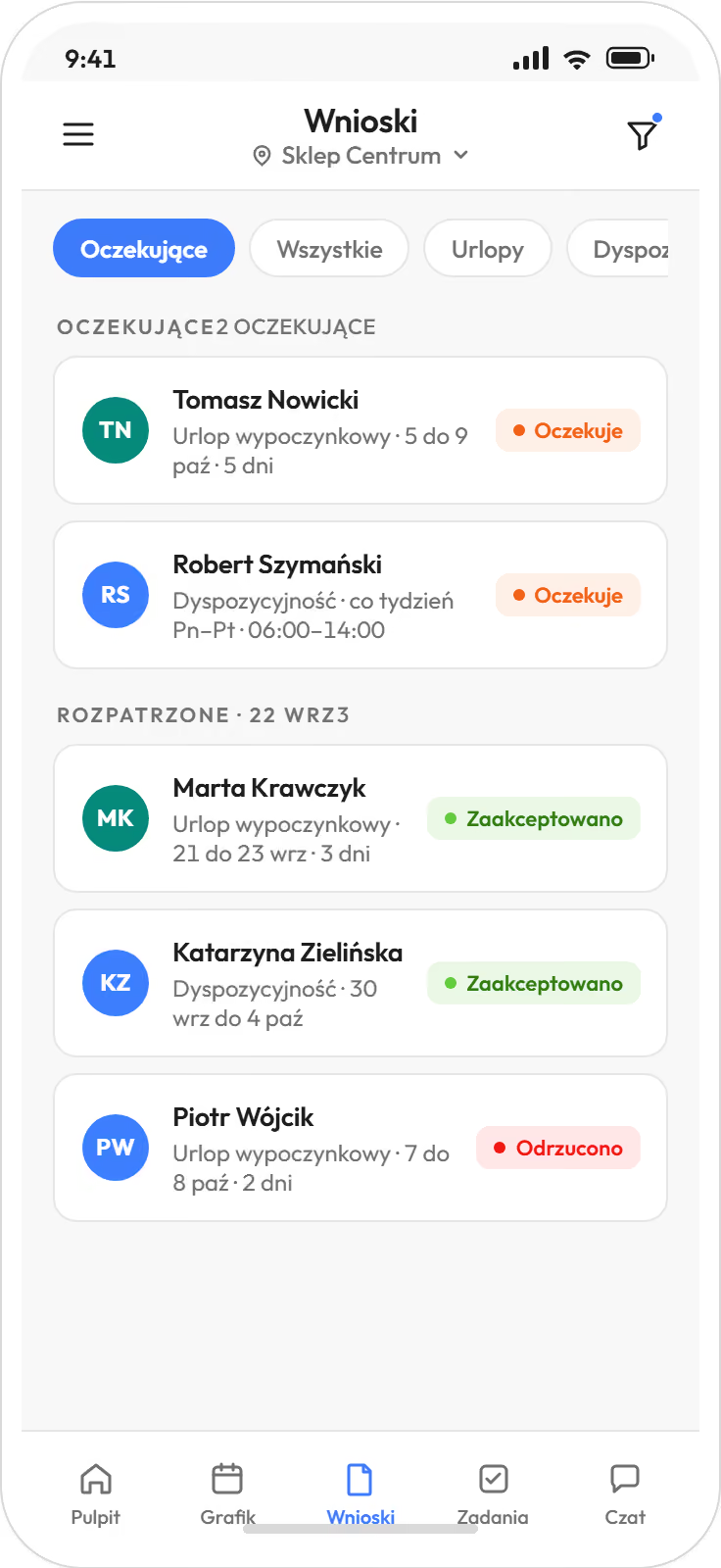
The manager's first screen collects pending requests, unassigned shifts and entries to approve. Nothing gets lost in messages.
An electronic sick note (e-ZLA) from ZUS, the Polish social insurance institution, removes the person from shifts. The shift goes to the unassigned pool, and the manager is notified and passes it to open shifts or a specific person.
Alerts and summaries go to the manager and HR. There is no separate owner view on the phone.
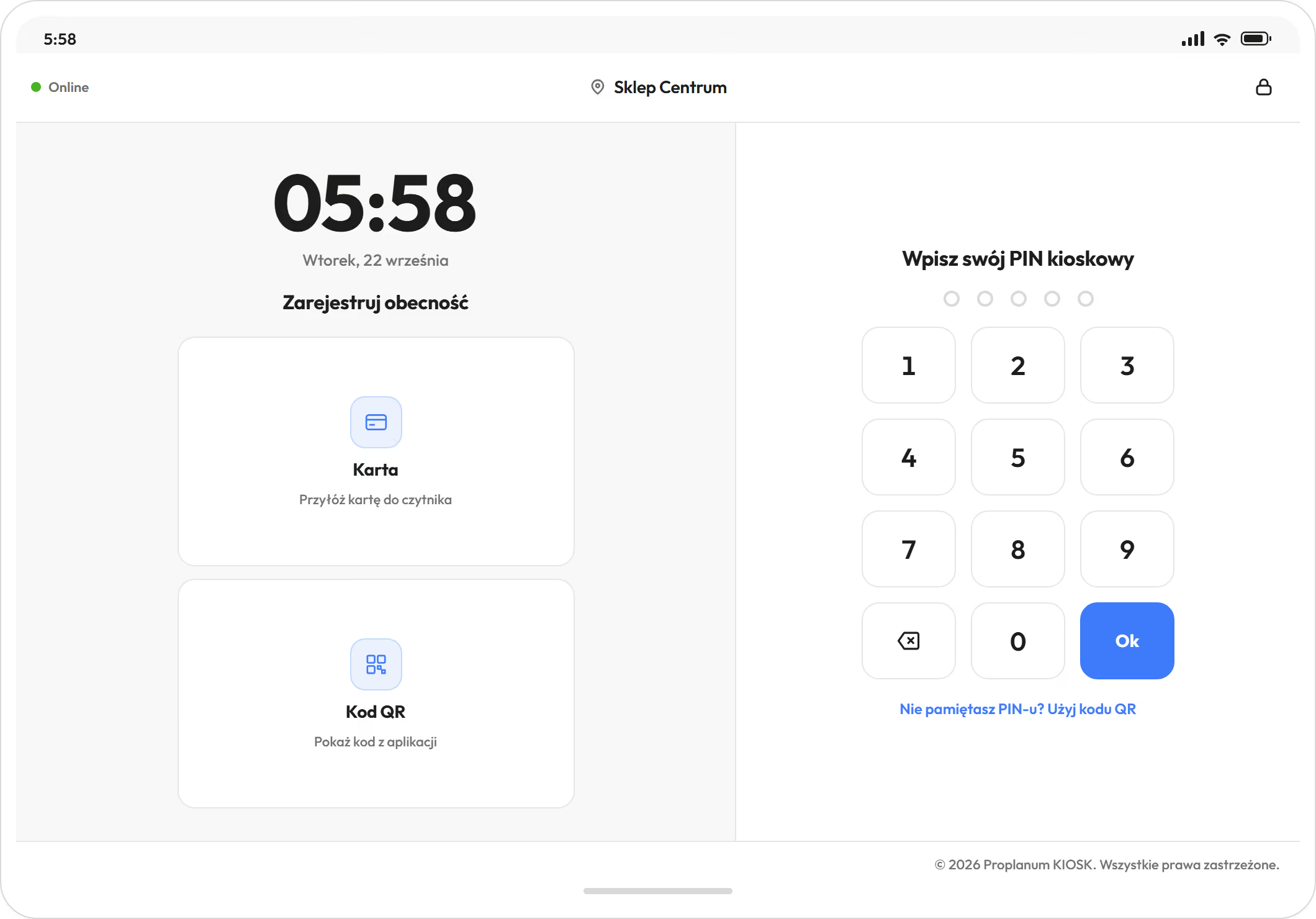
Factory floor, kitchen, warehouse, a shop without work phones. A tablet at the door is enough.
Seven
ways to clock in.
Phone, browser, kiosk in the browser, and a kiosk on a tablet with PIN code, QR code, NFC or RFID card.
Came here from the task manager or team chat page? It is not a separate product. It is part of the app where your team already has its schedule.
One-off and recurring, with a deadline, subtasks and a status. One task can go to several people. Typical ones: opening and closing, taking in a delivery, an equipment check. The task sits on the shift, so the person on shift sees it.
Private and group conversations, with delivery and read status, in the mobile app. The schedule and the message about it are in one place.
No separate HR calendar of examinations. Expiry dates are tracked.
With a self-service start, remote configuration with your account manager and online training are in the plan price. Implementation with on-site days with your account manager, on-site training or an integration built for your systems is quoted separately, with the price agreed before the start. With more than ten locations, or many departments, it is usually the latter.
How implementation worksOn their own phones, after an invitation by email or text message. Anyone who does not want to install the app clocks in at the kiosk on a tablet and sends requests from a browser.
No. The app checks the distance from the location only when a shift starts and ends, and only if you switch this on. An employee outside the radius can still start a shift, without a confirmed location.
The kiosk accepts PIN and QR code without internet. It sends the clock-ins by itself when the connection returns.
No. The company creates the account and invites the employee. Employees do not see pay rates or costs. They see the team's schedule as you set it: in full, only for their own position, or not at all.
No. Pay rates, cost and summaries are visible to HR, managers and administrators, according to their role. Employees see their own hours and their own leave balance.
Yes. They build and adjust the schedule, publish it, approve requests and swaps, and assign open shifts. With one or two people per shift, the panel is not needed.
Only the company creates accounts.
Hours collected in the app and at the kiosk go to the HR and payroll system you have. Moving from another system? Data transfer with a self-service start is part of implementation, included in the price. Import from several systems is quoted together with implementation.
We will call you back on the number you gave. Monday to Friday, 8:00 to 16:00, Central European Time (CET), we reply the same day. After 16:00 and at weekends, we reply by 12:00 on the next working day.