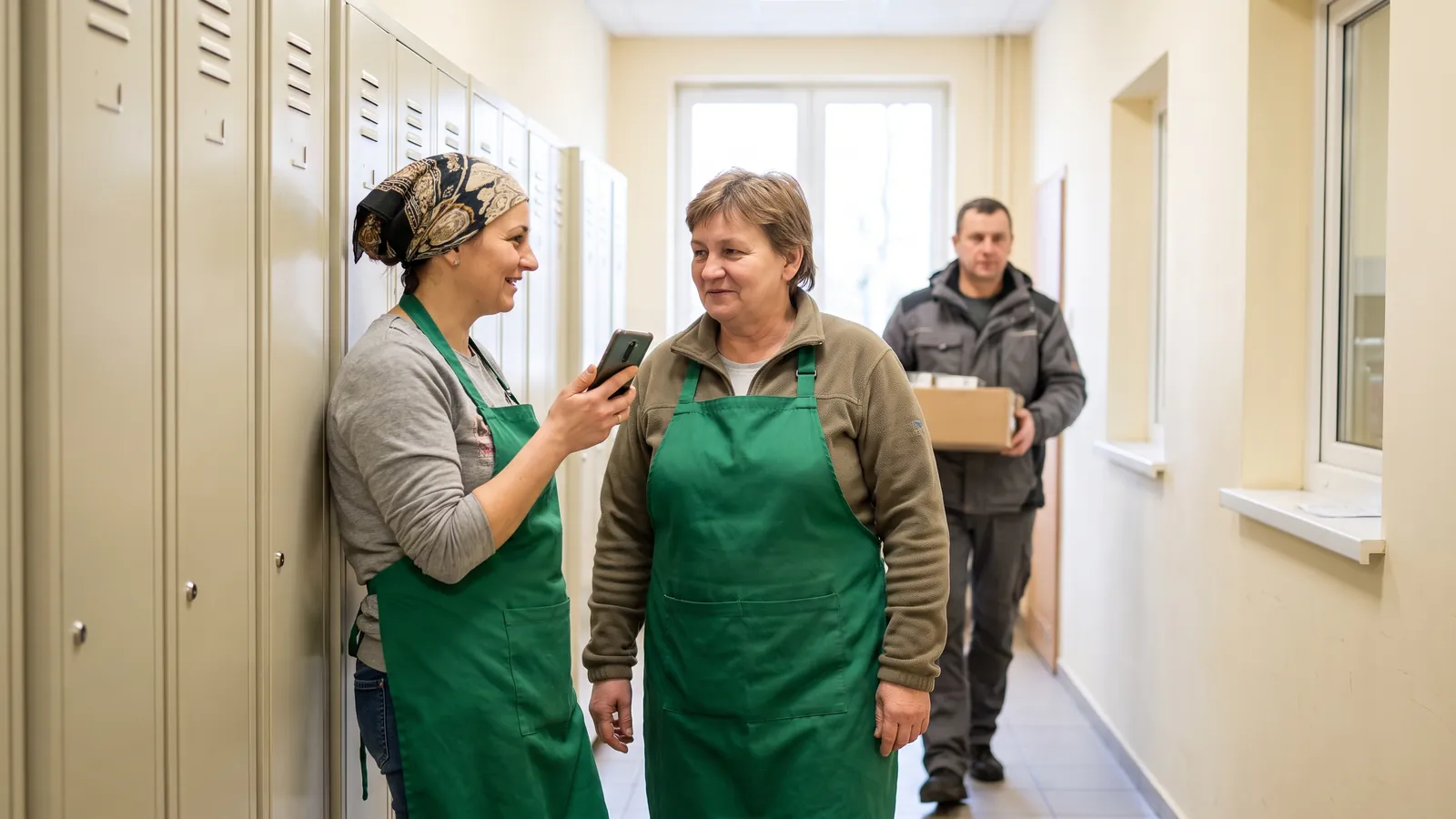
Komunikator i zadania dla firm zmianowych, w tej samej aplikacji, w której zespół ma grafik.
Zadanie na zmianę i wiadomość do zespołu trafiają tam, gdzie jest grafik, nie do prywatnych czatów.
Komunikator i zadania w Proplanum to część aplikacji, w której zespół ma już grafik, wnioski i wymiany. Kierownik dodaje zadanie z terminem i przypisuje osobę. Pracownik widzi je w telefonie obok swojej zmiany i odhacza po wykonaniu. Wiadomość do zespołu ma potwierdzenie odczytu. Nikt nie szuka ustaleń w prywatnej grupie.
To nie jest osobny program.
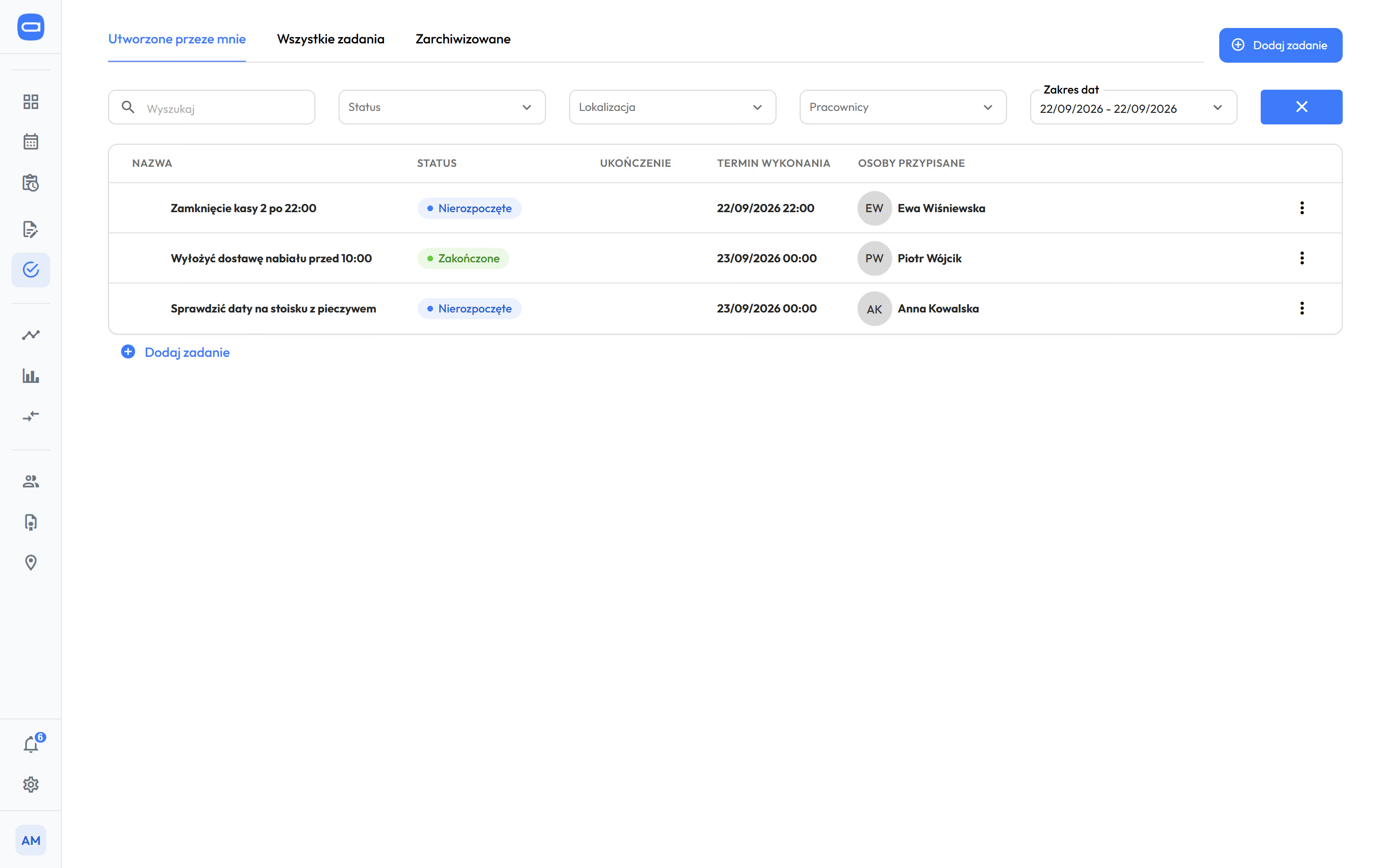
Lista zadań w panelu kierownika: nazwa, status, termin i osoba. Dane pokazowe.
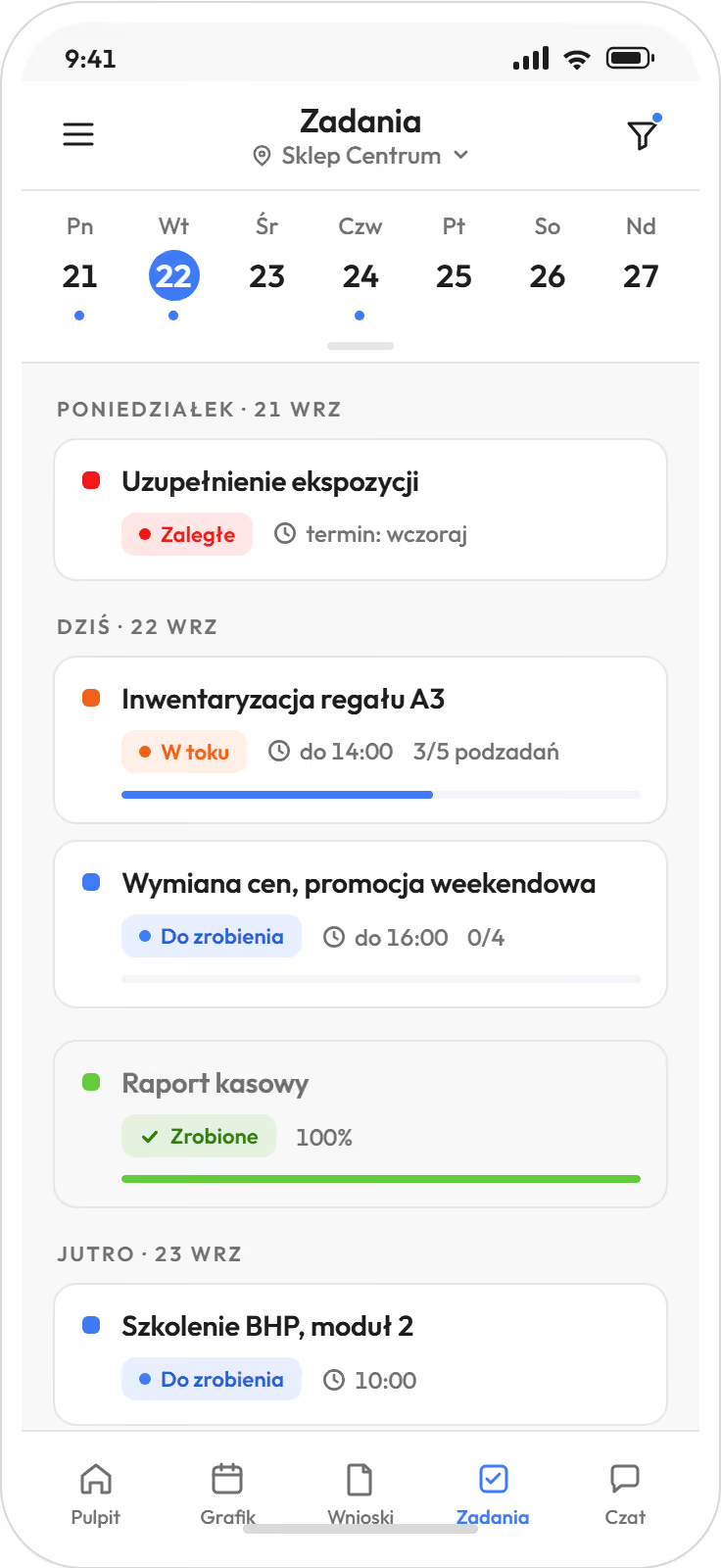
Zadania na dzień w aplikacji pracownika. Widok pokazowy.
Zadanie ma osobę, termin i status, więc kierownik nie pyta, czy zostało zrobione. odBiznes
Otwarcie lokalu, dostawa, przegląd sprzętu. To, co dziś mówi się na odprawie, stoi w telefonie tej osoby.
- Zadanie albo informacja. Jednorazowe albo cykliczne, na przykład zamknięcie kasy co wieczór.
- Termin do dnia i godziny. Zadanie stoi na liście dnia, obok zmiany.
- Podzadania jako lista do odhaczenia. Postęp widać przy zadaniu.
- Przypisanie jednej osobie albo kilku naraz. Kierownik filtruje listę po placówce, osobie i statusie.
- Status zmienia się, gdy pracownik odhaczy zadanie. Zaległe widać od razu, w panelu i w telefonie.
- Powiadomienie o nowym zadaniu przychodzi w telefonie. Kategorię każdy włącza i wycisza sam.
Przy grafiku pod zapotrzebowanie zadania z menedżera zadań wchodzą do niego jako obsada stała. Godzina na dostawę jest w obsadzie, nie tylko na liście.
Prognoza, reguły obsady i wgląd w koszt pracyWiadomość do zespołu ma potwierdzenie odczytu, a rozmowa zostaje w firmie. odPremium
Czat zespołu działa w aplikacji, w której zespół ma grafik. Konto zakłada firma, nie pracownik.
- Rozmowa z jedną osobą albo grupa, na przykład cała zmiana albo placówka.
- Statusy wysłane, dostarczone, przeczytane. Kierownik wie, kto przeczytał.
- Powiadomienie o wiadomości przychodzi w telefonie. Kategorię każdy włącza i wycisza sam.
- Grafik, wnioski i wymiany są w tej samej aplikacji. Rozmowa o zamianie kończy się wymianą do zatwierdzenia, nie ustaleniem w wiadomości.
„Przekazywanie grafików i zmian nie zależy od rozmów i wiadomości prywatnych.”
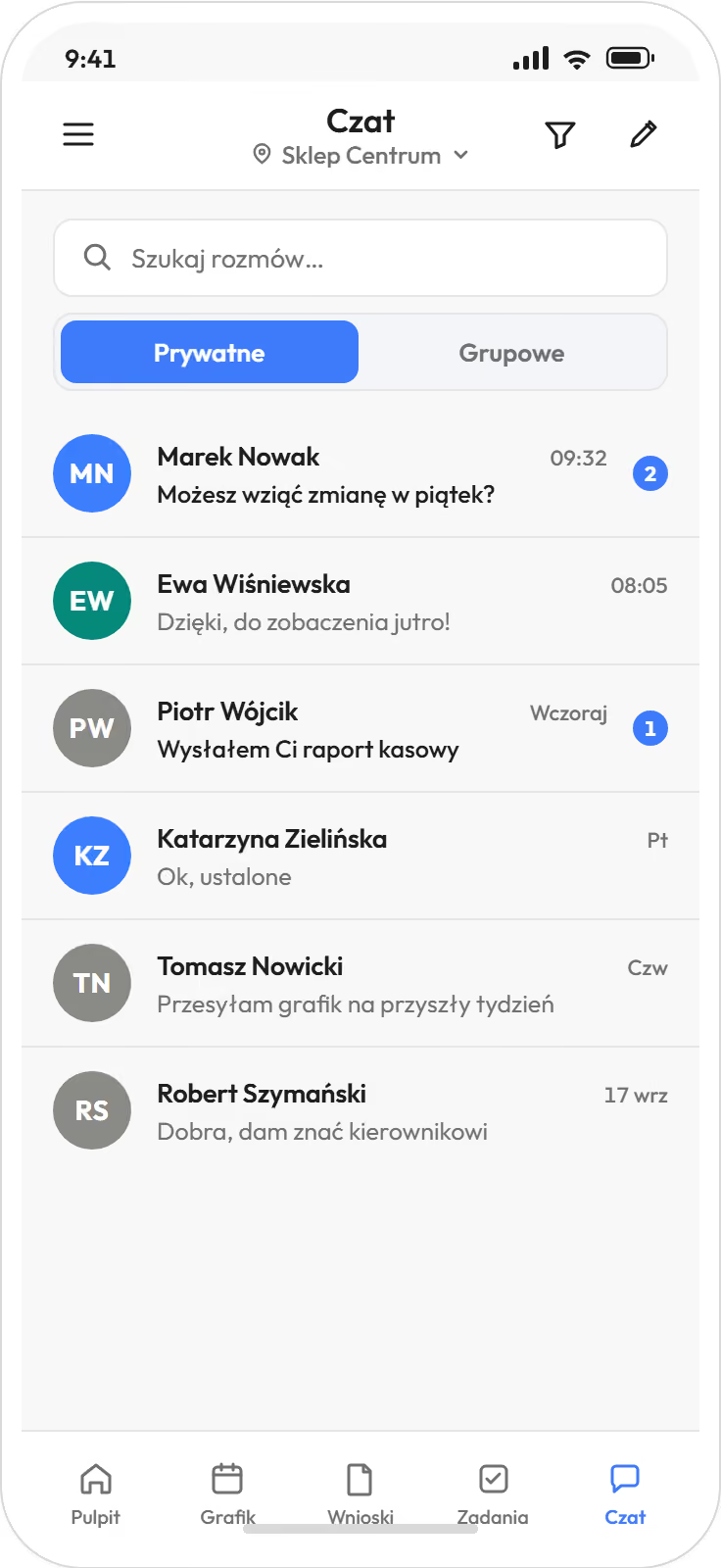
Lista rozmów
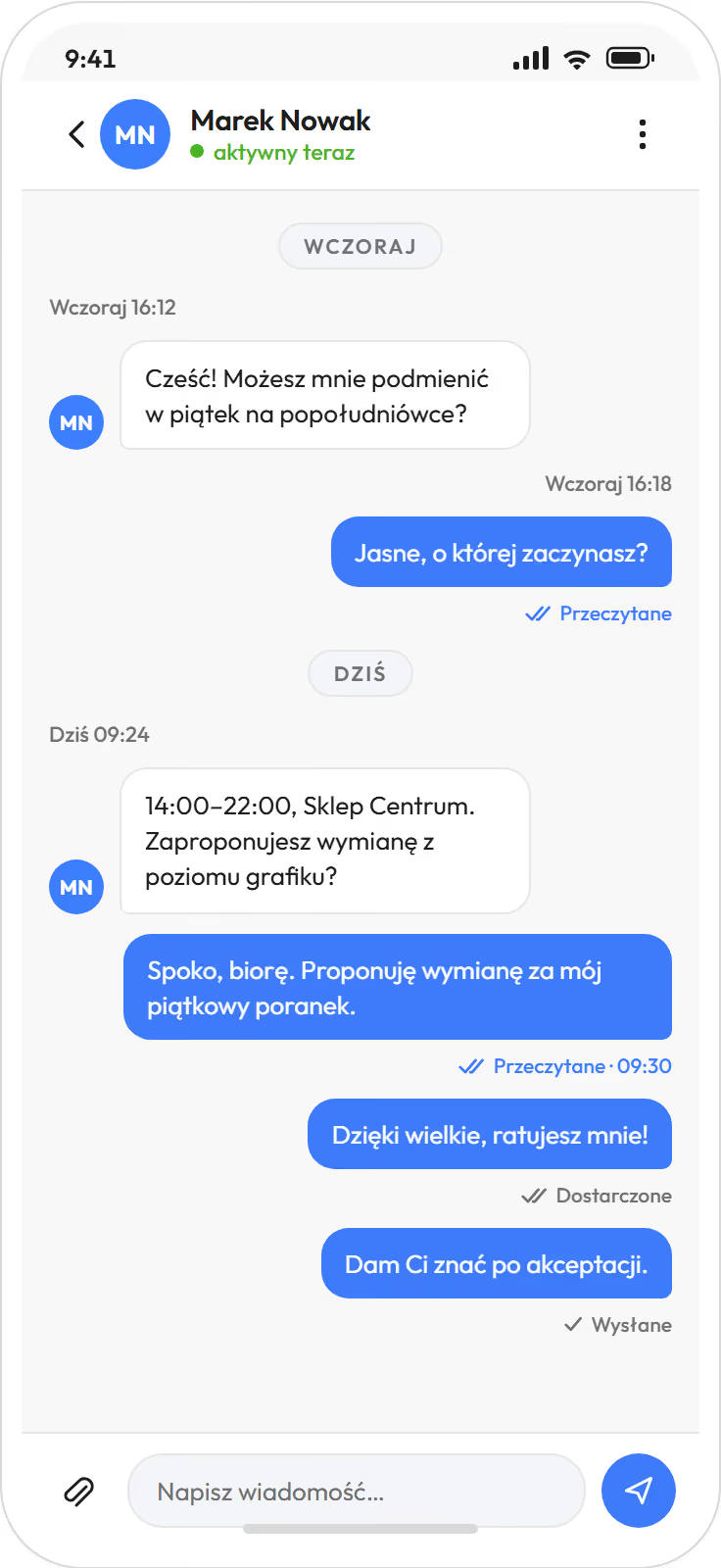
Rozmowa prywatna
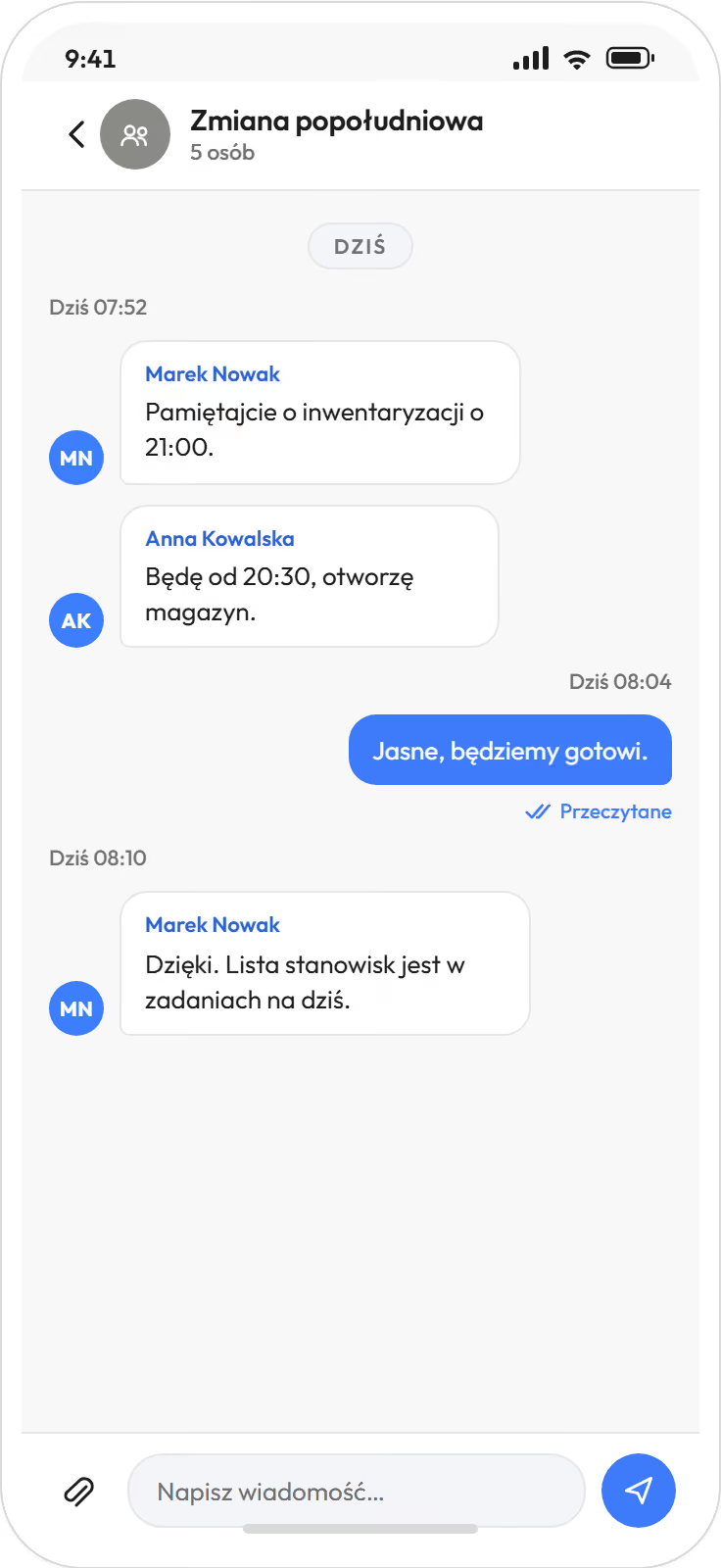
Czat grupowy zmiany
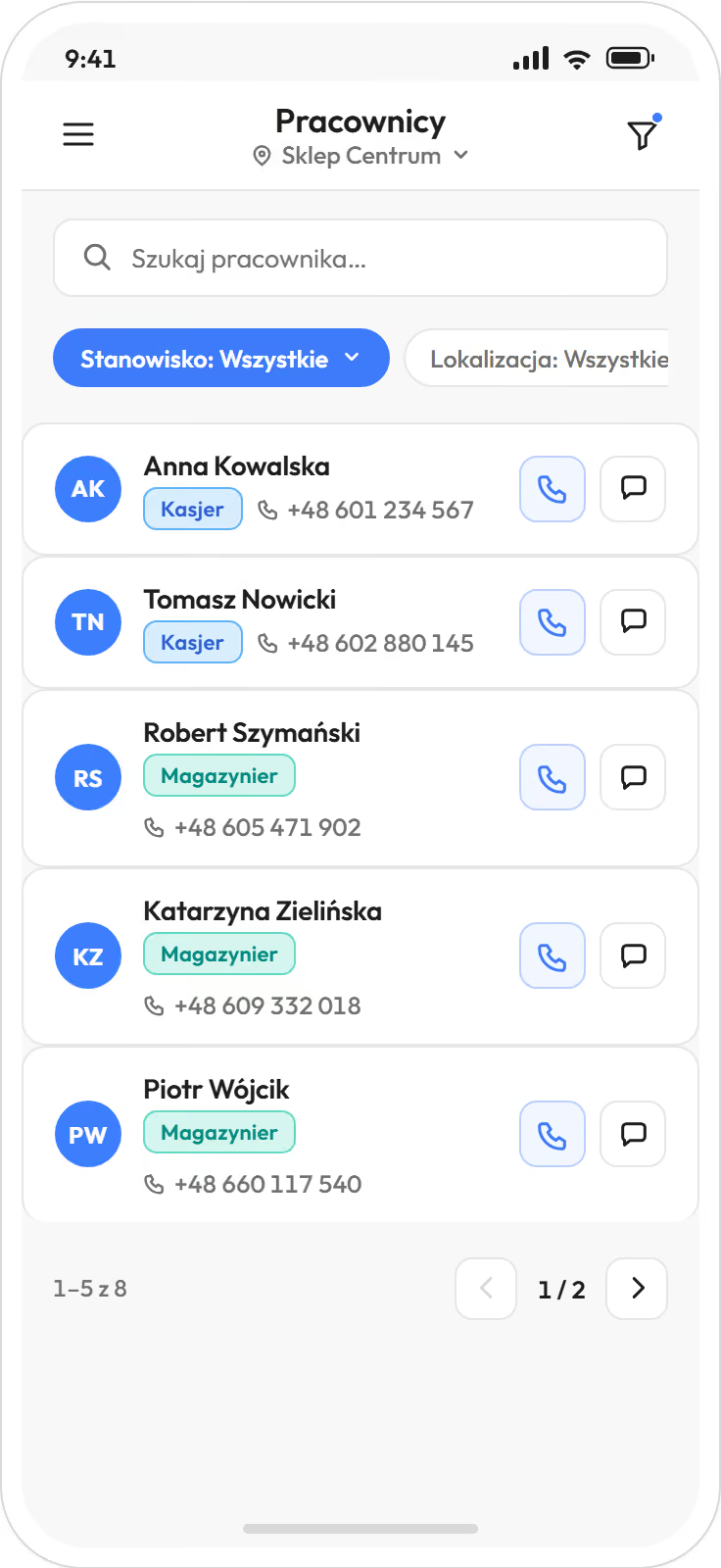
Kontakty do zespołu
Pytania, które padają przed testem zadań i czatu.
Pracownicy nie mają telefonów służbowych. Czy dostaną zadania?
Tak. Pracownik instaluje aplikację na własnym telefonie po zaproszeniu mailem albo SMS-em. Kierownik prowadzi zadania w panelu albo w aplikacji, pracownik widzi je w telefonie.
Czy zadanie może się powtarzać co dzień albo co tydzień?
Tak. Zadanie ustawiacie jako cykliczne, a program tworzy je na każdy termin. Zamknięcie kasy albo przegląd chłodni wraca sam.
Skąd kierownik wie, że zadanie zostało zrobione?
Ze statusu i z podzadań. Pracownik odhacza je w telefonie, a kierownik widzi listę po statusie, osobie i placówce.
Mamy grupę na komunikatorze. Po co nam drugi?
Wiadomość stoi obok grafiku tej osoby i ma potwierdzenie odczytu. Konto zakłada firma, więc dostęp do rozmów kończy się razem z zatrudnieniem, a nie zostaje w prywatnym telefonie.
Czy zadania i czat są w każdym pakiecie?
Aplikacja dla zespołu jest w każdym pakiecie. Zadania na zmianę są od pakietu Biznes, czat zespołu od pakietu Premium.
Czy zadania wpływają na obsadę w grafiku?
Tak, przy grafiku pod zapotrzebowanie. Zadania z menedżera zadań wchodzą do niego jako obsada stała, więc godzina na dostawę jest w obsadzie. Obsada pod zapotrzebowanie jest w pakiecie od Premium.
Używamy innego systemu. Ile kosztuje przeniesienie danych i czy zatrzyma pracę?
Przeniesienie danych przy samodzielnym starcie jest częścią wdrożenia w cenie. Import z kilku systemów wyceniamy razem z wdrożeniem. Mamy narzędzia, żeby przeszło szybko i nie zakłóciło pracy. Wy decydujecie, kiedy.
Test 21 dni z zespołem jednej placówki, bez karty i bez zobowiązań.
- Zgłoszenie w kilka minut.Po krótkiej rozmowie aktywujemy konto na 21 dni.
- Lista pracowników.Plikiem albo wpisanie ręczne.
- Zaproszenie zespołu.Mailem albo SMS-em, aplikacja na własnym telefonie.
Zadania i rozmowy stoją obok grafiku i godzin, a godziny trafiają do systemu kadrowo-płacowego, który macie. Przechodzicie z innego programu? Przeniesienie danych przy samodzielnym starcie jest częścią wdrożenia w cenie. Import z kilku systemów wyceniamy razem z wdrożeniem.
Kilkanaście placówek albo więcej? Umów 30 minut.
Dziękujemy, zgłoszenie jest u nas.
Oddzwonimy pod podany numer. Odpowiadamy od poniedziałku do piątku między 8:00 a 16:00 tego samego dnia; po 16:00 i w weekend następnego dnia roboczego do 12:00.