Crew schedules and working time: plant, warehouse, distribution centre.

Crew schedules, time tracking and period balances in one place.

Proplanum builds crew schedules from your staffing rules and working time system, crew rotation included. The team clocks in at the shop floor kiosk, and each person's balance and overtime show before the period closes.

On the call we build a one-week crew schedule on your shift structure.

A gloved operator's hands on the panel of a packing machine on a production floor
Period balance overtime by name AKPWMZnear limit

Four-crew rotation diagram. You balance the period's required working hours with days off, and Proplanum shows each person's balance. The figure scrolls sideways: two weeks.

21 days, no card with account manager Start: crew schedule. Premium: automation from $3.50 per employeePricing

This is how plants describe their schedule before we talk.

  1. 1

    Building schedules takes too much of our managers' time.

  2. 2

    Planning, time tracking and payroll happen in separate places.

  3. 3

    We need fixed crews and a weekend crew we switch on depending on orders.

This is the problem plants usually come to us with.

Your staffing follows the production plan and volume, not demand hour by hour. This page is written for that rhythm.

Crew rotation is a scheduling mode, not a template to copy. automation from Premium

  • Set the shift structure, crews and line staffing rules once, then pick a working time system: basic, equivalent 12, 16 or 24 hours (longer shifts balanced by shorter days), weekend or continuous operation.
  • Proplanum generates the schedule in crew rotation mode and checks the rules. The manager corrects and approves; publishing sends a notification.
  • You switch the weekend crew on and off according to orders, without rebuilding the whole schedule.

Production and warehouses have separate crew planning views, in every plan.

Work schedule: four scheduling modes

Period balance and overtime by name, before the period closes. summaries from Biznes

  • While you schedule, Proplanum checks daily and weekly rest, hour limits, the employee's working day (the 24 hours from the start of the shift) when rotation changes, and continuous operation. For the organisation you choose a warning or a block. With a block, only an administrator or HR can knowingly save a single shift, and Proplanum logs it.
  • Daily, average weekly and period overtime are counted separately; the night work premium comes from time tracking, not declarations.
  • Print working time records for an inspection, with each correction and its author.
Labour Code and working time in the schedule

Clock-ins and clock-outs on the shop floor, without work phones or a paper list. fromBiznes

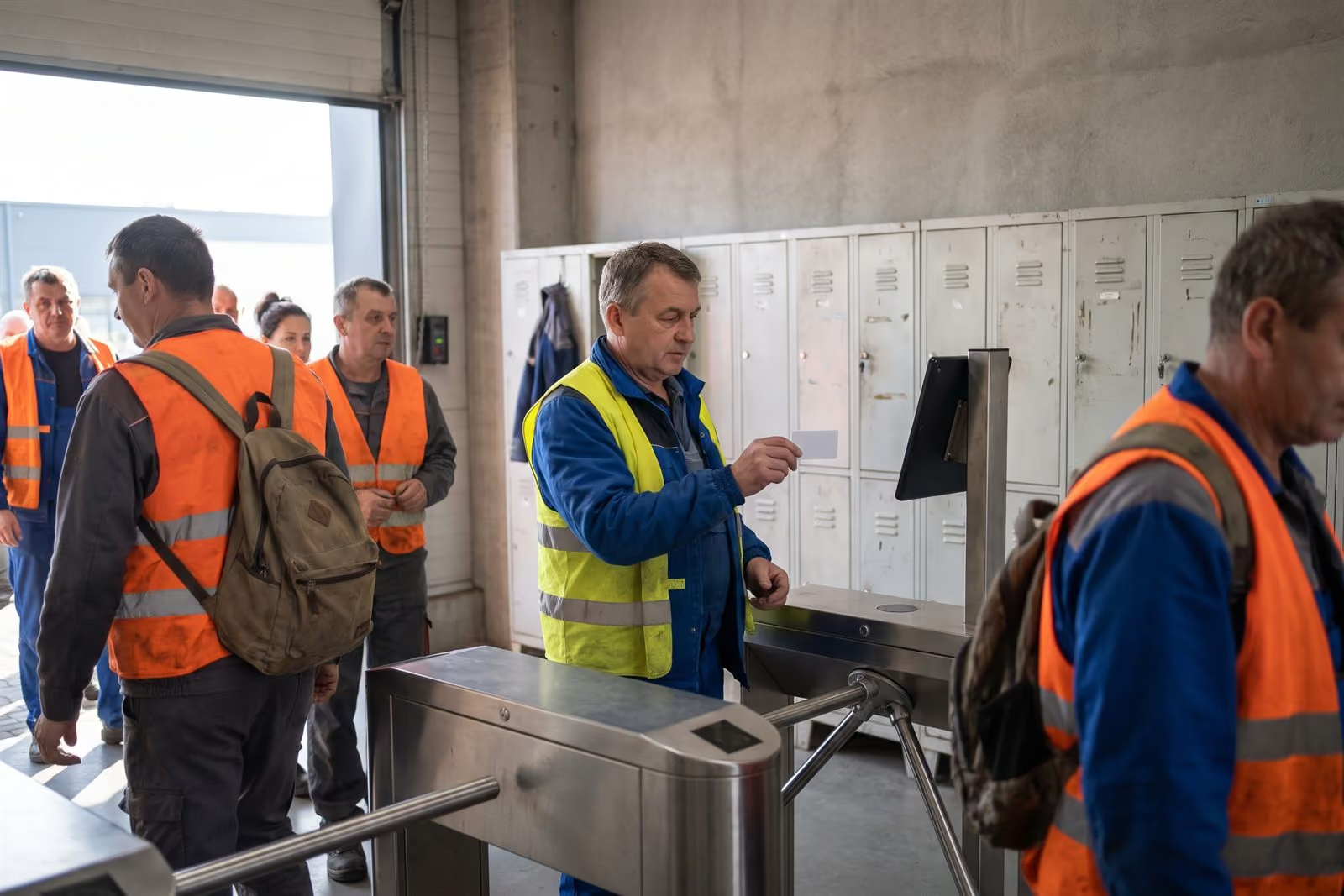
  • A kiosk on a tablet at the shop floor entrance, or in the browser on the shift manager's computer.
  • The team clocks in with a PIN, a QR code or a proximity card. Without internet access the tablet kiosk accepts PIN and QR code clock-ins and sends them later.
  • Late starts, early finishes and absences show the same day, next to the plan. Rounding and lateness thresholds are set separately for plant and warehouse.

Time tracking and kioskWhat your team will see

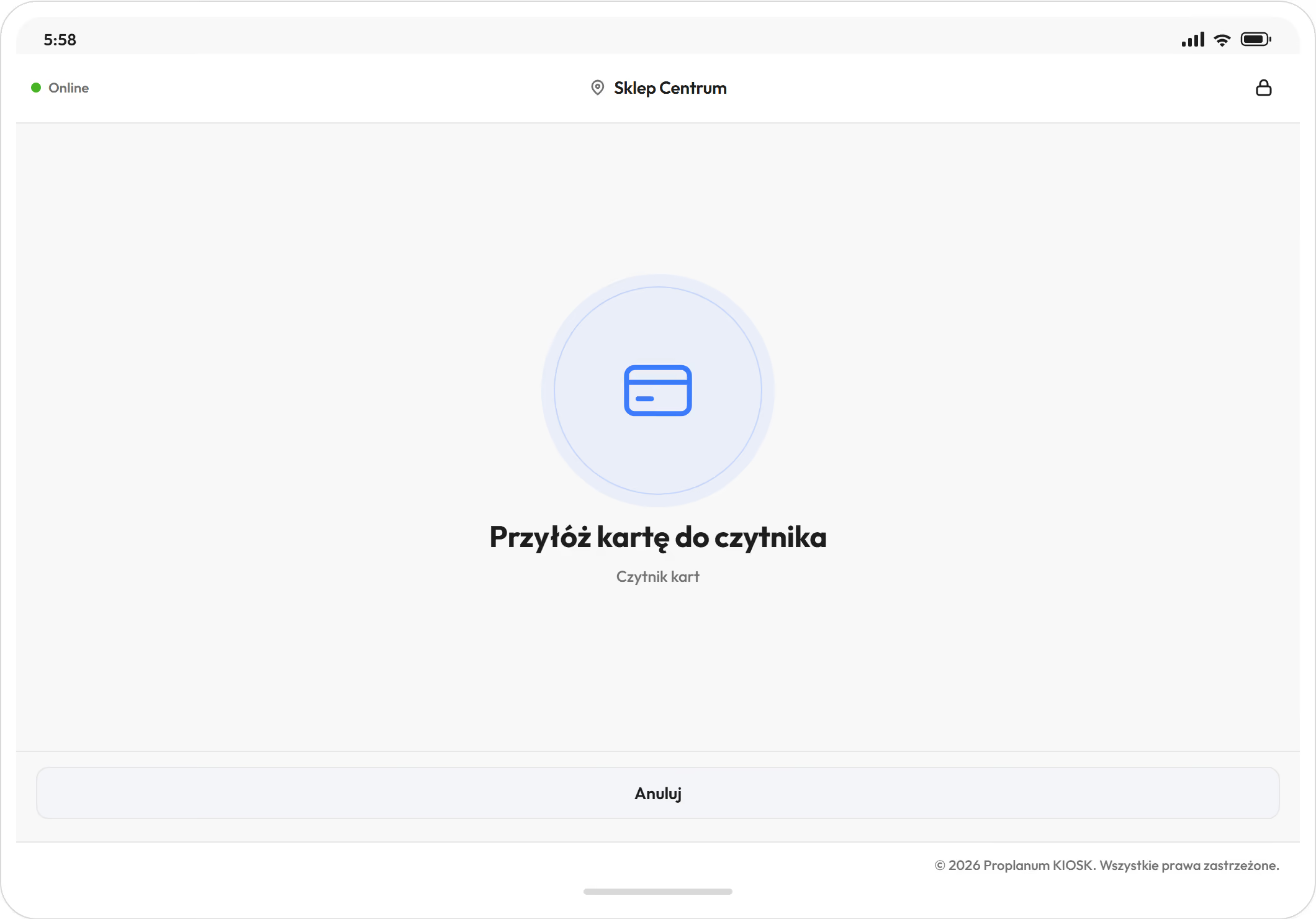
A tablet kiosk in a warehouse: a prompt to hold a card to the reader
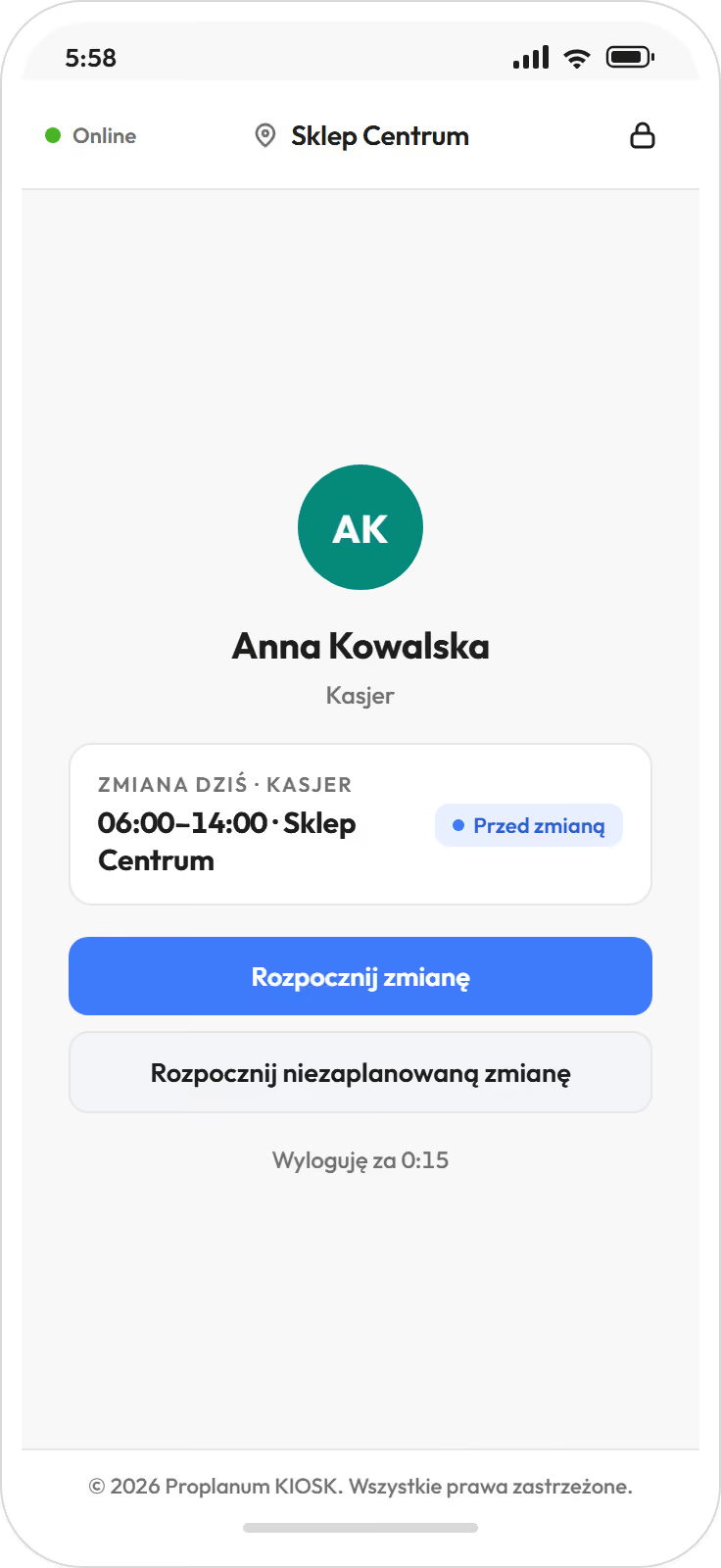
A kiosk on a phone: employee recognised, today's shift and a start shift button

Demo data. The app is available in English.

Hours from the shop floor reach your HR and payroll system without retyping. fromStart, actuals from Biznes

Your HR and payroll system counts what it receives, and ERP plans production, not people's shifts across the reference period, the span over which hours are settled. Proplanum supplies hours, absences and overtime and replaces neither.

  • Export to nine HR and payroll systems used in Poland, with import instructions; plus two-way ADP and electronic sick notes (e-ZLA) from ZUS, the Polish social insurance institution.
  • An e-ZLA sick note from ZUS creates an absence, takes the person off shifts and notifies the manager.
  • People from staffing agencies go into the schedule like everyone else, so their hours are in the same records.
Integrations and security
  • Comarch Optima
  • R2Płatnik
  • enova365
  • Symfonia
  • Gratyfikant GT
  • Gratyfikant nexo
  • Wapro Gang
  • SAP
  • DATEV LODAS
  • ADP
  • ZUS e-ZLA

The production manager, warehouse manager and HR work with the same hours.

Employees in hi-vis vests pass through a turnstile, one holds a card to the tablet at the shop floor entrance
A warehouse operative in a vest scans a box at a pallet in a racking aisle, a forklift behind
An HR officer at a desk with binders talks to an employee in a hi-vis vest in a bright office
Production manager and plant director

Sees the period's crew schedule and balance before it closes.

  • crew schedules in separate views
  • overtime by name during the period
  • publishing with team notifications
Work schedule
Warehouse and logistics manager

Knows who is on shift today and who will take an unassigned shift.

  • who is on shift right now
  • open shifts with alerts to volunteers
  • agency staff in the same schedule
Time tracking
HR

Gets working time records to print and export, and hours ready for payroll.

  • records with edit history
  • overtime 50% and 100%, nights, Sundays, public holidays
  • payroll export
Labour Code and working time

Your team gets the app: schedule on the phone, leave requests and swaps without calling the manager. What your team will see

The employee file keeps forklift certificates and health and safety training with expiry dates, and the schedule can block an operator's shift after expiry.

Crew schedules in every plan. Automation with crew rotation from Premium.

Three steps; each includes the one before.

Start

from $3.50

  • crew schedules in separate views, from templates
  • Labour Code checks, working time systems
  • leave requests, shift swaps and open shifts
  • payroll export

Biznes

from $4

  • shop floor kiosk and time tracking
  • records with approval of hours and alerts
  • Summaries with overtime at 50% and 100%
  • plan next to actuals
here: crew rotation

Premium

from $4.50

  • schedule automation with crew rotation
  • regeneration that keeps your changes
  • plants and warehouses side by side
  • team chat

Enterprise: group of plants, integrations with other systems, API, SLA, dedicated account manager. Quote after a call.Book a 30-minute call

Per employee per month, billed annually. Prices in US dollars (USD), excluding VAT. The employee file is an add-on to every plan at $0.50 a month per employee; once enabled, it covers all employees of the company.

Compare plans

Our largest implementation has more than 8,000 employees. Rules and exports are the same for a plant of a hundred.

  • 10 rulesof the Labour Code with your own thresholds, and a warning or block mode for the organisation.Product, September 2026.
  • 7 waysto track time: phone, browser, browser kiosk and tablet kiosk with PIN, QR code, NFC or RFID card.Product, September 2026.
  • 9 systemsfor HR and payroll used in Poland, with import instructions; plus ADP and e-ZLA from ZUS.Product, September 2026.
  • Overtime lower by about a quarter in three months.Store chain. A retail result, not a production one.
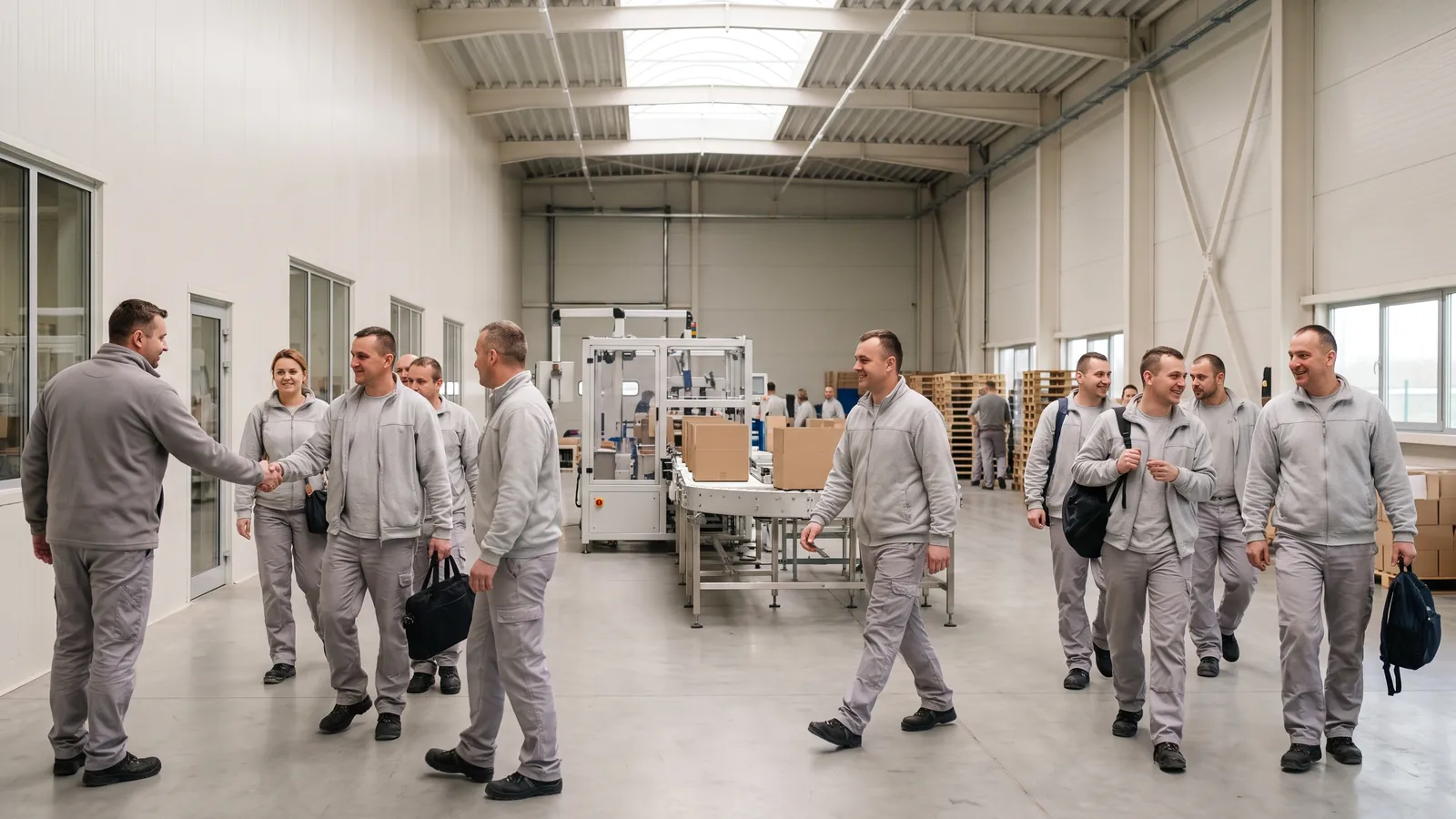
A crew of five in caps, helmets and vests walks along a packing line in a bright hall at the start of a shift

Questions we hear before implementation in a plant.

Yes. You see the balance during the period, and Labour Code rules with your own thresholds apply while you schedule. For the organisation you choose whether a breach only warns or blocks saving. With a block, only an administrator or HR can knowingly save a single shift.

Yes. Crew rotation is one of the scheduling modes, and you switch the weekend crew on and off without rebuilding the schedule. Production and warehouses have separate crew views. Crew schedules are in every plan; automatic scheduling from your staffing rules is in Premium.

At the tablet kiosk at the shop floor entrance: with a PIN, a QR code or a proximity card. Without internet access the tablet kiosk accepts PIN and QR code clock-ins and sends them later. Time tracking is from the Biznes plan.

ERP plans production, and the HR and payroll system counts what it receives. We schedule people's shifts across the reference period and hand over hours, absences and overtime without retyping.

You add them to the same schedule and records, so the hours you settle with the agency come from the same clock-ins.

From a few days for one location to a few months for a business with many departments, depending on shifts, locations and integrations. On your side: shift structure, employee list and staffing rules. A remote start with an account manager and online training is included in the plan price. On-site days and shop floor training are quoted separately, with the price agreed before the start. Integrations are built for your systems as part of implementation.

With a self-service start, data transfer is part of implementation included in your plan. Import from several systems is quoted with implementation. Our tools make it quick and keep your work running. You choose the date.

Every account counts as one licence: employee, manager or administrator. You change the number of accounts monthly: up at any time, down from the next month.

Start costs $4 per employee per month, Biznes $4.50 and Premium $5, excluding VAT; billed annually $3.50, $4 and $4.50. For more than 200 employees we prepare a custom quote.

On the call we build a one-week crew schedule on your shift structure.

  1. Shift and crew structure.You tell us how the plant works.
  2. Reference period and working time system.We go through the working time rules you work under.
  3. What implementation means on your side.Scope, time and who is needed.

A remote start with an account manager and online training is included in the plan price. On-site days and shop floor training are quoted separately, with the price agreed before the start. Integrations are built for your systems as part of implementation. With a self-service start, data transfer is included in implementation; import from several systems is quoted with it.

Prefer to try it yourself? Start a 21-day trial, no card

Book a 30-minute call.

produkcja
Enter the name of the person we should speak to.
Enter the email address we should reply to.
Enter the number we should call you back on.
Choose a range so we can pick an example of a similar size.

Monday to Friday, 8:00 to 16:00, Central European Time (CET), we reply the same day. After 16:00 and at weekends, we reply by 12:00 on the next working day.

By sending the form, you agree that we may contact you about the call. Privacy Policy.

Thank you, we have your details.

We will call you back on the number you gave. Monday to Friday, 8:00 to 16:00, Central European Time (CET), we reply the same day. After 16:00 and at weekends, we reply by 12:00 on the next working day.

The form could not be sent. Please try again or call us on +48 503 700 111.
Already using the app? Log in or visit the help centre in English.