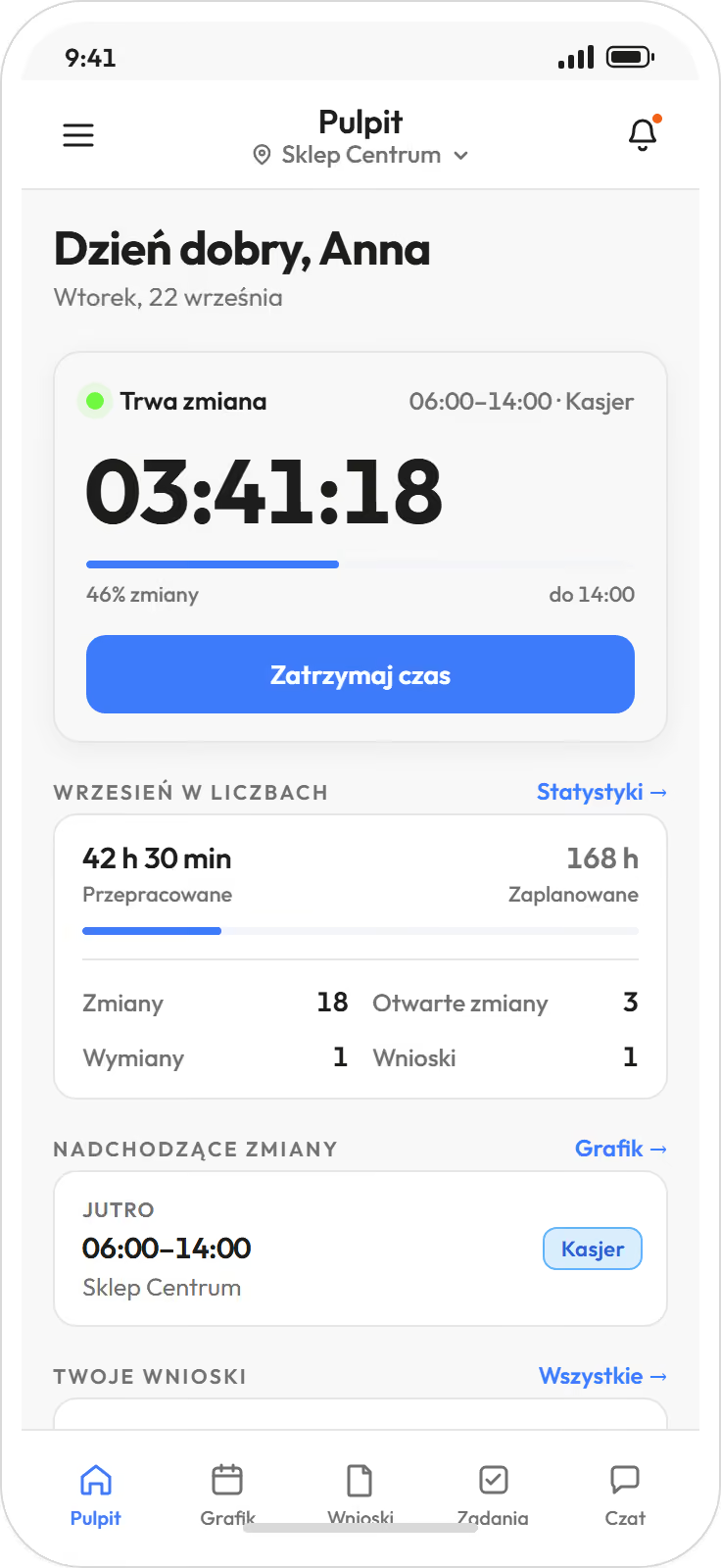
The Proplanum app for iOS and Android.
Work schedule, swaps and requests on your phone, with your web panel account.
An employee sees their schedule, enters availability, swaps a shift and makes a request. A manager approves requests and edits the schedule on the same phone. Clocking in and out is also in the app, if your company sets it up.

You log in with the same account as in the web panel. Your company sets up the account, and the person who runs the schedule gives you the login details.
Forgotten your password or have no invitation? Help centre in English
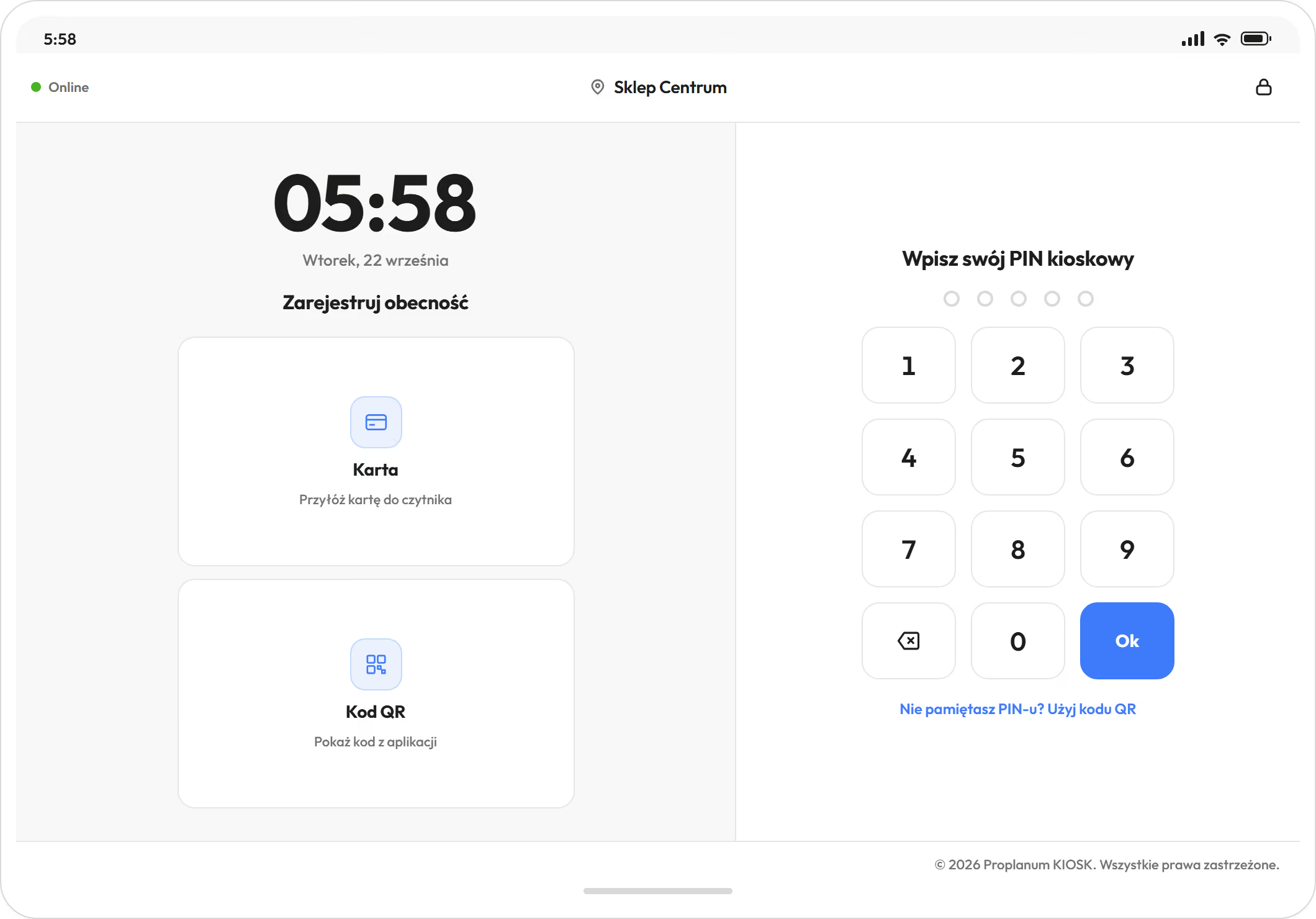
Proplanum KIOSK is a separate app for a tablet by the entrance, for people who do not use a phone at work.
Your company installs the kiosk on one device at the location. An employee clocks in with a PIN, a QR code or a contactless card through a reader connected to the tablet, and the clock-in goes to the same company account.
An administrator or a manager starts the kiosk and pairs it with the company; step-by-step instructions are in the help centre in English.