
Leave requests and swaps for shift-based businesses: one location or a chain.
A time-off request reaches the manager's phone, and approval goes straight into the schedule.
Your team handles leave requests, availability and shift swaps in the app, without calling the manager. The manager approves with one tap and sees the day's staffing in the schedule. Approved leave shows at once in the schedule and in the records. The manager posts an unassigned shift as an open shift, and those who want it take it.
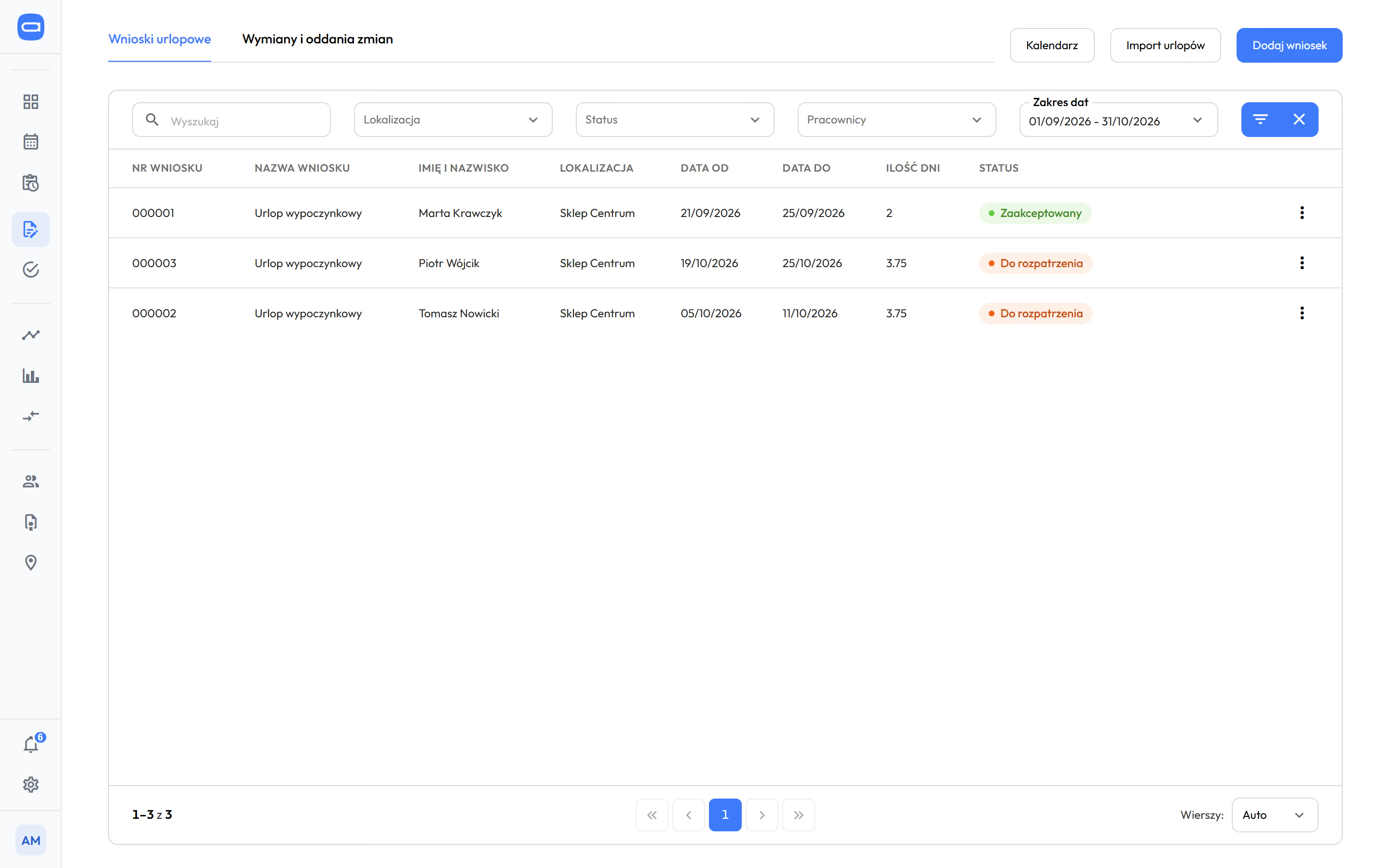
List of requests to approve in the manager's panel. Demo data. The app is available in English.
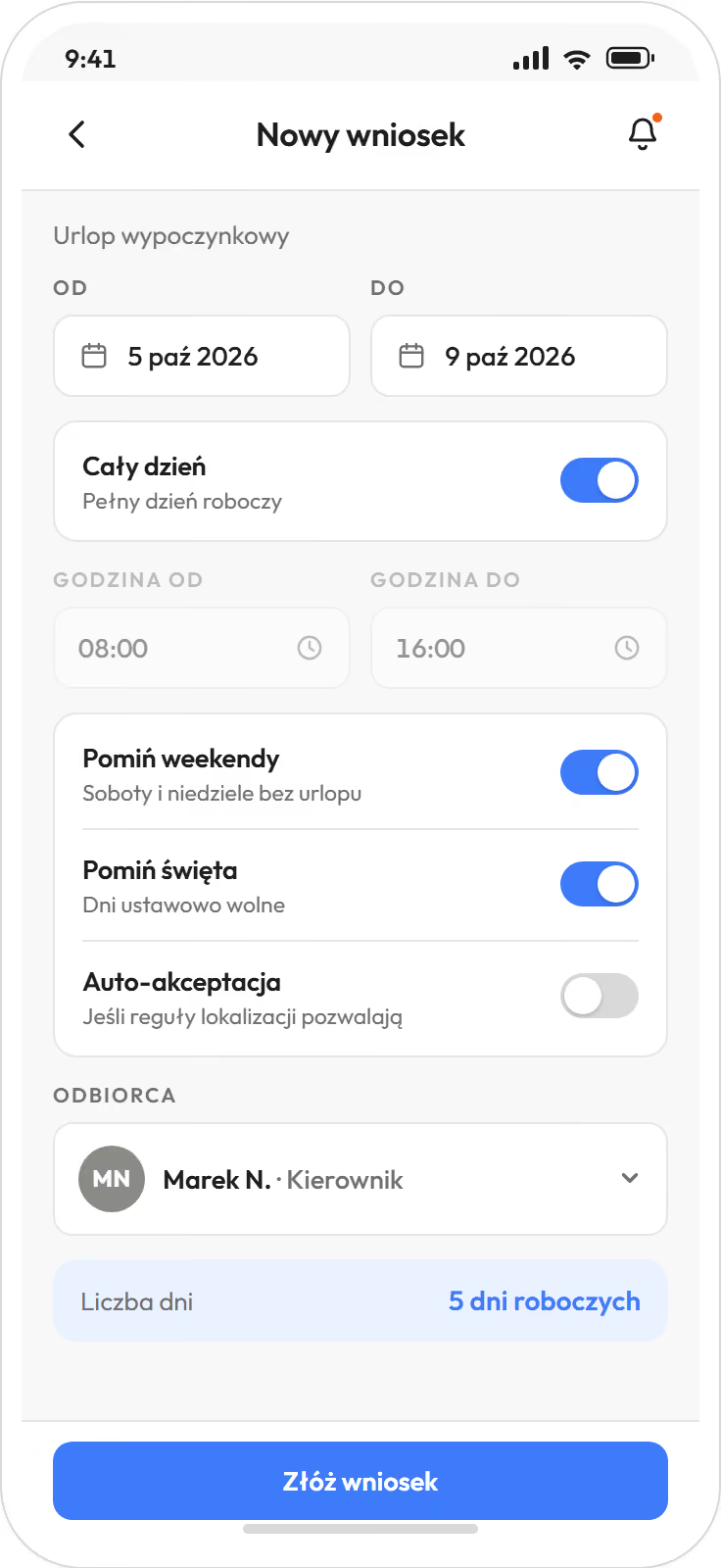
Leave request in the employee app. Demo data. The app is available in English.
Prices in US dollars (USD), excluding VAT.
Approved leave and sick notes go to the HR and payroll system you have, without retyping.
Six things that go through the manager's phone today are handled in the app.
The manager gets no new work. They stop being a switchboard, and the decision stays with them.
- "Can I have Saturday off?"
Leave request. The employee sends it by phone, and the manager checks Saturday in the schedule and approves.
- "I can't do Tuesday."
Availability. It goes into the schedule before the manager starts building it.
- "I'll swap with Ania."
Shift swap. Both people confirm the swap on their phones, and the manager approves with one tap.
- "Who'll take my shift?"
Handover and open shift. The shift goes to the pool, and those available get notified.
- "I'm off sick."
Electronic sick note (e-ZLA) from ZUS, the Polish social insurance institution. Proplanum fetches it, removes the person from shifts and notifies the manager.
- "Have I had my day off for that Sunday?"
Day off in lieu. Proplanum tracks the days and the deadline.
Every approval has an author and time. No one guesses a month later who promised a day off.
"Handing over schedules and shift changes does not depend on conversations or private messages."
Leave types and allowances are yours, and requests other than leave can also cover part of a day. fromStart
HR keeps no separate leave records. They build up from approved requests, with no paper form and no spreadsheet.
For managers and the team
- You set the request types: annual, short-notice, childcare, unpaid, training and your own.
- Requests go from the phone or the panel, and those other than leave can also cover part of a day, in hours.
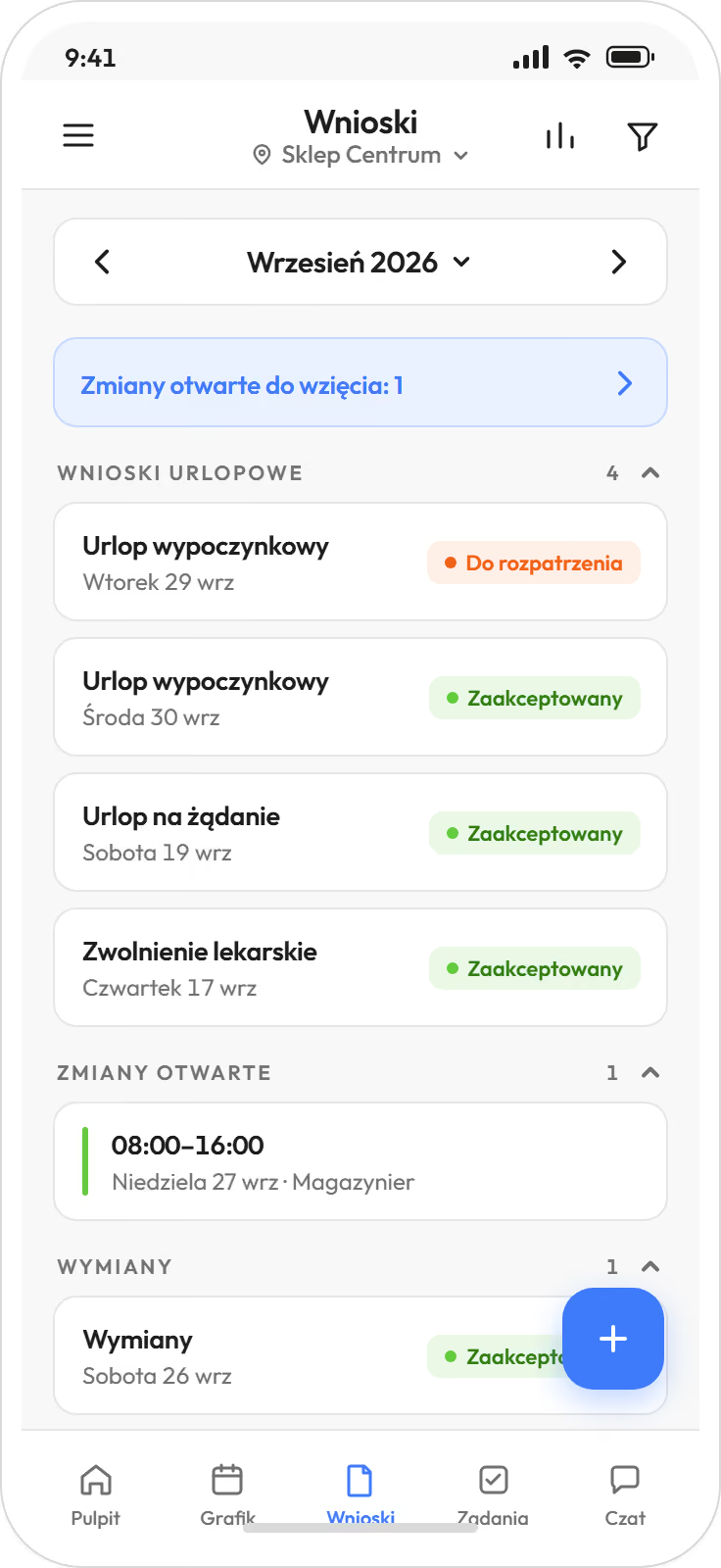
- Employees see their balance before sending a request.
- The manager sees it next to the person's schedule and the day's staffing. Approve, or reject with a reason.
- Approved leave goes straight into the schedule and the records.
- Mark days off in lieu for weekend and public holiday work by hand or automatically, deadlines tracked.
For HR
- Balances update as you go, with a rule for carrying unused days over to the next year.
- The leave balance for the whole team sits in one tab of Summaries (from Biznes).
- Leave and sick notes go to payroll together with hours, without retyping from requests.
- When you move from another system, we transfer leave balances as of the start date, if your system holds them.
- An electronic sick note (e-ZLA) from ZUS creates an approved request by itself and removes the shifts that have no working time entries yet. The shift goes to the unassigned pool, and the manager gets a notification. They pass it to open shifts or to a specific person. Unclear cases wait in a queue for review.
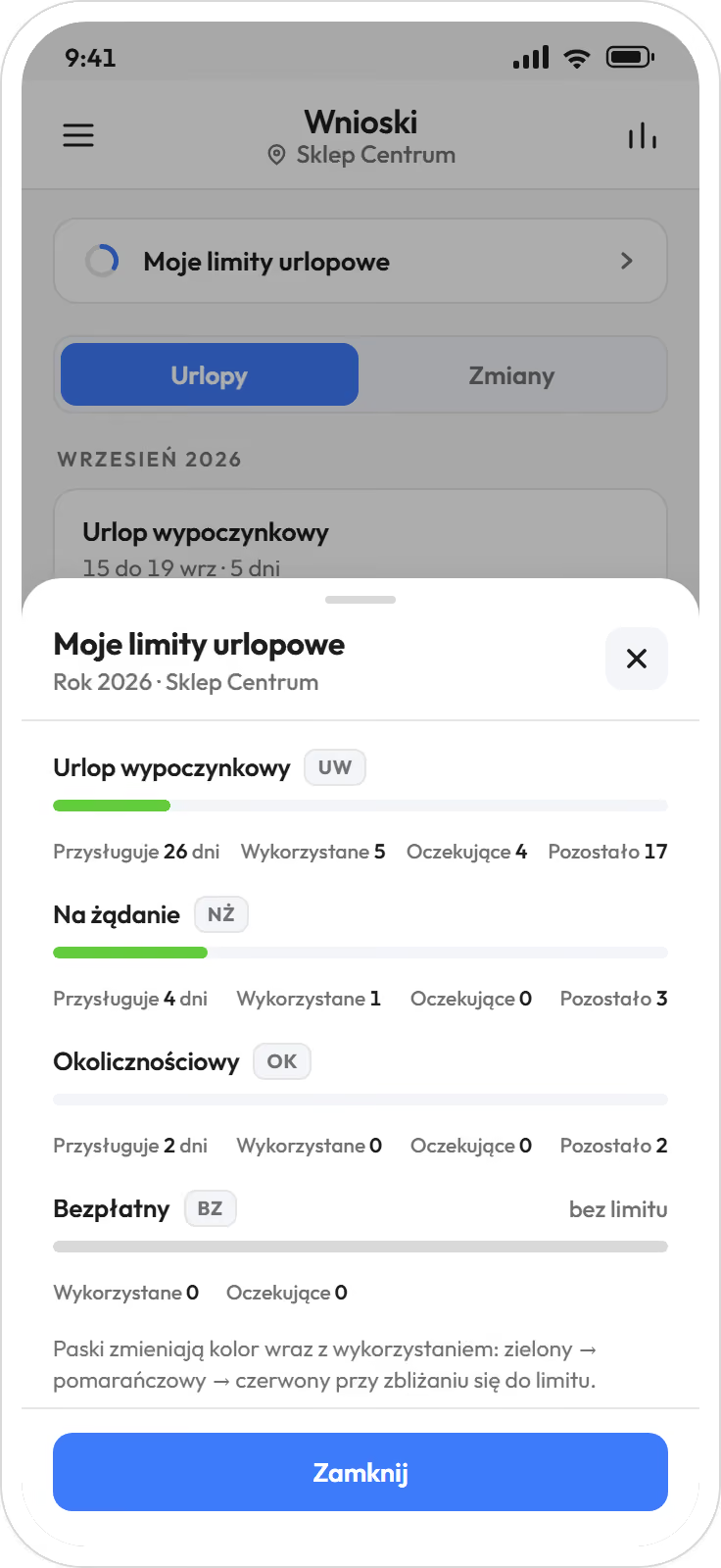
Hours and absences go to nine HR and payroll systems used in Poland, with import instructions. Plus two-way ADP and e-ZLA from ZUS.








The path of a request ends in the HR and payroll system you have.
Labour Code in the scheduleThe manager posts an unassigned shift as open, and those who want it take it. fromStart
Today it is all called "I'll swap". The app has three separate paths, each with the manager's decision.
- Swap. Two people swap shifts. Both confirm on their phones, and the manager approves with one tap.
- Handover. One person hands a shift to the pool. Those who can take it get notified and come forward.
- Open shift. A shift with no one on it waits in the pool. The manager assigns a volunteer or picks someone.
Before approval, Proplanum checks staffing and the Labour Code rules, and shows the manager any rest breach before they decide.
Ten rules of the Labour Code are checked automatically. You choose whether Proplanum warns or blocks saving.
from StartProplanum does not rebuild the schedule when someone gets time off or falls ill. It gives a pool of unassigned shifts and a notification for the manager. Regenerating while keeping the shifts you set comes with automatic scheduling from your staffing rules (from Premium).
Start a 21-day trialA leave request beside the team schedule: what is checked and where shifts go once approved. A drawing, not a screen.
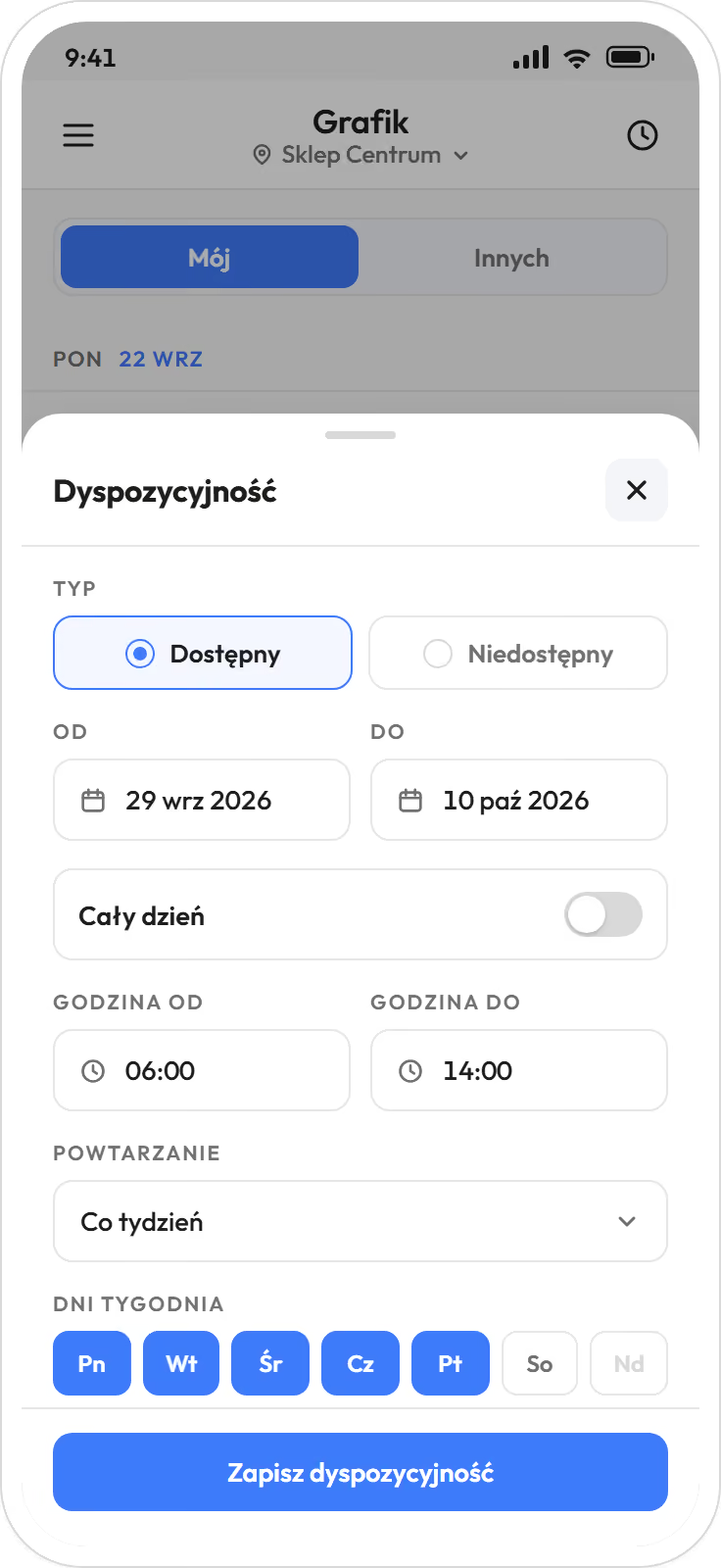
The employee says when they can work, and the manager sees it in the schedule before building it. fromStart
- Availability for a specific day or recurring, for example every Tuesday.
- Availability shows in the schedule grid, not in messages to collect.
- Automatic scheduling from your staffing rules uses availability when it prepares a schedule (from Premium).
- Availability is a preference, not an approval. The manager sets the schedule, within each person's FTE and contract.
The team gets notified about the schedule, requests and swaps, and each person chooses which ones. fromStart
- Each person switches categories on and mutes them: schedule, requests, swaps and handovers, open shifts, tasks, reminder before a shift, working time alerts, documents.
- Night quiet hours: notifications wake no one.
- The simplest are the reminder before a shift and the notice of a published schedule.
- Notifications arrive in the app and by email. The app invitation also goes by text message.
Questions asked before a trial of requests and swaps.
Can employees swap shifts without the manager's approval?
Not by default. Swaps and handovers wait for approval, and Proplanum first checks staffing and the Labour Code rules. If you want it to work differently, you set it yourself.
What happens when nobody takes an open shift?
It stays in the pool as unassigned and shows on the manager's dashboard in the Needs attention block. Proplanum does not rebuild the schedule by itself. The manager assigns it to someone or regenerates the schedule while keeping the shifts already set (from Premium).
Do we have to enter sick notes by hand?
No. An electronic sick note (e-ZLA) downloaded from ZUS, the Polish social insurance institution, removes the person from their shifts by itself, and the manager gets a notification. The shift goes to the unassigned pool, and the manager passes it to open shifts or to a specific person.
Can HR stop keeping leave records in a spreadsheet?
Yes. Leave records build up from approved requests, and balances update as you go. Leave and sick notes go to payroll together with hours. The balance for the whole team is in Summaries, from the Biznes plan.
We have our own leave types and allowances. Can you set them up?
Yes. You set the request types, annual allowances and the rule for carrying days over to the next year yourself.
Is a request for a few hours possible?
Yes, for request types that allow it, for example childcare time off or time off in lieu of overtime. Under the Labour Code, annual leave can be taken in hours only when less than one working day is left in the balance.
Our HR and payroll software already has leave requests. Why a second place?
HR and payroll software settles leave after the month closes. Here the request meets the schedule and that day's staffing, and the manager decides on the phone. Approved leave then goes to the system you have.
Our employees have no work phones. Can they send a request?
Yes. The employee installs the app on their own phone after an invitation by email or text message. A request can also be sent from a browser, in the panel.
We use another system. What does data transfer cost, and will it stop our work?
Data transfer with a self-service start is part of implementation, included in the price. Import from several systems is quoted together with implementation. We have tools to make it quick without disrupting your work. We transfer employees, contracts and FTE, and the structure of locations or departments; leave balances as of the start date, if your system holds them. You choose the date.
A 21-day trial with one team, with no card and no commitment.
- Sign-up takes a few minutes.After a short call we activate your account for 21 days.
- Employee list.As a file or by hand.
- Team invitation.By email or text message, the app on their own phone.
Approved leave and sick notes go on to the HR and payroll system you have. Moving from another system? Data transfer with a self-service start is part of implementation, included in the price. Import from several systems is quoted together with implementation.
A dozen locations or more? Book a 30-minute call.
Thank you, we have your details.
We will call you back on the number you gave. Monday to Friday, 8:00 to 16:00, Central European Time (CET), we reply the same day. After 16:00 and at weekends, we reply by 12:00 on the next working day.