
How Proplanum works: software for scheduling and working time for shift-based businesses. One location or a chain.
Four steps from schedule to payroll. You see each one before hours turn into cost.
Payroll settles hours after the month closes. Proplanum plans them earlier and shows them as the month goes, location next to location. Schedule, actual hours, location comparison, payroll. Your team has the app and the kiosk. Electronic sick notes (e-ZLA) from ZUS, the Polish social insurance institution, come in automatically, and till data through an integration built for your systems.
Below is the whole month in the order it happens. The three levels of scheduling are in step one.
On the call we compare staffing and demand using your numbers.
Electronic sick notes from ZUS come in automatically, and data from tills, POS and hotel systems through an integration built for your systems.
- 1Schedule Proplanum builds it from staffing rules, the manager corrects and publishes. from Start, automatic from Premium
- 2Actual time Clock-ins and clock-outs from phone and kiosk appear next to the plan. from Biznes
- 3Location comparison Plan, actual, overtime and cost per hour, all locations side by side. Summaries from Biznes, comparison from Premium
- 4Payroll and Labour Code Hours are ready for payroll. The Labour Code is checked earlier. from Start
hours, demand and absences go back into next month's plan
Team: app on the phone, kiosk on a tablet, panel for the manager.
Diagram of a month in Proplanum. Sample view.
Prices in US dollars (USD), excluding VAT.
schedule from Startautomatic from Premium
Step 1. The schedule comes from staffing rules; the manager corrects and approves it.
Three levels. Each one is enough on its own. You start where you are and do not have to go higher.
- 1Level onefrom Start
You build and publish in one place. You save a weekly or monthly template once and load it in the next period, also for crews. The team gets a notification on the day you publish.
- 2Level twofrom Premium
Proplanum prepares a ready version from your saved staffing rules: how many people per shift, who works in which position, availability, contracts and FTE. Several modes to choose from, including crew rotation. The manager sets what matters most and corrects the result by hand.
- 3Level threefrom Premium
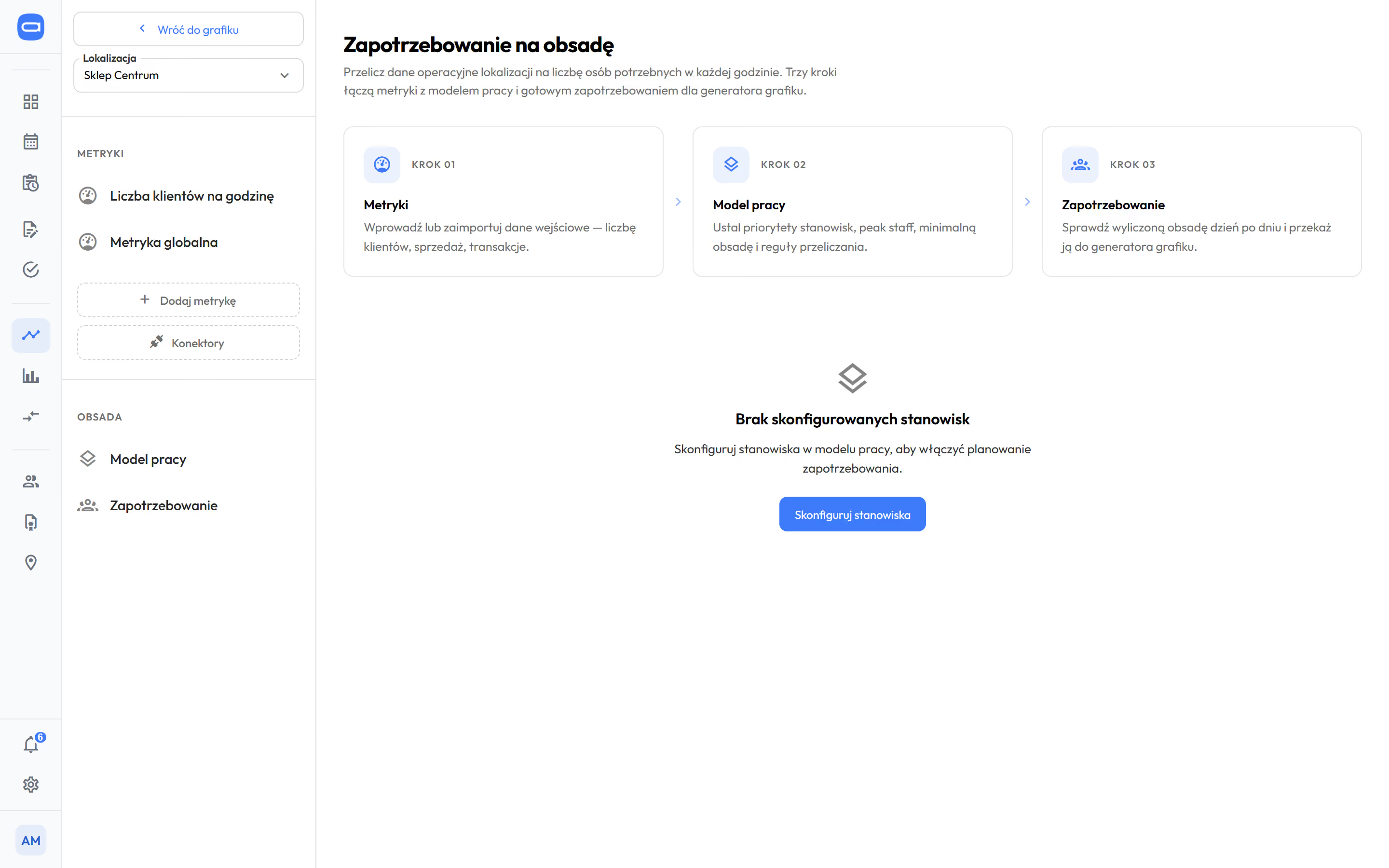
With demand data, the schedule follows demand hour by hour. Neither a single location nor a chain that plans in a standard way needs it.
It does not replace the manager. It takes over the scheduling work. Nothing reaches the team until the manager approves it.
from Start Before approving, the manager sees staffing hour by hour, and the hours and cost for each person.
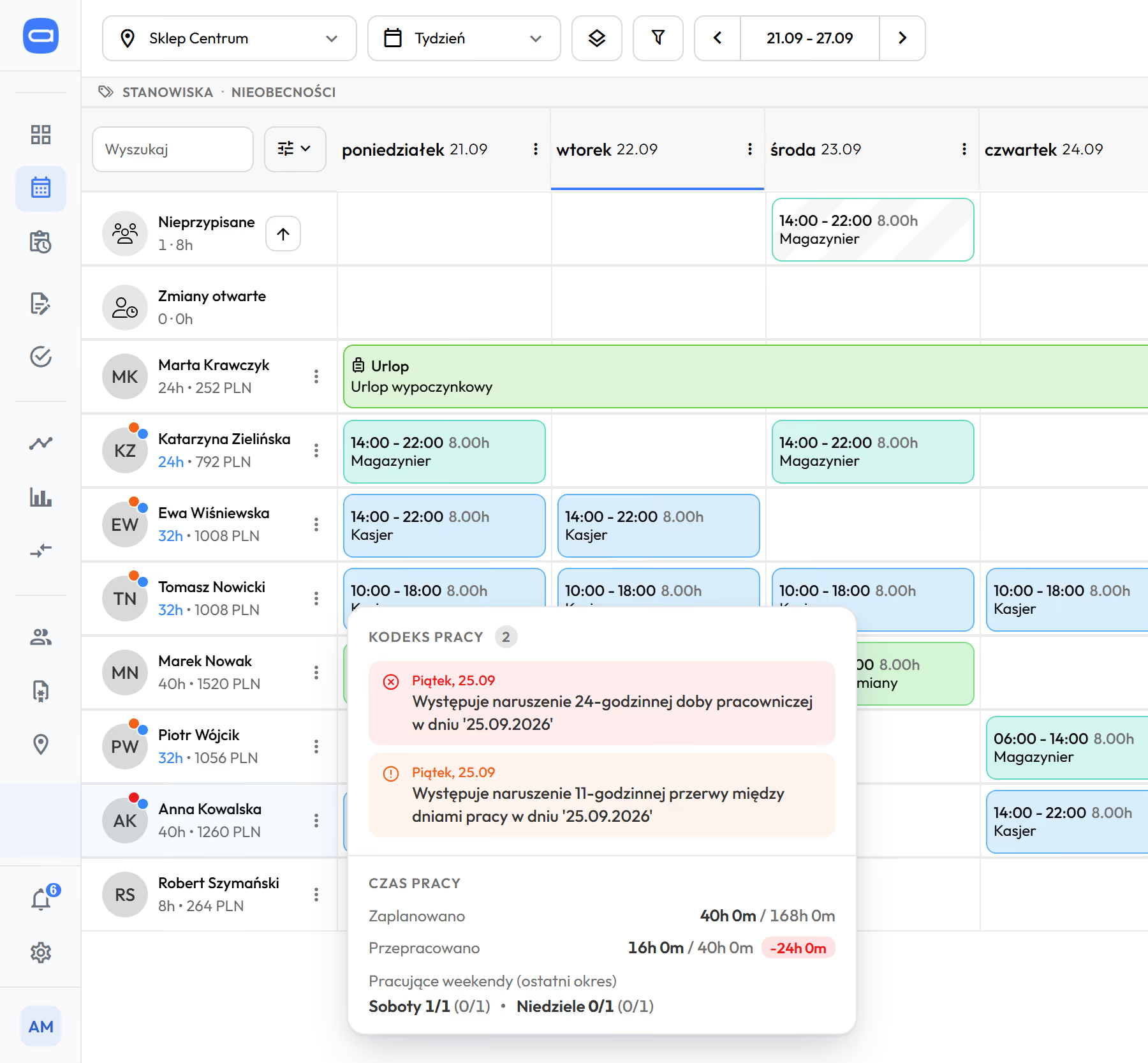
Ten rules of the Labour Code are checked before the schedule reaches the team. You choose whether a breach gives a warning or blocks saving.
- Work scheduleScheduling, templates, automatic scheduling from your staffing rules and everything else in the schedule.
- Demand forecast and demand-based schedulingTill data, demand forecast and a view of labour cost across locations.
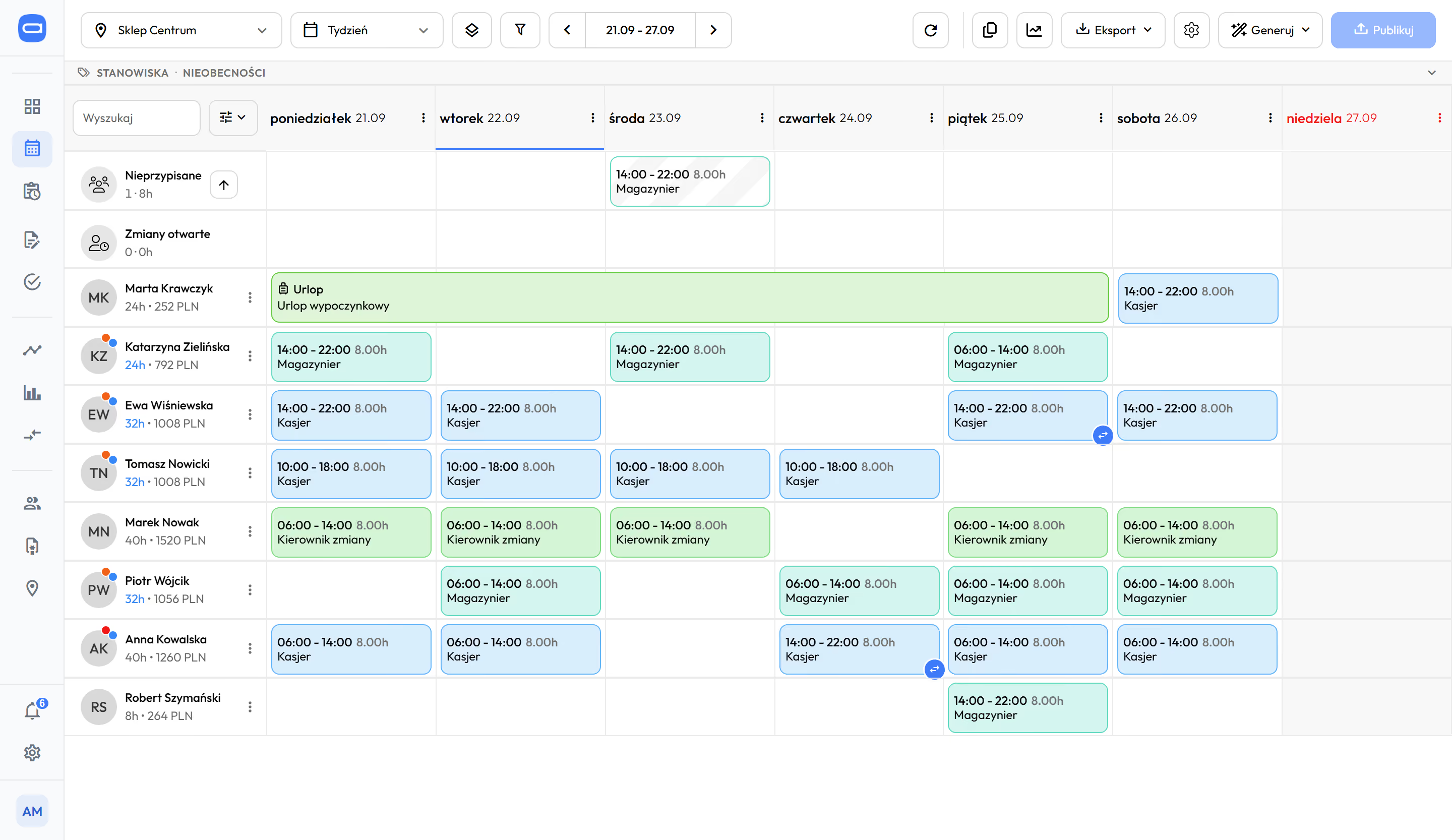
Weekly schedule after publishing. Hours and cost next to each name, annual leave as a band, an open shift in the Unassigned row. Demo data. The app is available in English.
Staffing against demand, hour by hour. Demo data. The app is available in English.
from Biznes
Step 2. Actual hours appear next to the plan on the day they are worked, not a month later.
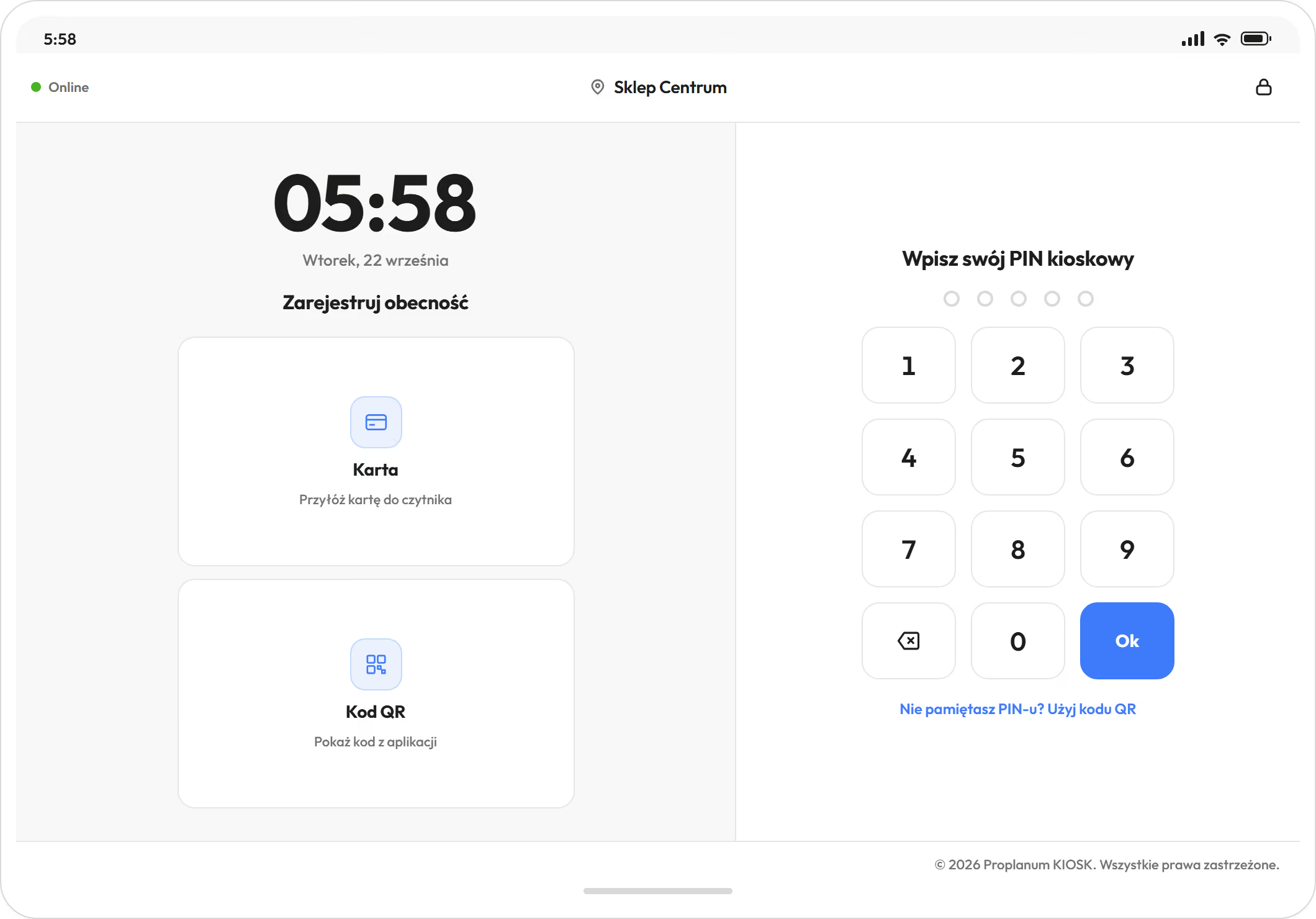
An employee starts and ends a shift with one tap: on the phone, at the kiosk on a tablet or in the browser. The entry appears next to the planned shift straight away.
- Lateness and early departure show as a deviation from the plan in minutes, not as the manager's opinion.
- The manager approves an entry, corrects it or aligns it to the plan. Every correction has an author and a time, and the previous value stays in the history.
- An alert about lateness or absence goes to the chosen person on the day it happens.
- You correct the schedule and working time records during the period, not after it closes. You see the period balance as you go.
Your team handles leave requests, availability, swaps and open shifts in the app. The manager no longer takes every call, and the decision stays with them. An electronic sick note (e-ZLA) from ZUS removes that person from their shifts automatically, and the manager gets a notification.
Seven ways to clock in, from a PIN at the kiosk to the app on the phone.
All the ways- Time tracking and kioskClock-ins, kiosk, lateness thresholds and approval of working time records.
- Leave requests and swapsLeave, availability, swaps and open shifts without calling the manager.
- Employee fileExaminations, training and qualifications with expiry dates. The schedule can refuse a shift with no valid document.
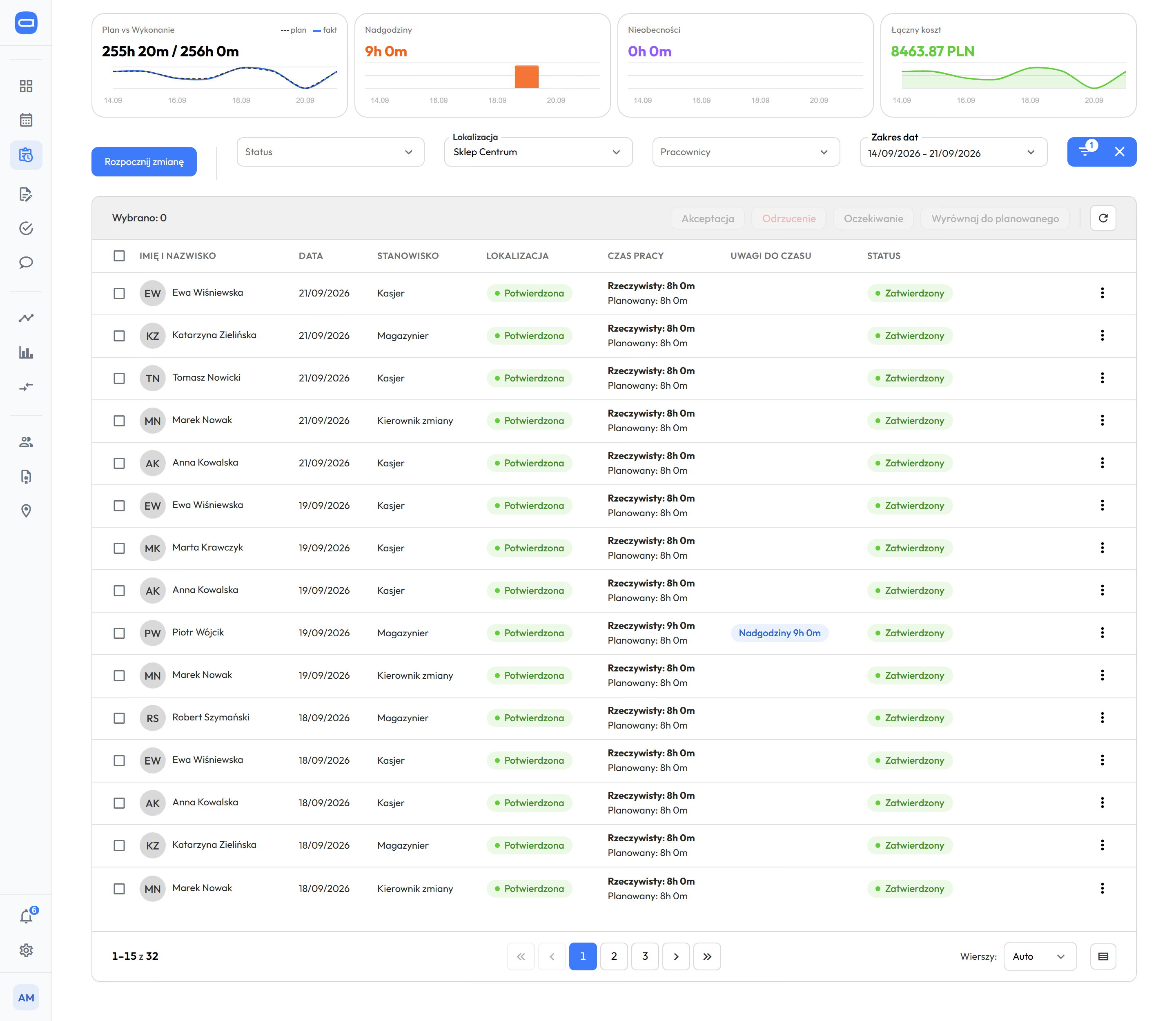
Time tracking register. Plan next to actual, notes on time at the entry, approval with one click. Demo data. The app is available in English.
Kiosk on a tablet at the entrance. Demo data. The app is available in English.
Summaries from Bizneslocation comparison from Premium
Step 3. All locations side by side during the month, without collecting numbers from managers.
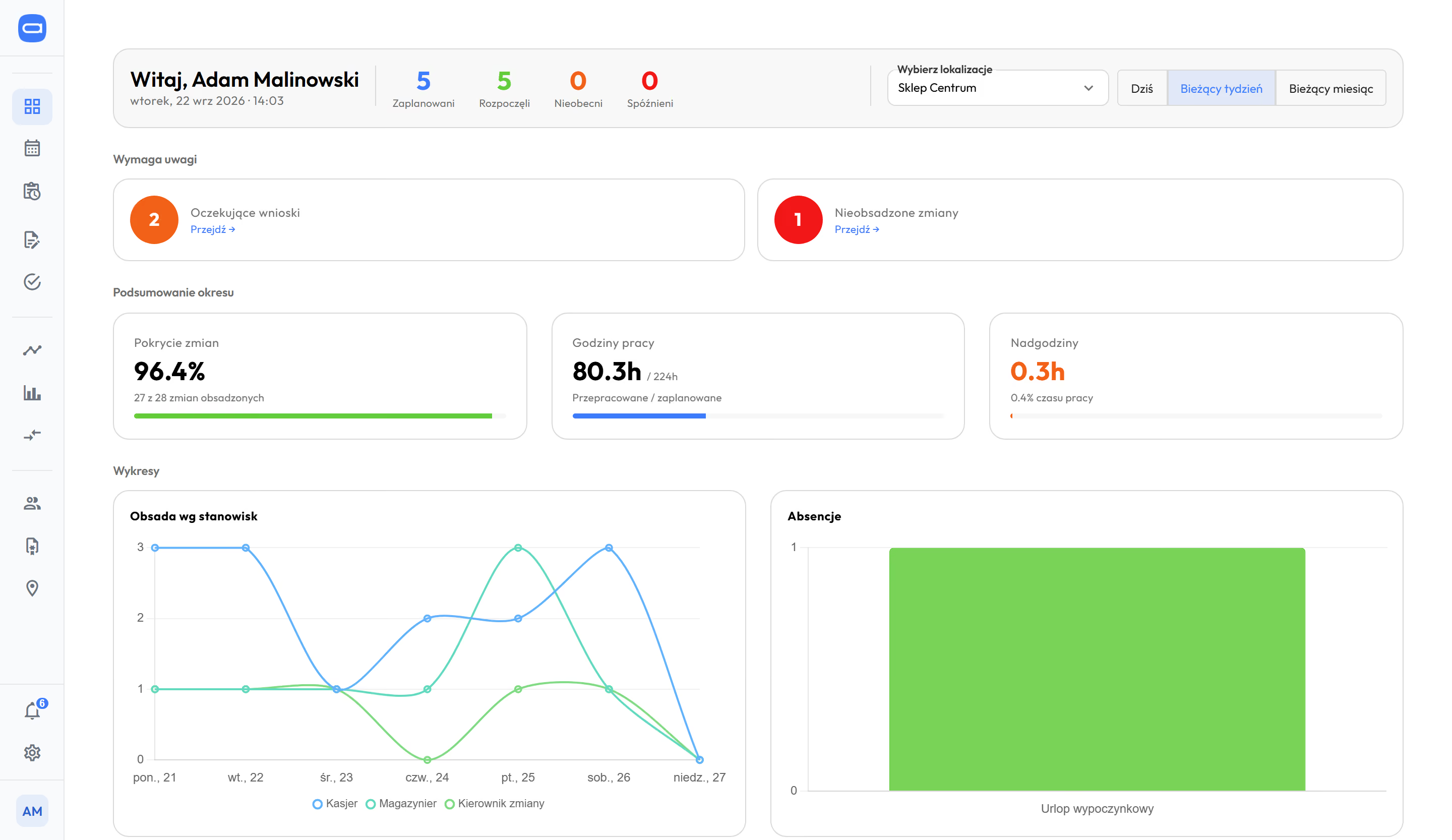
Plan, hours worked, overtime and cost per hour, location by location. The CEO, the operations director and the regional director have the same view, each within their own scope.
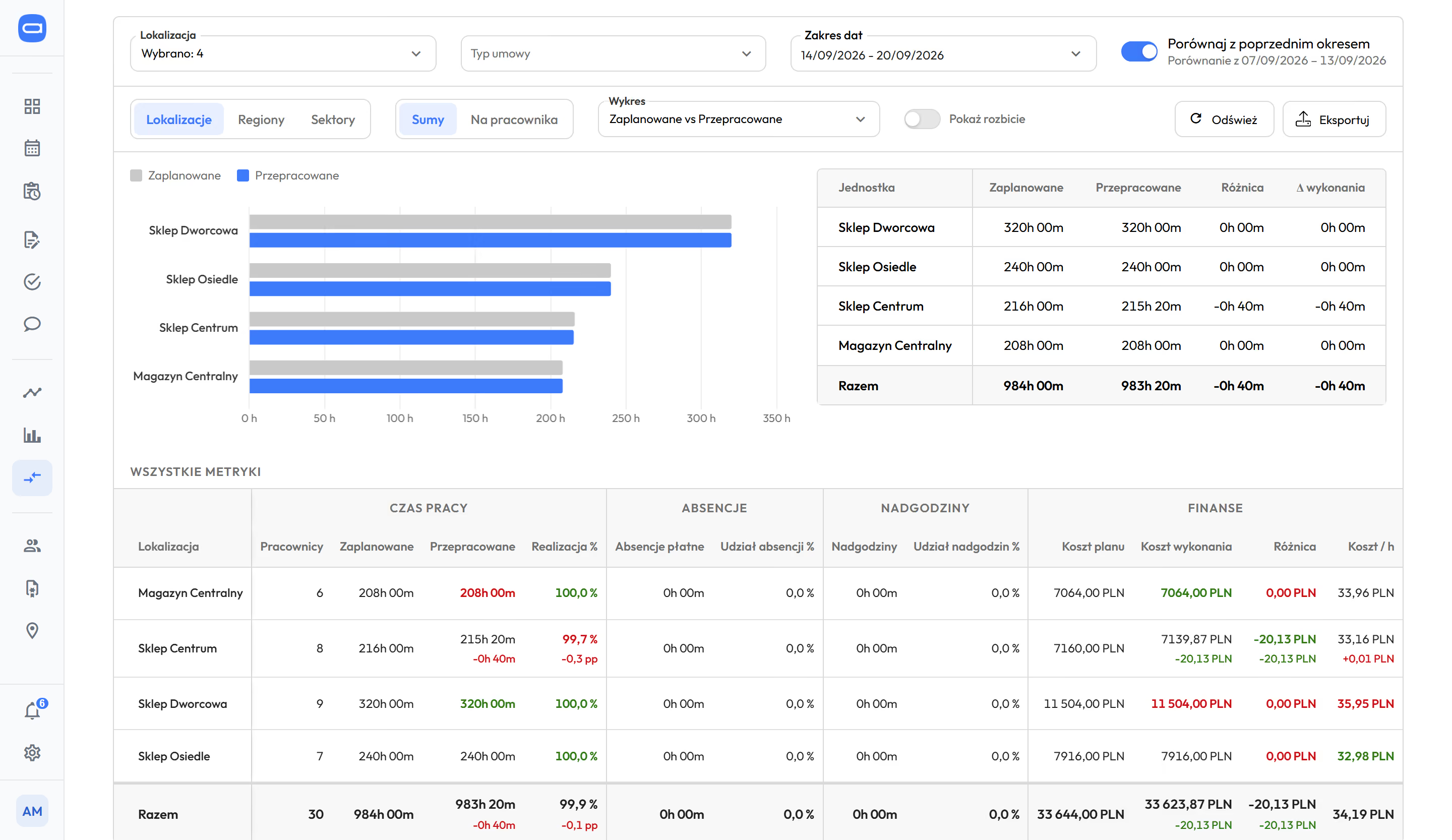
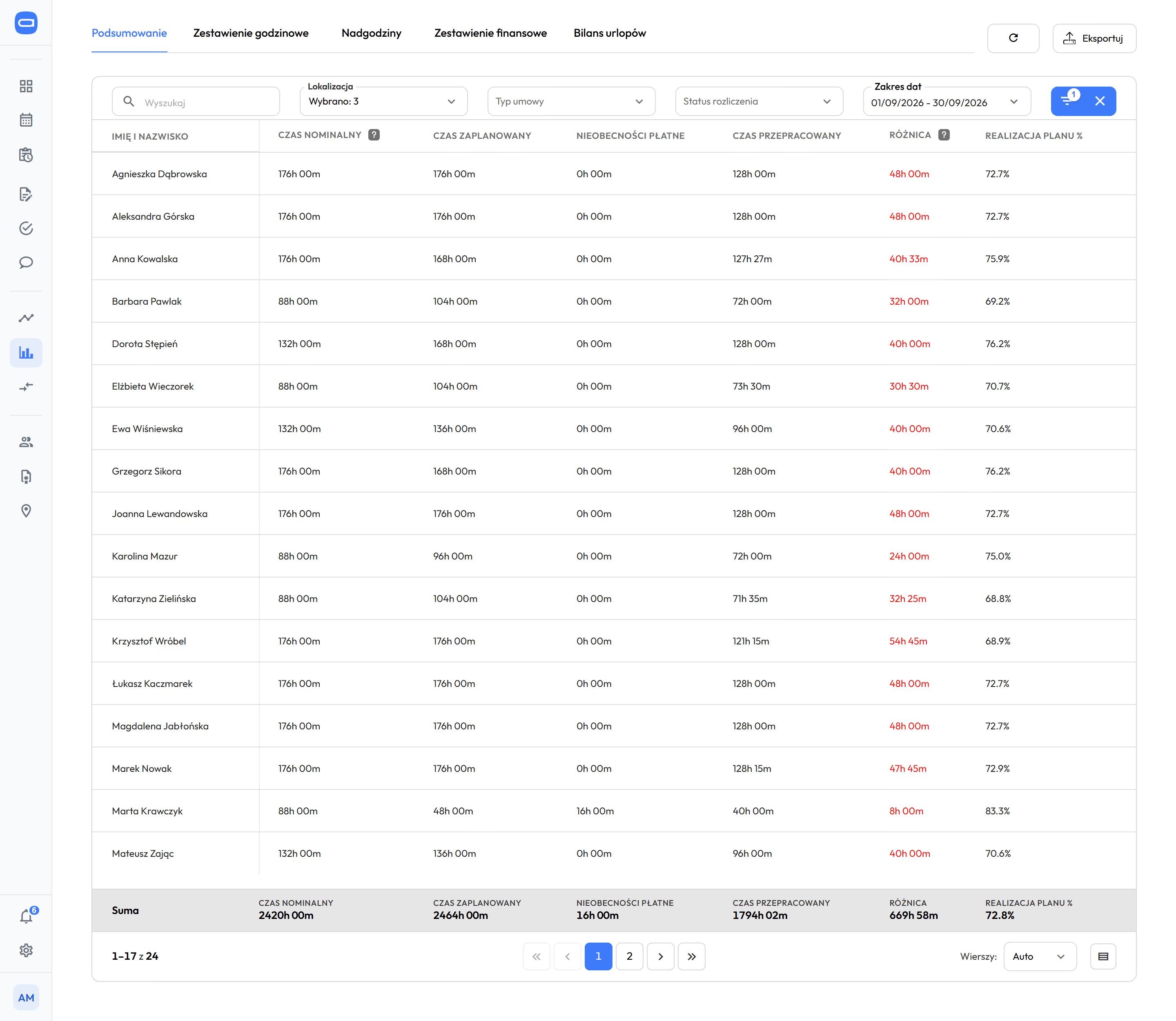
Locations side by side: planned and actual hours. Demo data. The app is available in English.
Monthly Summaries for three locations: each person's hours and the total. Demo data. The app is available in English.
- Comparative analysisfrom PremiumSectors, regions and locations side by side. Plan and actual, plan completion, overtime, cost per hour, comparison of periods.
- Summariesfrom BiznesHours, overtime, absences and the amount to pay, before the month closes.
- Manager dashboardfrom StartCollects what needs attention: requests, unassigned shifts, entries waiting for approval.
Hours, demand and absences from this month go into the next plan. In the HR and payroll system the month ends with payroll. Here the next schedule starts from it.
The advanced reports module adds a chart and export builder (Enterprise).
about one quarter less overtime, within three months. Retail chain.
- Location comparison and reportsPlan next to actual and cost per hour, location by location.
from Start
Step 4. Hours go to payroll without retyping, and the Labour Code is checked earlier.
Ready for your payroll
Hours, absences and overtime go to nine HR and payroll systems used in Poland, with import instructions. Plus two-way ADP and e-ZLA from ZUS.
System names
Comarch Optima, R2Płatnik, enova365, Symfonia, Gratyfikant GT, Gratyfikant nexo, Wapro Gang, SAP, DATEV LODAS.
- Demand data comes in automatically from a till, POS or hotel system. We build the integration for your systems as part of implementation.
- API for companies that build their own integrations (Enterprise).
Checked before the schedule reaches the team
- Labour Code rules with your own thresholds: rest periods, hour limits, the employee's working day (the 24 hours counted from the start of the shift), a fourth working Sunday in a row, protected employees. You choose whether a breach gives a warning or blocks saving.
- Basic, equivalent (longer shifts balanced by shorter days) and weekend working time systems, and continuous operation. Medical on-call duty and standby are separate shift types.
- You see overtime before it happens. Proplanum checks the daily and weekly limit in the schedule and counts the period balance as you go.
- One person in several locations on one contract. The rules count their shifts together.
- Integrations, security and APIThe full list of systems, tills and POS, Microsoft Azure in the EU, data processing agreement.
- Labour Code and working timeEvery rule by name, working time systems, overtime and the period balance.
Managers and teams get the app and the kiosk, the board gets plan next to actual.
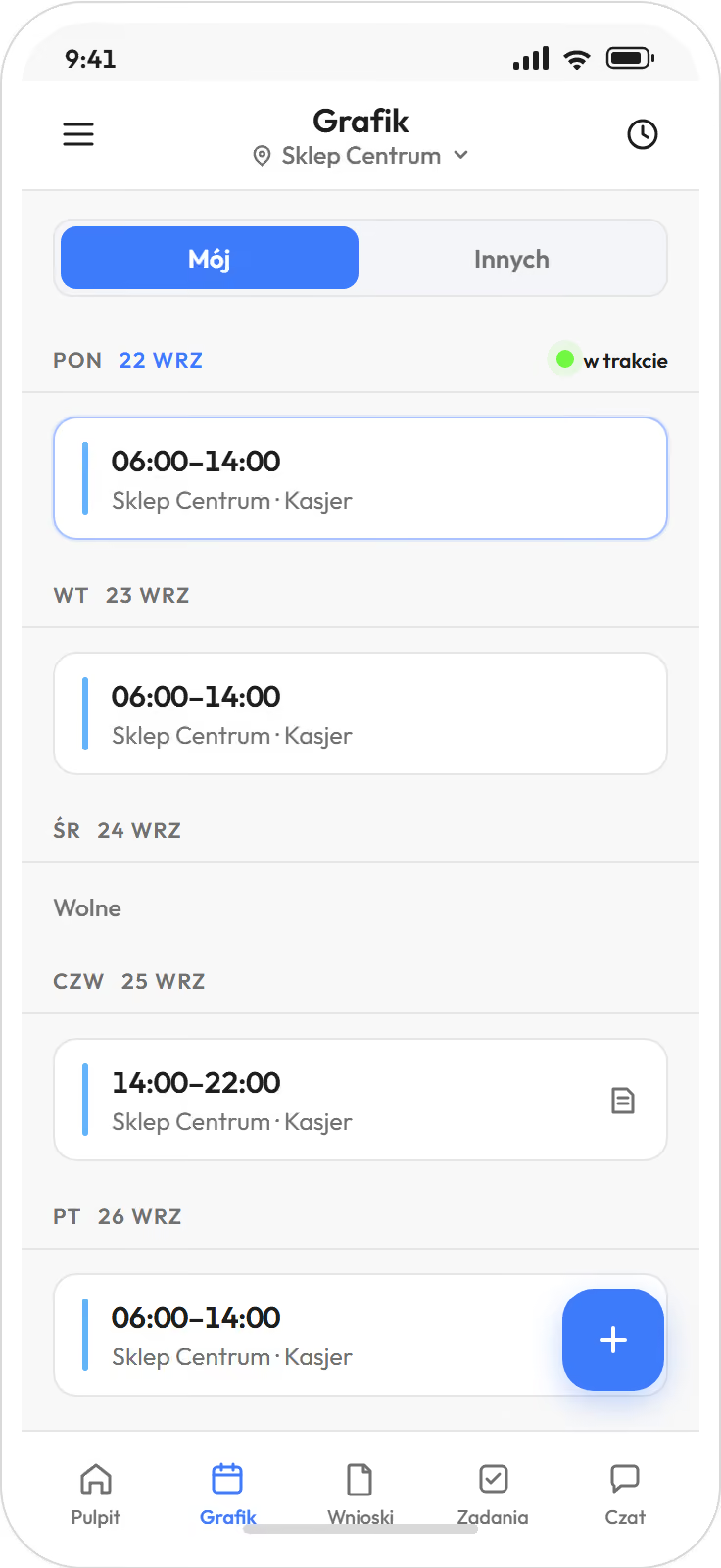
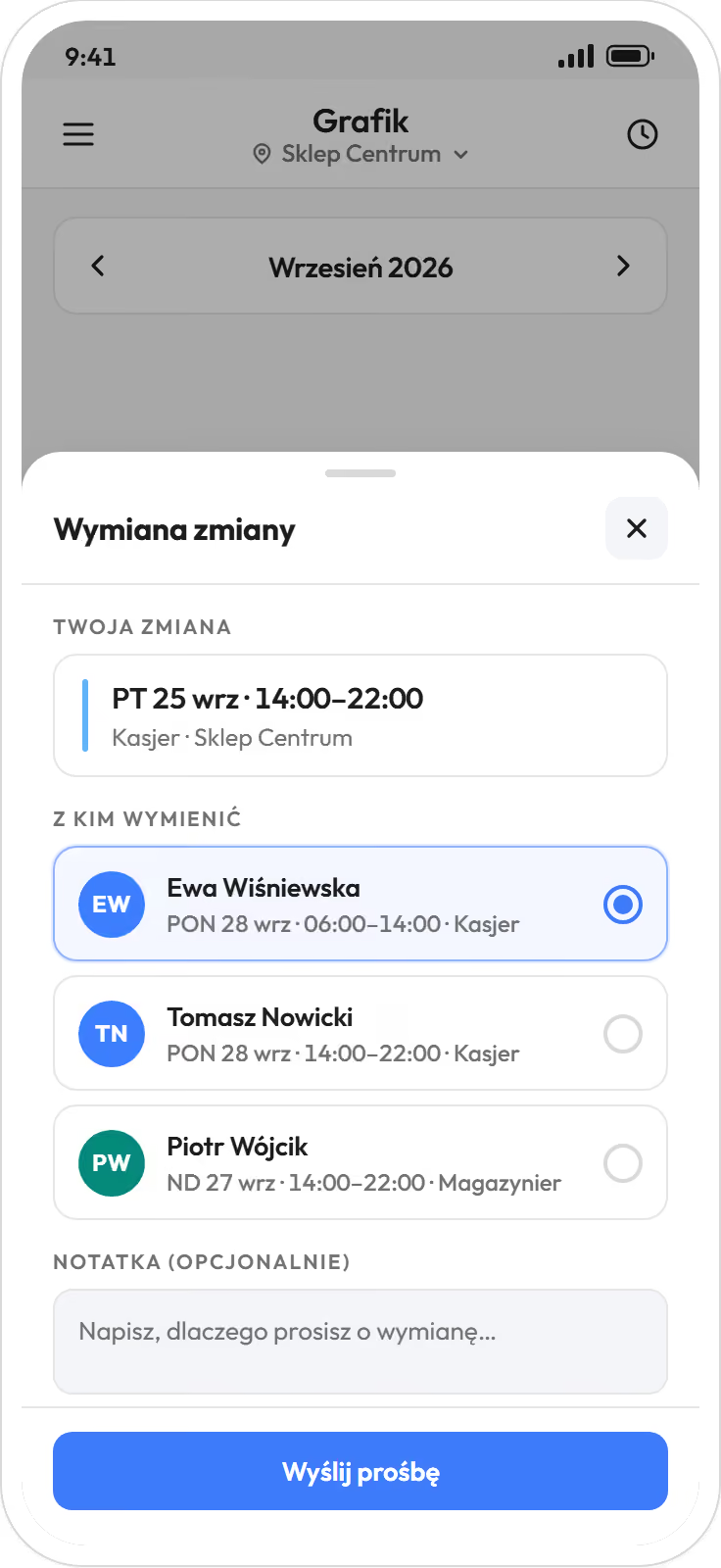
An employee sees the schedule on the phone, enters availability, swaps a shift and submits a leave request. The manager approves with one tap, also from the phone. Team chat and tasks for a shift are in the same app (tasks from Biznes, chat from Premium).
- App for your teamSchedule, swaps, leave requests and clock-ins on the phone, iOS and Android.
- Team chat and tasksMessages to the team with read receipts, tasks with a deadline and completion status.
- What your team will see
Prefer to check for yourself? Start a 21-day trial, no card
schedule and payroll hours from Startactual hours next to the plan from Bizneslocation comparison and automatic schedules from PremiumPricing
Moving from another system? With a self-service start, data transfer is part of the implementation included in your plan. Import from several systems is quoted with implementation. You choose the date.
A dozen locations or more? Book a 30-minute call.
Thank you, we have your details.
We will call you back on the number you gave. Monday to Friday, 8:00 to 16:00, Central European Time (CET), we reply the same day. After 16:00 and at weekends, we reply by 12:00 on the next working day.
We do not replace your HR and payroll system. We hand it the finished hours.