
Employee file for shift-based businesses: documents and dates next to the schedule.
The schedule knows whose examination, training or qualification expires.
The employee file in Proplanum keeps copies of your employees' documents together with their expiry dates. You create the document types and decide which have an expiry date. Before a date passes, the manager gets a reminder in the app. If you set it that way, the schedule will not accept a shift for anyone without a valid document.
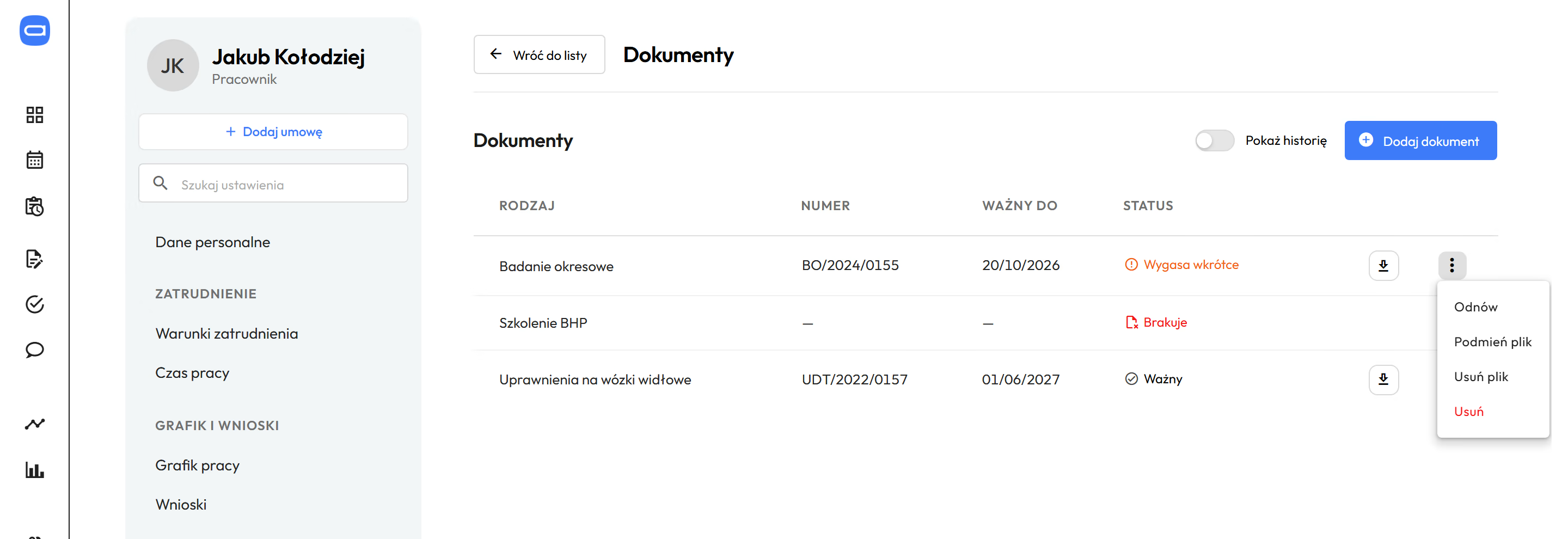
One person's documents in one place, with status and expiry date. Demo data. The app is available in English.
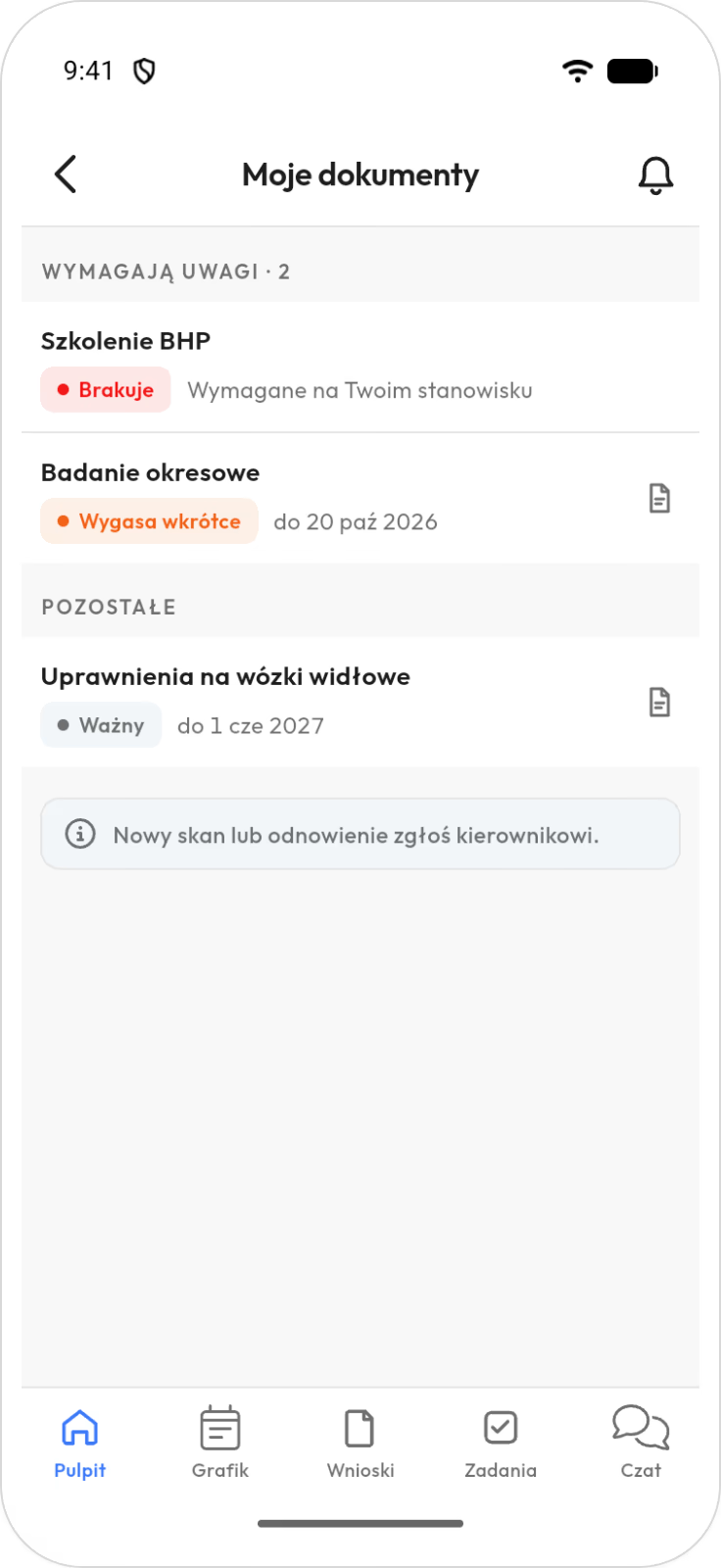
Employees see on their phone what is valid and what is missing. Demo data. The app is available in English.
Prices in US dollars (USD), excluding VAT.
Copies of documents and their expiry dates sit where the schedule is built. The employee file does not replace the personnel file that Polish law requires employers to keep. How the schedule is built
You create the document types and decide which have an expiry date. add-on
There is no fixed list. You enter what your industry has to track and mark the positions that require it.
- Kitchen and grocery storemedical certificate for work with food
- Warehouse and productionforklift certificate
- Healthcare providerlicence to practise and courses
- Pool and water parklifeguard qualification
- Any businessmedical examinations and health and safety training
What you set
- Document type name and whether it has an expiry date.
- A reminder before the expiry date.
- What happens in the schedule after expiry: nothing, a warning or a block.
- The positions the document is required for.
- For each employee: the expiry date, number and a file with a scan or photo.
A forklift operator needs a forklift certificate, a cook a medical certificate. You set this once, on the document type. You enter the expiry date for each person. When someone in that position has no document, you see it at once.
You set the requirement for a position, not for a single person.
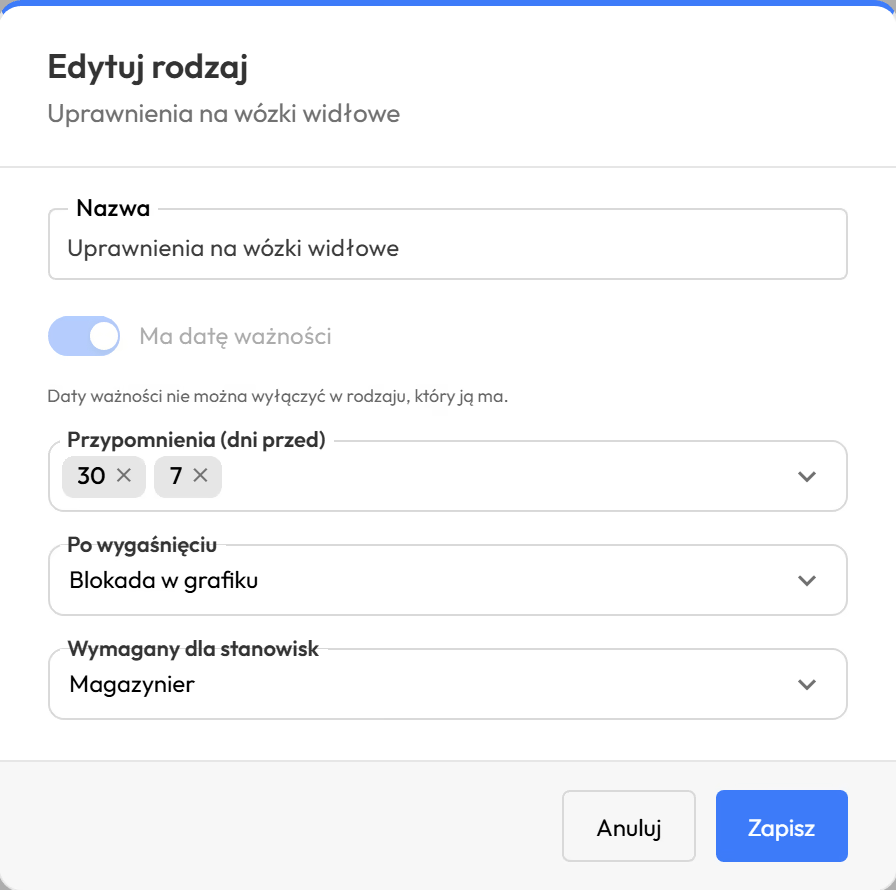
You set the expiry date, reminders and effect in the schedule once, for the document type. Demo data. The app is available in English.
A reminder comes before the expiry date, and after it the schedule can refuse a shift. add-on
HR keeps no separate calendar of medical examinations. Proplanum tracks expiry dates and tells whoever builds the schedule.
What you see before expiry
- The reminder appears in the app, in notifications, before the expiry date.
- Each document shows whether it is valid, expiring soon or missing.
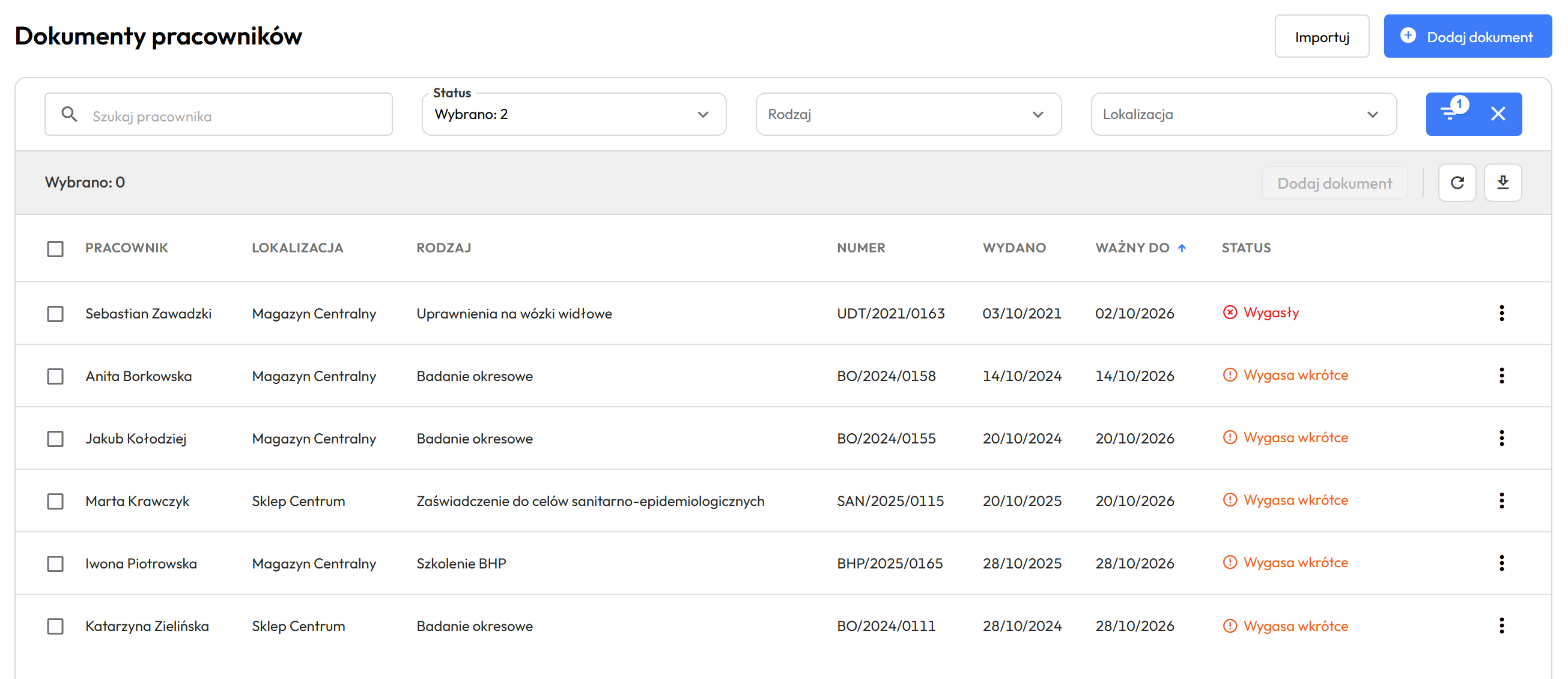
One list shows whose documents expire in the coming weeks. Demo data. The app is available in English.
In the schedule
Three settings to choose from for each document type.
- NothingThe date is visible, the schedule is unchanged.
- WarningThe schedule marks the employee, and the shift can still be saved.
- BlockThe schedule refuses a shift on a day after expiry, or when a document with an expiry date required for the position is missing.
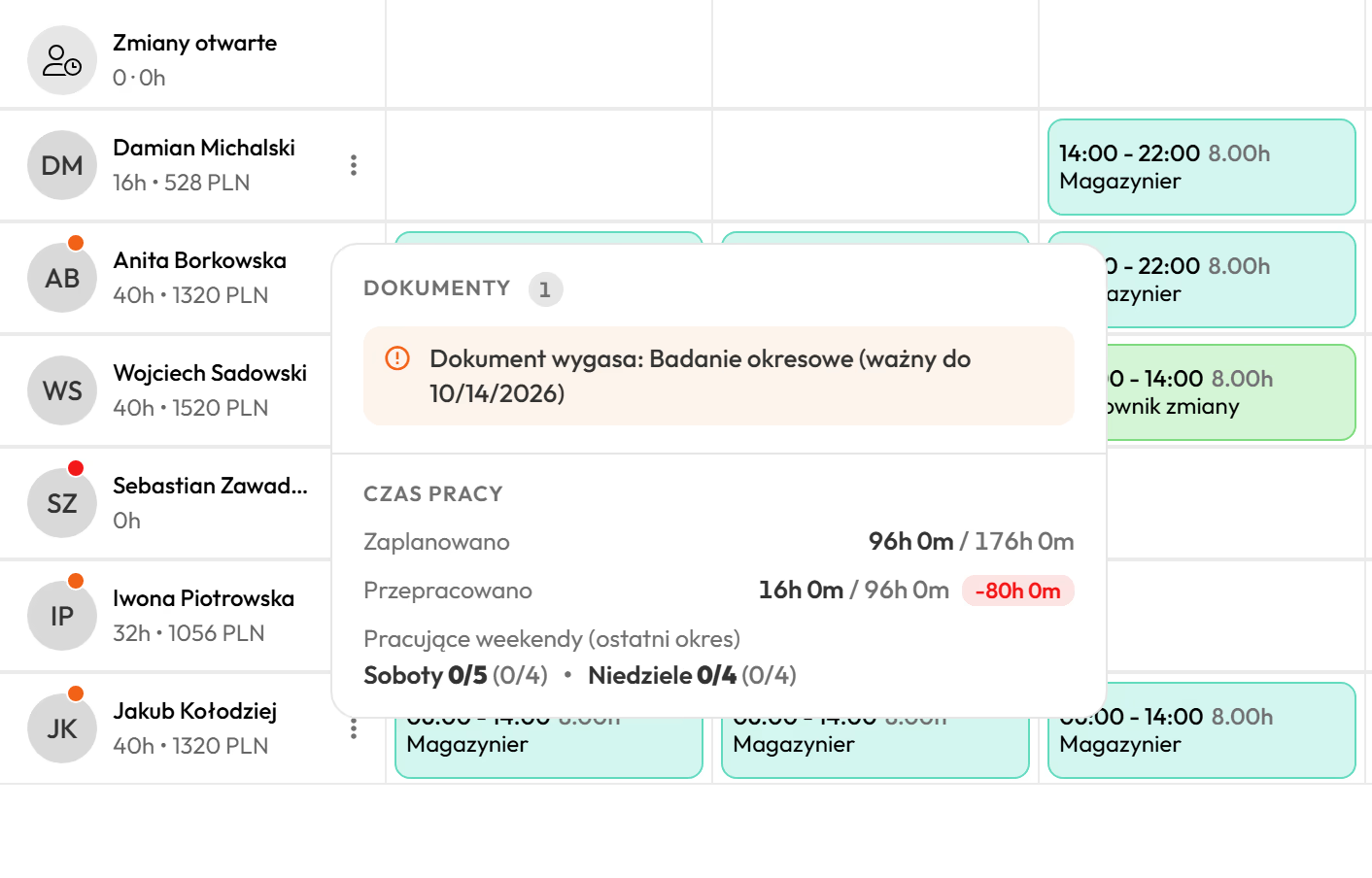
The schedule warns before you plan a shift after the examination expires. Demo data. The app is available in English.
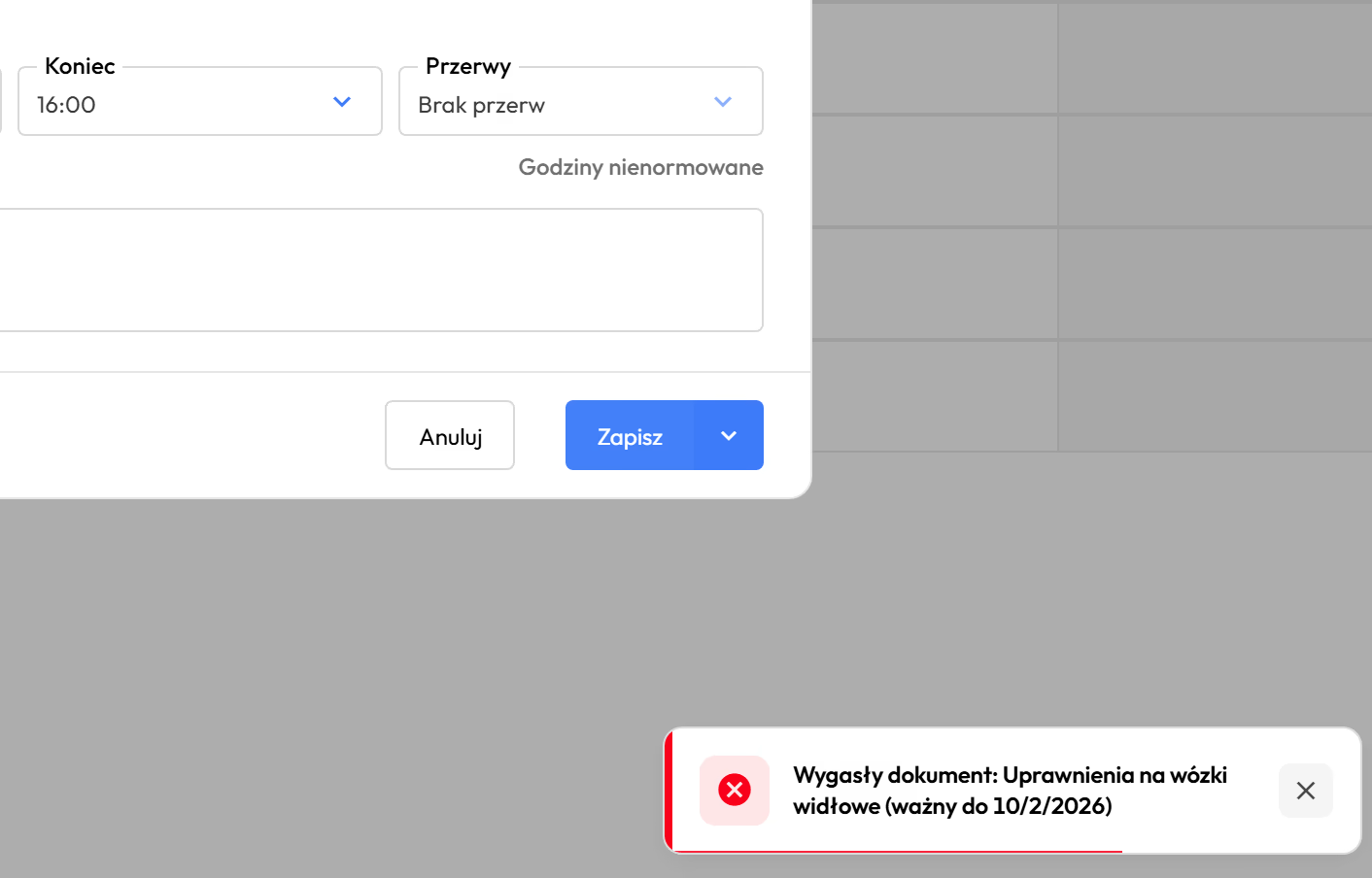
After the certificate expires the shift will not save, if you set the document type that way. Demo data. The app is available in English.
You switch the block on for document types you choose. Proplanum does not rebuild the schedule by itself. The manager fills the blocked shift.
A warehouse week and Marek's certificate
- document valid
- schedule clear
- reminder will come before expiry
Nothing to do.
- document expiring soon
- reminder waiting in the app
- shifts can be saved
Check the shifts after Wednesday before the schedule goes out.
- document expired
- shift not saved
- two shifts to fill
The manager fills the shift. A renewed document lifts the block.
The same week in three document statuses: valid, expiring soon, expired. Demo data. A drawing, not a screen.
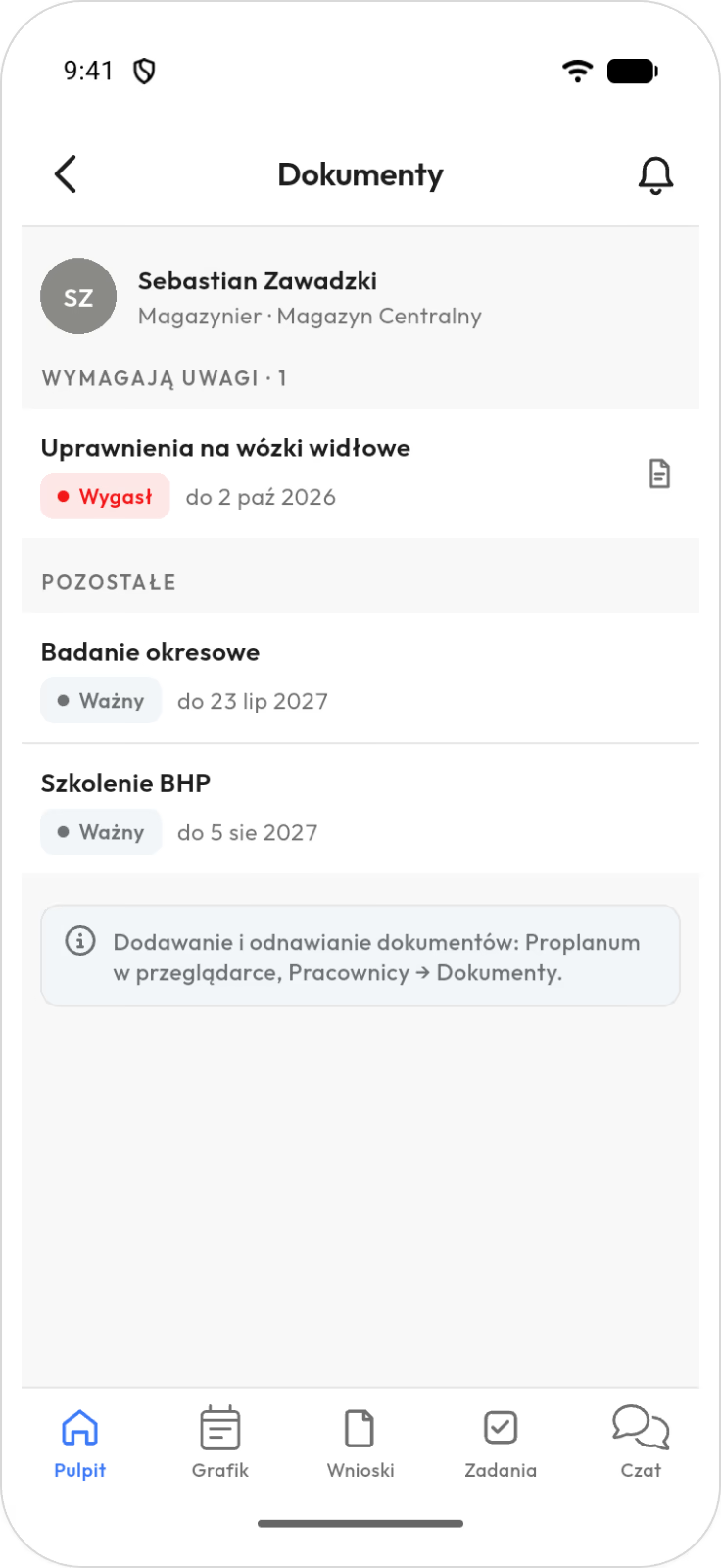
The employee and the manager see documents on the phone. Adding them stays in the browser. Demo data. The app is available in English.
Employees check their expiry dates on the phone instead of calling HR. add-on
The employee file in the app shows what is valid, expiring soon or missing.
- HR and the manager add and renew documents in Proplanum in the browser, with no action from the employee.
- In the app, employees see only their own documents, expiry dates and what their position requires.
- In the app, the manager sees their team's documents, with status, expiry date and scan.
- The employee reports a new scan or a renewal to the manager.
A certificate reaches HR on paper, so HR adds it. When an employee comes back from an examination with a new certificate, they tell the manager, and the manager renews the document in Proplanum. The expiry date goes to the same place.
A date HR enters once is visible to the manager in their app and to the employee on the phone.
Questions asked before you add the first document.
Does the employee file replace the personnel file required by Polish law?
No. The employee file organises documents and tracks expiry dates. It does not replace the personnel file that Polish law requires employers to keep, and it is not that file in electronic form under the Labour Code. You keep that file as before. A scan in the employee file is a copy for tracking the date. The original stays where it was.
Which documents can go in the employee file?
Any you decide on, with no limit on types: medical examinations, training, qualifications. In Proplanum in the browser you attach a scan or photo to the document. A type with no expiry date is fine too. Originals and the personnel file required by Polish law stay where they are.
Who gets the reminder, and how?
The manager, in the app, in the notifications under the bell, before the expiry date. Proplanum sends no emails or text messages about expiry dates. Employees see the date on their document in the app.
What happens in the schedule when an examination or qualification expires?
That depends on your setting for that document type. You choose no effect, a warning by the employee or a block. With a block, the schedule will not accept that person's shift on a day after expiry. The manager fills the blocked shift. Proplanum does not rebuild the schedule by itself.
Must employees upload documents themselves?
No. HR and the manager add and renew documents. In the app, employees see their documents, expiry dates and what their position requires. They report a new scan or a renewal to the manager.
Who sees an employee's documents?
In the app, employees see only their own documents. HR and managers see employees' documents in their own locations. You decide which documents go into the employee file.
What does the employee file cost, and is it in the trial?
$0.50 a month per employee, excluding VAT. Once enabled, it covers all employees of the company, so the whole team counts. It is an add-on to every plan, including Enterprise, and is added to the plan price as a separate item. The employee file is included in the 21-day trial.
Where is this data stored?
In Microsoft Azure in the EU, with regular backups. We sign a data processing agreement (DPA) with every customer. Details are on the integrations and security page.
We use another system. What does data transfer cost, and will it stop our work?
Data transfer with a self-service start is part of implementation, included in the price. Import from several systems is quoted together with implementation. To start, you enter document types and positions, then expiry dates for each employee. You add scans at your own pace.
A 21-day trial at one location, with no card and no commitment.
- Sign-up takes a few minutes.After a short call we activate your account for 21 days.
- Employee list.As a file or by hand.
- Document types and positions.You enter expiry dates for each employee and add scans later.
The employee file does not replace the personnel file that Polish law requires employers to keep. It tracks expiry dates where the schedule is built. Moving from another system? Data transfer with a self-service start is part of implementation, included in the price. Import from several systems is quoted together with implementation.
A dozen locations or more? Book a 30-minute call.
Thank you, we have your details.
We will call you back on the number you gave. Monday to Friday, 8:00 to 16:00, Central European Time (CET), we reply the same day. After 16:00 and at weekends, we reply by 12:00 on the next working day.