Proplanum for managers and teams. Scheduling and time tracking software for shift-based businesses, from one location to a chain.
Schedule, swaps and requests are on your phone, and your company sets up the account.
The Proplanum app shows employees their work schedule, swaps and requests on their phone. There is nothing to buy or set up. Employees get access to the app from their company, through an invitation by email or text message.
- Employee: you get access from your company. Already have an account? Log in
- Manager: what changes in a manager's week is in the third part of this page. What the manager does
- The person who decides on the software has their own page. The link is at the bottom of this page.

Your company sets up the account, not the employee. Without an invitation the app has nothing to log in to.
All download options and the QR code
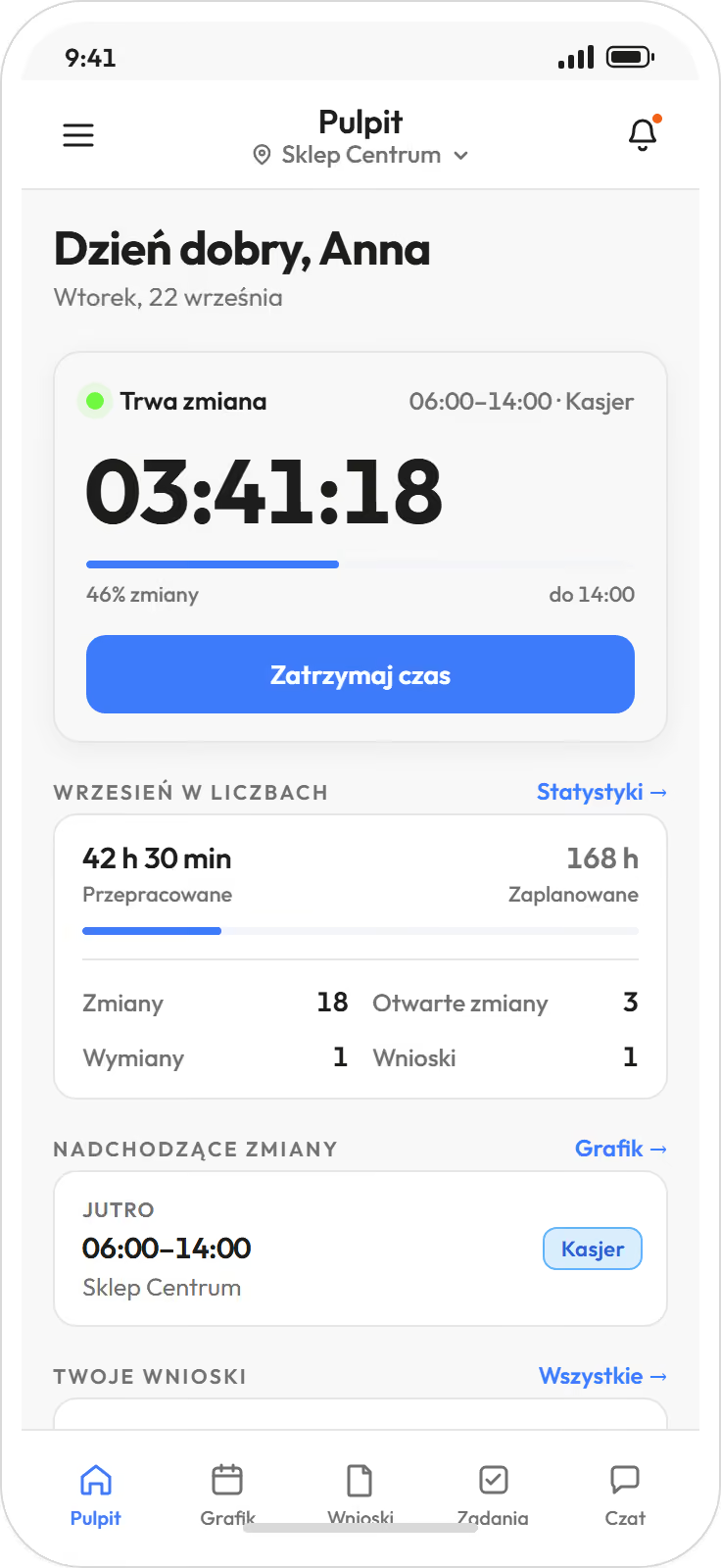
Employees see their schedule, report a swap and make a request without asking the manager about every change.
Everything that today goes to the manager by message or phone call, the employee handles in the app. The manager gets a ready request and only approves it.
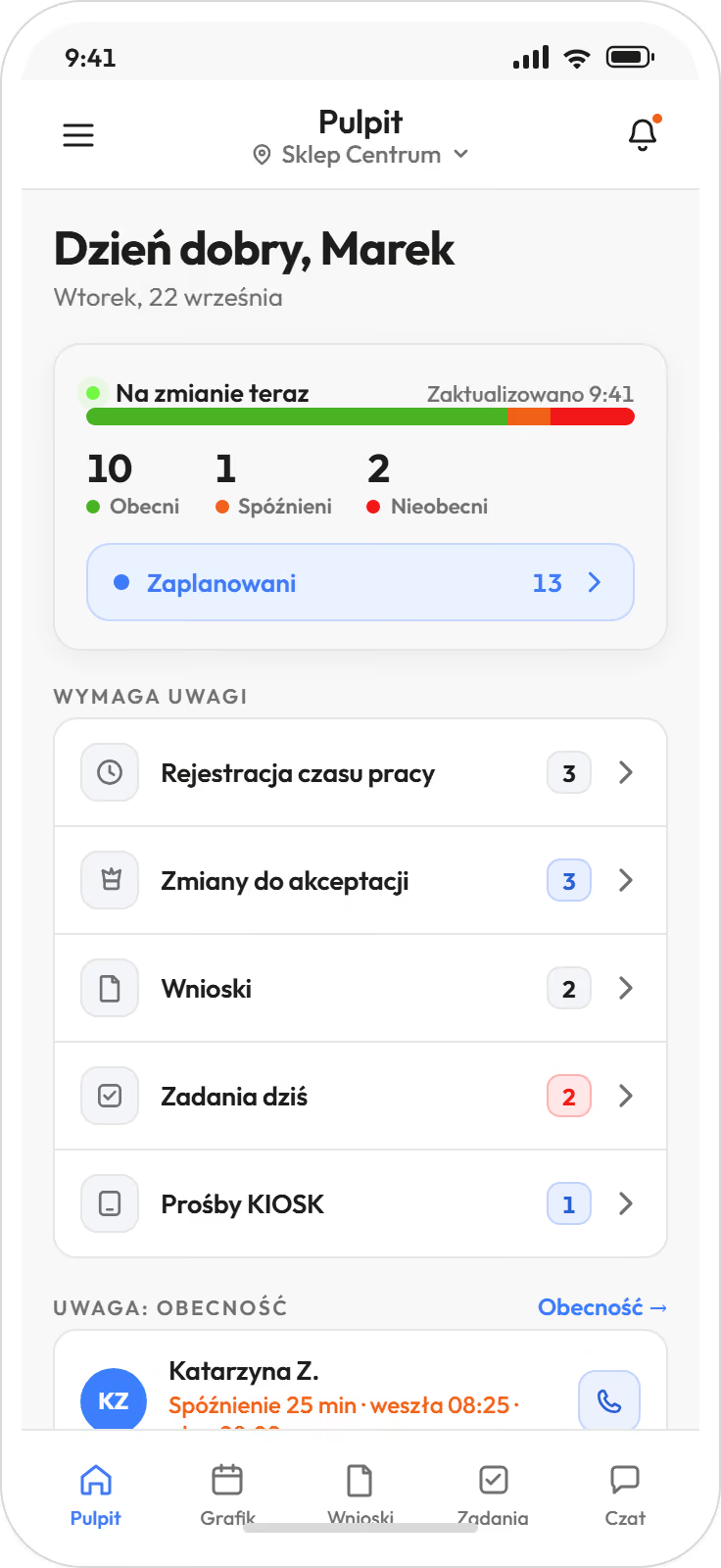
- Schedule. Your own shifts for the day, week and month, always up to date, also after a last-minute change. You can subscribe to the schedule in Google, Outlook or Apple calendar.
- Notifications. A message about a published schedule and about every change to your shifts. Everyone switches on reminders before a shift and quiet hours for themselves, and the company sets how early the reminder comes for each location.
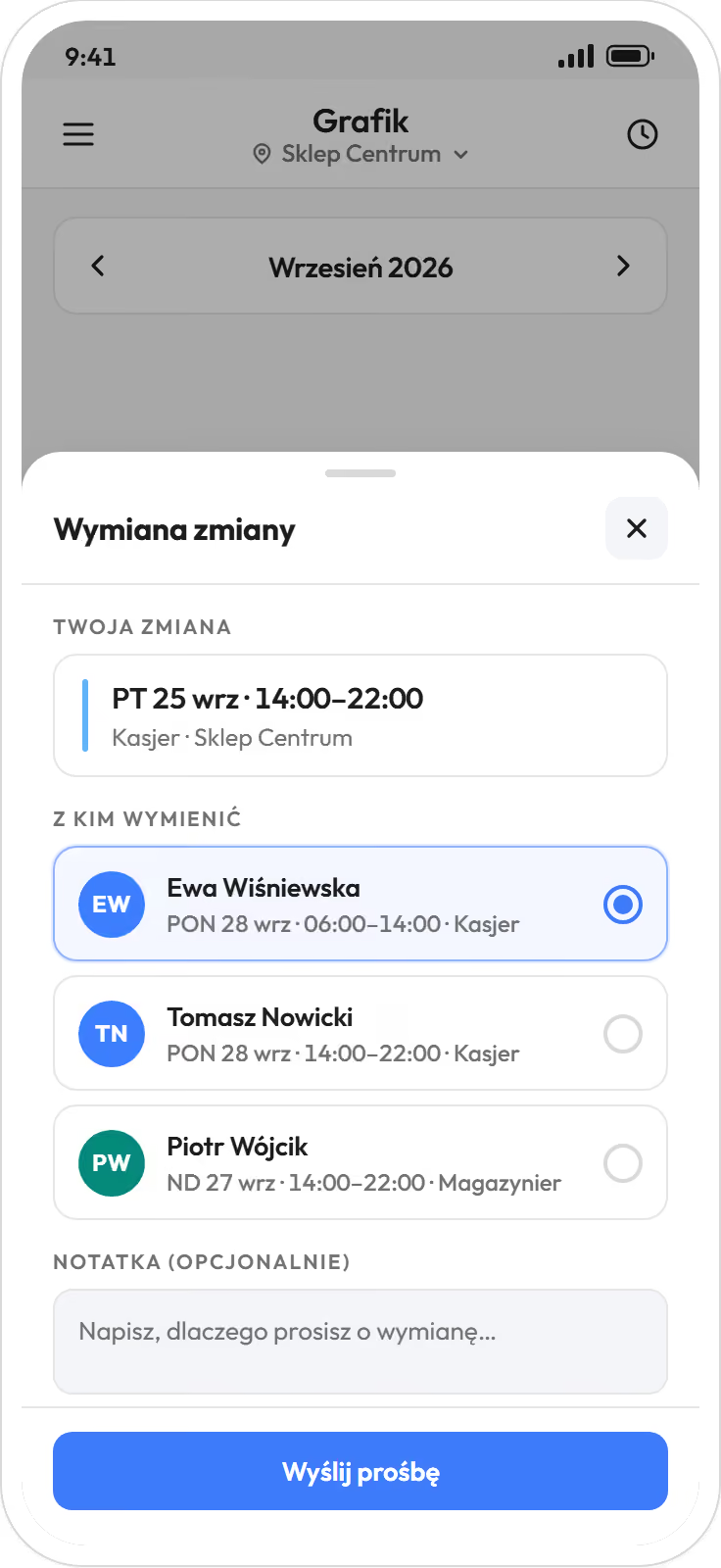
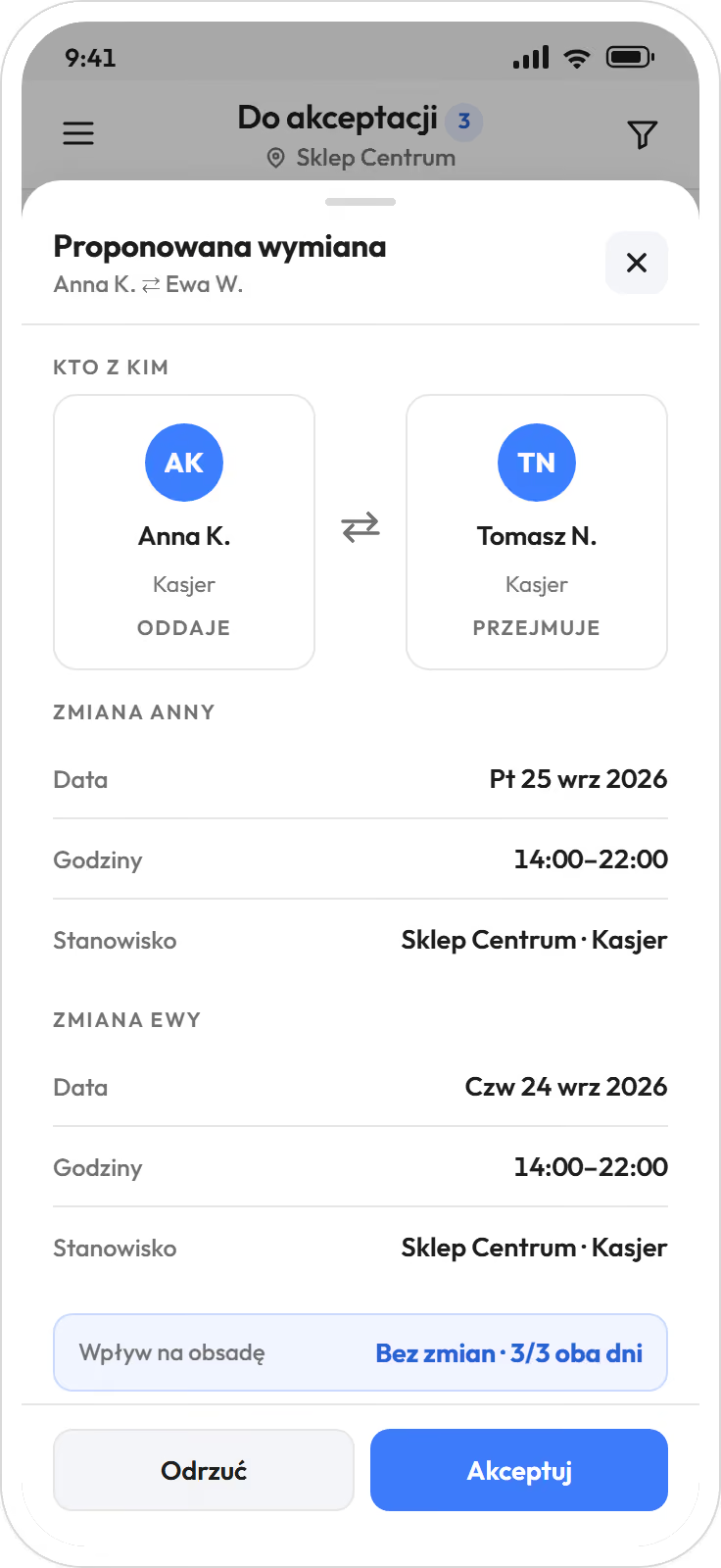
- Swaps and giving up shifts. An employee proposes a swap with a colleague or gives up a shift to the pool. A colleague takes it and the manager approves. The software checks rest periods and working time standards along the way.
- Leave requests. Leave and other absences, and requests other than leave also for part of a day. The leave balance and the status of each request are visible on the phone.
- Availability. The hours in which someone can work, once or on a repeating basis. The manager sees them before building the schedule.
- Clocking in and out. Start and end of a shift and breaks on the phone. If your company sets it up, also on a tablet by the entrance or in the browser.
- GPS check. The location has coordinates and a radius, and the phone checks the distance when a shift starts and ends. Clocking in outside the radius is also possible, marked “no location”.
Employees see their own schedule and their own hours. Whether they also see colleagues' schedules (the whole location or their own position) is set by the company. They do not see other people's hours.
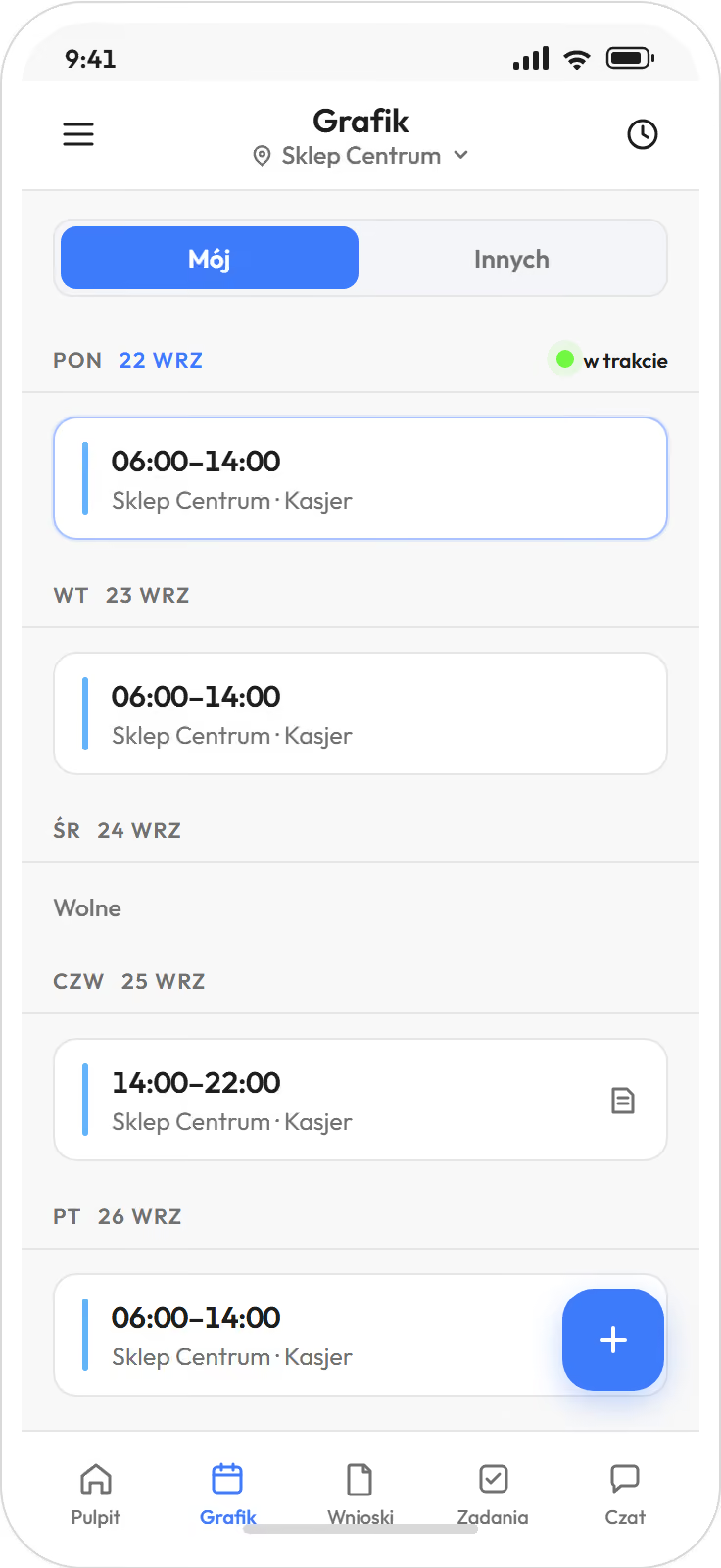
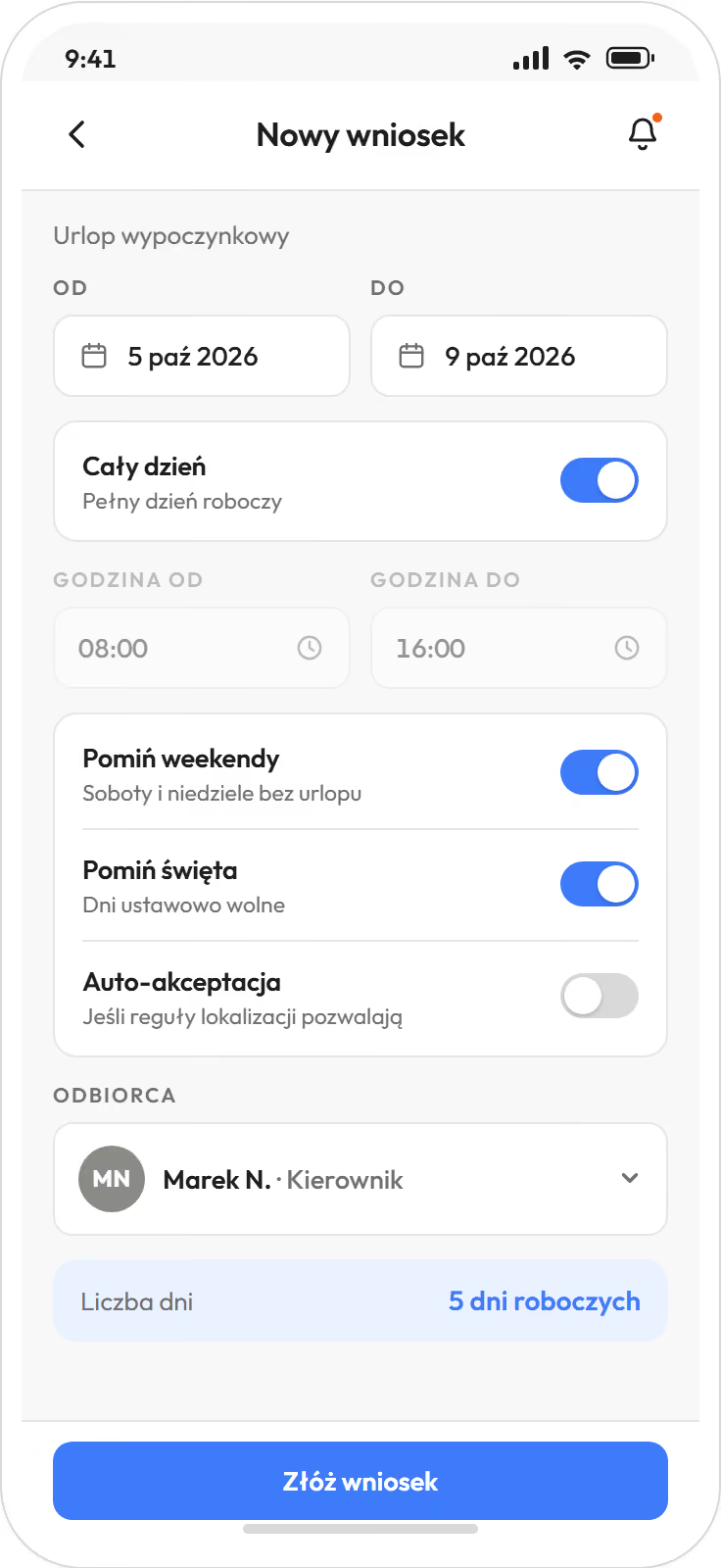
The software does not replace the manager; it takes the scheduling off them.
The staffing rules a manager carries in their head today are saved once. The software prepares a ready schedule from them, and the manager edits and approves it. Nothing reaches the team without their click.
Without automatic scheduling, the manager builds the schedule by hand in the same grid and publishes it the same way.
- Builds and edits the schedule in the app too. A small team can be handled from the phone, without sitting down at a computer.
- Approves swaps and requests with one tap, and sees that day's staffing while doing it. Stops being the phone switchboard in the evenings and at weekends.
- Sees a “needs attention” dashboard. Requests waiting for a decision, reported swaps and time entries to approve are in one place, and in the web panel also unassigned shifts.
- Cover
- HR and the administrator see the whole company, and a manager sees their own locations. A manager's leave does not stop the schedule.
- Sick note
- An electronic sick note (e-ZLA) from ZUS, the Polish social insurance institution, removes that person from their shifts by itself, and the manager gets a notification. The shift goes to the unassigned pool, and the manager passes it to open shifts or to a specific person.
- Corrections
- If someone forgets to clock in, the manager corrects the entry by hand. The correction stays in the history, with its author and time.

A tablet by the entrance replaces the paper attendance list. time tracking fromBiznes
Anyone who does not use a phone at work clocks in at the kiosk. All you need is a tablet by the entrance, and for contactless cards a reader connected to the tablet.
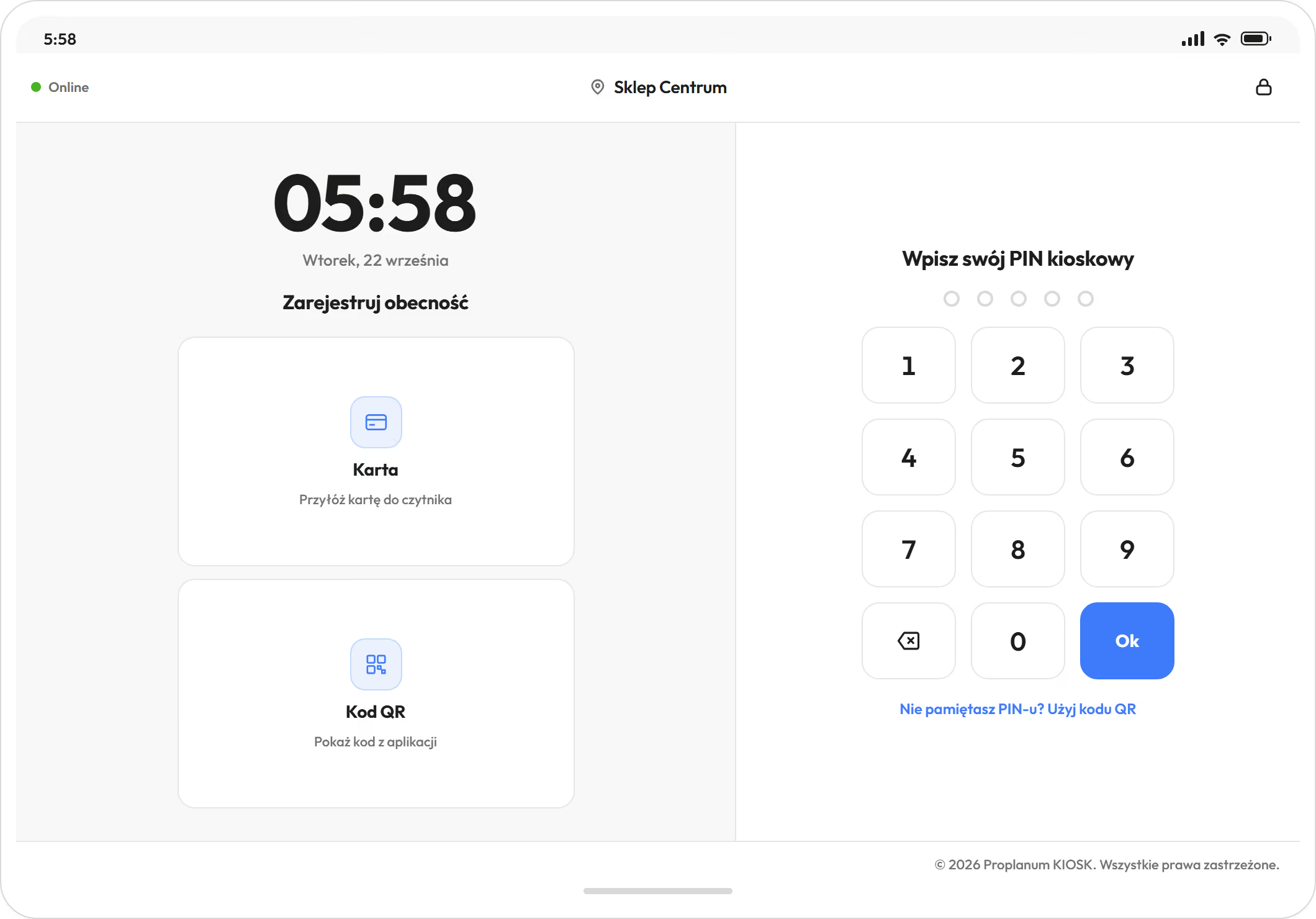
- The kiosk is an app on an iOS or Android tablet, or a kiosk in the browser.
- An employee clocks in with a PIN, a QR code from the app or a contactless card.
- Without internet access the kiosk still accepts PINs and QR codes, and sends the clock-ins when the connection returns.
- Nobody has to install the app on a private phone to clock in.
- At the kiosk an employee starts and ends a shift and a break and sees their next shifts. Nothing more.
Questions the team asks before they start.
Will someone hold me to account for every hour?
No. The software shows the schedule and worked hours. It does not rate people or measure performance; it has no such module.
Can I change what the software builds?
Yes. A ready schedule is a draft (automatic scheduling from Premium). The manager edits it by hand and only then publishes it.
Do I have to install the app on my private phone?
No. You can clock in at a kiosk on a tablet with a PIN, a QR code or a card, and the schedule can be printed. The phone is simply more convenient, because the schedule, swaps and requests are always at hand.
What if I forget to clock in?
The manager corrects the entry, and the correction stays in the history together with who made it.
Who sees my data?
An employee sees their own schedule and their own hours. A manager sees their team. The company sets the scope of access, including whether employees see their colleagues' schedules.
I have built schedules for ten years. Why would I need this?
The rules you carry in your head are saved once. The software prepares a version from them for you to edit (automatic scheduling from Premium), and swaps and requests stop arriving by phone after hours.
The owner or the board decides on the software, not this page.
If someone on the team decides after reading this page that it makes sense, the decision belongs to the company. It is made by the owner, the board or the person responsible for staffing across the company. This page does not collect sign-ups and does not try to persuade anyone.